


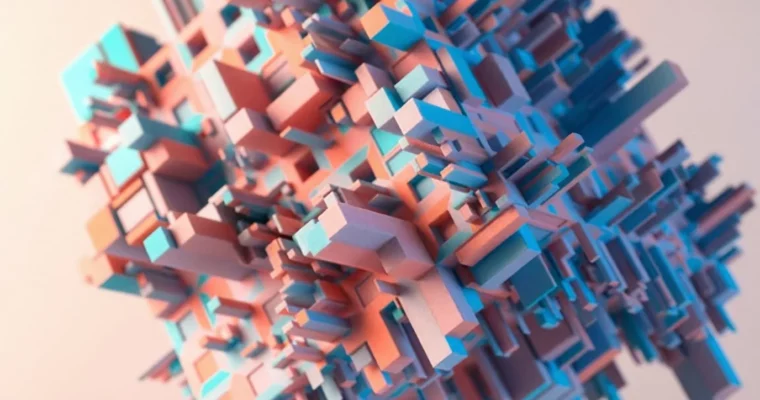
From Zero to Houdini – Beginner’s Guide to Procedural 3D – Roland Hartmann

Duration:12 hours on-demand video
Actual Duration:11h 29m
Release date:2025, December
Publisher:Udemy
Skill level:Beginner
Language:English
Exercise files:Yes
Software:Houdini
Course URL:https://www.udemy.com/course/from-zero-to-houdini-beginners-guide-to-procedural-3d
Ready to tackle Houdini but think it’s too complicated? This course breaks down the procedural 3D workflow, making it accessible for beginners. You’ll learn to build everything from flexible geometry for motion graphics to dynamic simulations, all within Houdini’s powerful node-based environment.
🎯 What you’ll learn
- Understand and navigate Houdini’s core contexts like SOPs, DOPs, and Solaris.
- Create flexible, non-destructive geometry using procedural modeling techniques.
- Build Vellum, FLIP, Pyro, MPM, and RBD simulations for creative projects.
- Light, shade, and render complete scenes using USD and Karma within Solaris.
✅ Requirements
- Skills: No prior Houdini experience needed; basic 3D knowledge is helpful but not required.
- Tools: A computer that can run Houdini (Windows, macOS, or Linux); Houdini Apprentice (free) or Indie license.
- Hardware: A computer capable of running Houdini.
📝 Description
Think Houdini is too intimidating? This course is designed to change that. It’s a clear, step-by-step guide for motion designers and 3D artists who want to get into procedural workflows without prior experience. You’ll learn how Houdini’s node system works, covering everything from basic interface navigation to advanced simulation techniques like Vellum, FLIP, and Pyro.
The course also introduces you to Solaris, Houdini’s USD-based environment for lighting and rendering, using Karma for final output. You won’t need any extra software, as the course utilizes the free Houdini Apprentice version and its built-in renderer. It’s structured for calm, methodical learning, focusing on both practical application and understanding the core concepts behind Houdini’s powerful systems.
🧑🎓 Who this course is for
- Absolute beginners looking for a friendly, structured intro to Houdini.
- Motion designers and 3D artists curious about procedural techniques.
- Artists transitioning from software like Cinema 4D, Blender, or After Effects.
- Anyone wanting to create dynamic simulations and more automated 3D setups.
- Creatives seeking greater control, flexibility, and efficiency in their 3D work.
🧑🏫 About the Author
Roland Hartmann is a self-employed 3D artist and motion designer who also runs graphicINmotion. He’s passionate about creating visuals and has spent over a decade mastering Houdini. Roland understands the initial learning curve of Houdini, having faced similar challenges himself, which inspired him to create accessible learning resources. Since 2021, Houdini has been his primary tool, and he’s eager to share his workflows and insights to help others succeed.
🏁 Final Result
- You’ll gain the confidence to build your own procedural setups and dynamic simulations in Houdini, creating portfolio-ready projects and understanding how to move from concept to final render efficiently.
 Channel




Hi, is it possible to include the Module 1 of this course too?