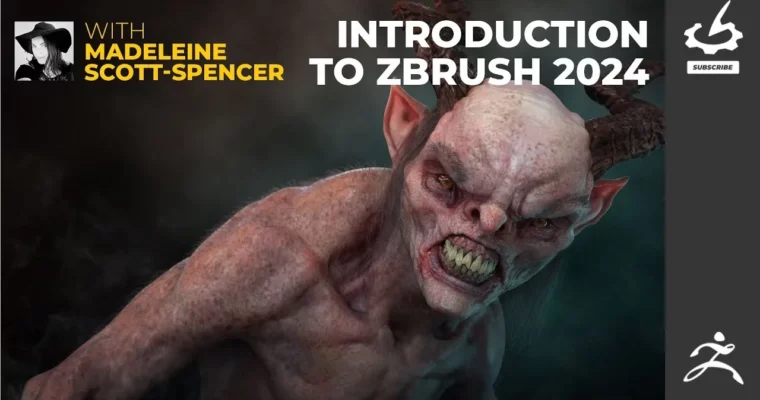
Introduction to ZBrush 2024 by Madeleine Scott-Spencer

Duration:18h 28m 2s
Actual Duration:18h 29m
Release date:2025
Publisher:Gnomon
Skill level:Beginner
Language:English
Exercise files:Yes
Software:ZBrush
Course URL:https://www.thegnomonworkshop.com/workshops/introduction-to-zbrush-2024
Ready to dive into the world of ZBrush? This workshop is your ticket to becoming proficient with one of the industry’s most powerful sculpting tools. Whether you’re a complete newbie or have dabbled a bit, you’ll walk away with a solid understanding of how to sculpt, model, and texture like a pro. It’s packed with practical lessons that mirror real-world VFX workflows.
🎯 What you’ll learn
- Navigate the ZBrush interface and use Dynamesh for initial sculpting.
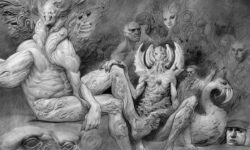
- Create detailed creature sculpts with realistic anatomy and fine surface details.
- Model hard-surface props and environmental assets.
- Design and sculpt cloth elements and costume details.
- Texture models using projection and hand-painted techniques.
- Pose figures dynamically and render final artwork.
- Integrate professional VFX pipeline techniques.
✅ Requirements
- Tools: ZBrush
📝 Description
This workshop dives deep into ZBrush 2024, covering everything from basic navigation to advanced texturing and rendering. Madeleine Scott-Spencer breaks down complex tools and workflows into digestible lessons, perfect for building a strong foundation. You’ll learn not just how to use the tools, but why they’re used in professional VFX pipelines, drawing from her extensive experience on films like The Hobbit and The Witcher. The course emphasizes practical application, with downloadable project files and exercises designed to build muscle memory and artistic confidence. Expect to explore sculpting, hard-surface modeling, creature design, and texturing with a focus on creating compelling, production-ready assets.
🧑🎓 Who this course is for
- Absolute beginners with no prior 3D experience.
- Intermediate ZBrush users looking to solidify their skills.
- Aspiring artists aiming for careers in VFX, gaming, or digital sculpting.
- Concept artists, character designers, and traditional sculptors moving into digital art.
🧑🏫 About the Author
Madeleine Scott-Spencer is a seasoned Creature and Character Artist with over fourteen years in visual effects, toy design, and digital maquettes. Her impressive film credits include Pacific Rim: Uprising, The Hobbit Trilogy, and The Witcher series, gained during her time at top studios like Weta and Double Negative. A respected educator, Madeleine has taught at The Gnomon Workshop and written for 3D World. Her background includes formal art training from SCAD, classical sculpture studies, and extensive anatomical research. Currently, she’s the Immersive Creative Director at Cinesite. Her ability to blend technical mastery with artistic vision makes her an exceptional instructor.
🏁 Final Result
- A strong intermediate grasp of ZBrush as a comprehensive sculpting, modeling, and texturing tool, ready for professional workflows. You’ll have completed detailed creature sculpts, hard-surface props, and textured assets, suitable for portfolio presentation.
 Channel