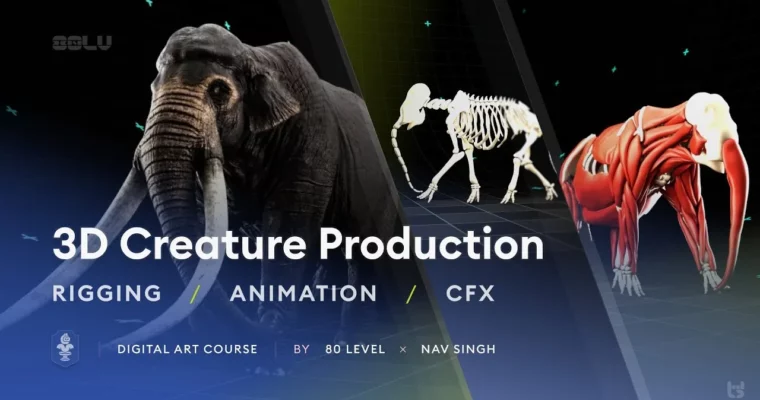
3D Creature Production Rigging, Animation & CFX by Nav Singh

Duration:40+ hours
Actual Duration:41h 16m
Release date:2025, August
Publisher:Gumroad
Skill level:Beginner
Language:English
Exercise files:Yes
Software:Autodesk Maya, ZOO TOOLS, NG Skin Tools, Animbot, Ragdoll Dynamics, AdonisFX
Course URL:https://80lv.gumroad.com/l/3d-creature-production-and-animation
Ever wondered how a realistic creature walk cycle actually comes together? This course takes you through the entire process—rigging, animation, and creature FX—using a mammoth as the hero asset. Nav Singh, a Lead Animator at Pixomondo, walks you through every click and decision, so you’re not just following steps, you’re learning the reasoning behind them.
🎯 What you’ll learn
- Build advanced creature rigs with complete facial controls and multi-layered IK/FK limbs
- Understand animal locomotion and behavior to create believable walk cycles
- Set up muscle, fat, and skin simulation using AdonisFX in Maya
- Integrate muscle simulation with existing animation for dynamic secondary motion
- Use industry plugins like ZOO TOOLS and Animbot to speed up your workflow
✅ Requirements
- Skills: Basic understanding of 3D space and familiarity with Maya’s interface
- Tools: Autodesk Maya 2025.3, ZOO TOOLS (free with course), NG Skin Tools, Animbot, Ragdoll Dynamics, AdonisFX
- Hardware: Dedicated GPU with at least 8GB VRAM, 32GB RAM recommended for muscle simulation
📝 Description
This isn’t just a button-clicking tutorial. Nav breaks down the why behind every rigging decision and animation pose. You’ll start with a blank scene and build a complete creature rig from scratch—one that’s actually game-ready and compatible with AdonisFX for simulation work.
The course is structured to mirror a real production pipeline. First, you’ll focus on rigging: creating a single-hierarchy joint system that’s clean enough for games but powerful enough for film. Nav shows you how to use ZOO TOOLS to speed up repetitive tasks, then dives into the finer details like shoulder locks and jiggle controllers that respond naturally to limb movement.
Once the rig is solid, you’ll move into animation. This is where the course really shines—Nav spends real time explaining how a mammoth actually moves. You’ll study weight distribution, foot placement, and the subtle shifts in the spine that make a walk cycle feel alive rather than mechanical. He also covers how to use Animbot to keep your workflow efficient without sacrificing quality.
The final module tackles creature FX with AdonisFX. You’ll build a full muscle, fat, and skin simulation setup and learn how to attach it to your existing rig. The tricky part—combining your hand-animated walk cycle with the dynamic simulation—gets a thorough breakdown so you understand how to layer these systems without things exploding.
Throughout the course, you get access to all project files, including the finished rig and simulation setup. That means you can study the final result, reverse-engineer it, and compare your work against a professional standard.
🧑🎓 Who this course is for
- 3D artists who want to move from character animation into creature work
- Riggers looking to expand their skillset into muscle and skin simulation
- Animators who want to understand the technical side of creature FX without getting lost in the weeds
- Beginners with basic Maya knowledge who want a structured, project-based learning path
🧑🏫 About the Author
Nav Singh has been working in the VFX industry since 2016, with stints at ILM and Folks VFX before landing his current role as Lead Animator at Pixomondo Toronto. He’s also an Animation Instructor at Seneca College, where he’s spent the last five years teaching students from all backgrounds and skill levels.
His filmography includes major productions like House of the Dragon, Loki, and The Mandalorian. Beyond his studio work, Nav runs Creature Station, a platform where he shares his expertise through courses and resources. He’s particularly proud of helping artists around the world level up their creature animation skills—and it shows in how thoroughly he explains each concept.
🏁 Final Result
- A complete, single-hierarchy game-ready mammoth rig with advanced facial controls
- A fully functional muscle, fat, and skin simulation rig you can study and reuse
- A polished walk cycle animation integrated with dynamic muscle simulation
- All project files, including the ZOO TOOLS plugin, to keep for your future projects
 Channel