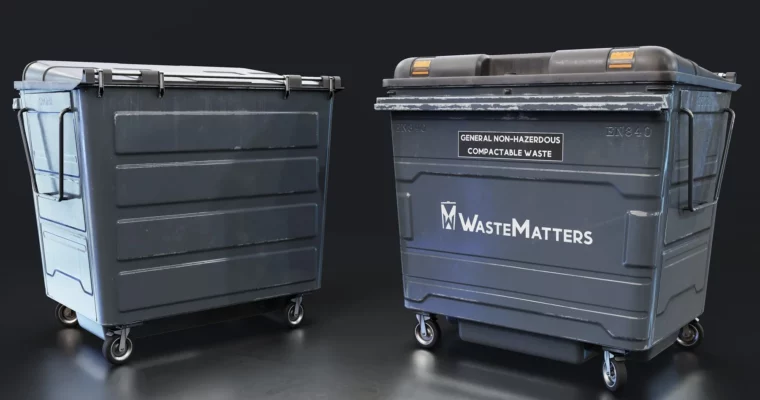
3D Asset Creation for Studios Complete Workflow from Brief to Unreal Engine 5 by FastTrackTutorials

Duration:19+ hours
Actual Duration:17h 54m
Release date:2024, February
Publisher:Artstation
Skill level:Intermediate
Language:English
Exercise files:Yes
Software:3ds Max, Substance Painter, ZBrush, Unreal Engine 5, RizomUV, Marmoset Toolbag 4
Course URL:https://www.artstation.com/marketplace/p/2VDBy/3d-asset-creation-for-studios-complete-workflow-from-brief-to-unreal-engine-5
This course is about how real production works when you’re making assets for game studios. It’s not just about modeling—it covers the whole pipeline, from reading a request brief to setting up your final asset in Unreal Engine 5. You’ll learn the tools, the internal workflows, and how feedback actually happens on the job.
🎯 What you’ll learn
- How to read and use production request briefs
- How to use Jira, Confluence, Miro, and Notion for asset tracking
- The full high-to-low poly modeling, unwrapping, baking, and texturing workflow
- How to handle feedback and revisions like a studio artist
- How to set up and present assets in Unreal Engine 5
✅ Requirements
- Skills: Basic understanding of 3D modeling and software navigation
- Tools: 3-button mouse, drawing tablet recommended for ZBrush
- Hardware: Minimum 16GB RAM, dedicated GPU
📝 Description
This isn’t your typical “make a cool prop” tutorial. It’s built around the actual day-to-day reality of working in a game studio. You’ll start by learning how to interpret a request brief—the document that tells you exactly what to build, with what specs, and by when. Then you’ll see how studios use tools like Jira to track every asset through production.
The core of the course is a complete walkthrough: high poly in ZBrush, low poly in 3ds Max, UVs in RizomUV, baking in Marmoset Toolbag 4, and texturing in Substance Painter. Every step is explained in real-time with narration. There’s also a bonus timelapse showing the same asset built in Blender, so you’re not locked into one tool.
What sets this apart is the focus on feedback and iteration. You’ll see how notes come in from leads or clients, and how to adjust your work accordingly. That’s the part most tutorials skip, but it’s the most important skill for landing a job.
🧑🎓 Who this course is for
- Beginner to intermediate 3D artists who want to understand studio production workflows
- Artists preparing for their first job in game development or outsourcing
- Hobbyists who want to level up their pipeline and work more efficiently
🧑🏫 About the Author
Emiel Sleegers is a lead environment artist and the owner of FastTrack Studio. He’s worked on major titles like The Division 2 and its DLC at Ubisoft, and Forza Horizon 3 at Playground Games. He also freelanced as an environment and material artist on multiple projects. His teaching focuses on practical, production-ready techniques.
🏁 Final Result
- A fully textured, game-ready 3D asset set up in Unreal Engine 5
- A deep understanding of the entire studio pipeline, from brief to final delivery
- Practical knowledge of industry tools like Jira, Confluence, and Miro
 Channel