It looks like you're using an adblocker.
Adblockers make us sad. We use ads to keep our content happy and free. If you like what we are doing please consider supporting us by whitelisting our website. You can report badly-behaved ads by clicking/tapping the nearby 'Advertisement' X text.
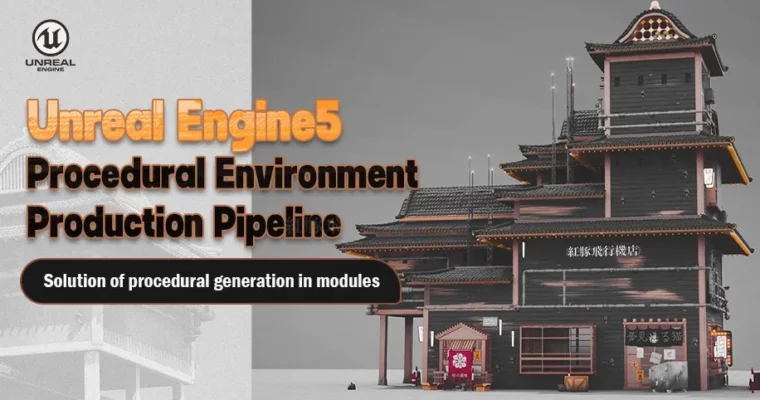
Unreal Engine5 Procedural Environment Production Pipeline by REQUIRES UPDATE
Master the Unreal Engine 5 procedural environment production pipeline using Houdini and Substance Designer to create complex, modular assets.
This course dives into the advanced techniques for creating procedural environments in Unreal Engine 5, leveraging the power of Houdini and Substance Designer. You’ll learn to build a robust production pipeline, enabling you to generate complex, modular assets efficiently and integrate them seamlessly into your game worlds.
🎯 What you’ll learn
Develop a deep understanding of the Wave Function Collapse algorithm for procedural generation.
Create and manage modular building components and variations using Houdini.
Implement Python scripting for batch processing and data management within Houdini.
Design and implement realistic materials for various surfaces in Unreal Engine.
Generate and integrate props, pipes, and decorative elements procedurally.
Master the creation of neon signs, billboards, and other environmental details.
Assemble complete scenes with landscapes, flooring, and lighting.
✅ Requirements
Skills: Familiarity with 3D modeling concepts and basic Unreal Engine or Houdini interface.
Hardware: CPU: i7 10th generation or higher; Graphics Card: RTX 3060 or equivalent; Memory: 32GB RAM.
📝 Description
This course offers a comprehensive deep dive into building procedural environments for Unreal Engine 5. You’ll start by understanding the core principles of the Wave Function Collapse algorithm and its practical application in Houdini. The curriculum meticulously guides you through planning and creating modular assets, from basic walls and roofs to specialized components, utilizing Python scripting for efficient data handling and batch operations.
The course then transitions into advanced 3D generation techniques within Houdini, covering complex box stacking, preprocessing, and the implementation of 3D WFC algorithms. You’ll learn to generate intricate details like doors, windows, and house frames, ensuring a robust foundation for your environments. Material creation is a significant focus, with detailed walkthroughs on developing realistic plaster, brick, wood, and cement materials in Substance Designer and applying them effectively in Unreal Engine using its material editor.
Finally, the pipeline extends to integrating props, pipes, decorative elements like neon signs and billboards, and even complete structures like wooden fences and stone stairs into Unreal Engine. The course concludes with landscape creation and final scene assembly, providing you with the skills to build expansive and detailed game environments efficiently.
🧑🎓 Who this course is for
Technical artists specializing in Procedural Content Generation (PCG).
Level designers with a foundational understanding of 3D software.
Artists interested in mastering modular and procedural workflows for environment art.
Anyone looking to build complex, scalable environments in Unreal Engine.
🏁 Final Result
A portfolio-ready, procedurally generated environment within Unreal Engine 5, showcasing your ability to create complex modular assets and integrate them into a cohesive scene.
Curriculum
📋 Course content
Intro
Trailer (4m 23s)
Chapter 1: Foundational Concepts and Tools
Software and attention (2m 51s)
Analysis of wave function collapse algorithm (4m 31s)
Supplementary lesson: explanation of Northwood WFC (12m 59s)
Basic building modules planning (12m)
Wall variations creating (31m 32s)
Roof basic module (8m 39s)
Special modules (4m 57s)
Module ports writing – 1 (28m 30s)
Module ports writing – 2 (14m 48s)
Batch import tool of Python (10m 4s)
Pandas module of Python installation (6m 28s)
Excel spreadsheet reading and saving as Json file (19m 9s)
Dumping of point cloud information into a Json file (11m 46s)




 Channel