Ad Clicks : Ad Views : Ad Clicks : Ad Views : Ad Clicks : Ad Views : Ad Clicks : Ad Views :
Oh Snap!

It looks like you're using an adblocker. Adblockers make us sad. We use ads to keep our content happy and free. If you like what we are doing please consider supporting us by whitelisting our website. You can report badly-behaved ads by clicking/tapping the nearby 'Advertisement' X text.

Unreal Engine 5 C++ Inventory Systems by Stephen Ulibarri

Unreal Engine 5 C++ Inventory Systems by Stephen Ulibarri

/

Author:Stephen Ulibarri

Duration:25 hours

Actual Duration:24h 30m

Release date:2026, February

Publisher:Udemy

Skill level:Intermediate

Language:English

Exercise files:Yes

Software:Unreal Engine 5, Rider IDE

Course URL:https://www.udemy.com/course/unreal-engine-5-inventory-systems/

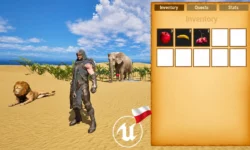
Build a multiplayer-ready spatial inventory system in Unreal Engine 5 with equippable, stackable, and craftable items using C++ and Blueprints.

Build a complete, multiplayer-ready inventory system in Unreal Engine 5 using C++ and Blueprints. This course focuses on creating a spatial inventory with item grids, stackable items, equipment slots, and a modular item fragment system. You’ll code everything from scratch, ensuring your system is scalable and robust for any game project.

🎯 What you’ll learn

  • Create and manage spatial inventory grids with item categories
  • Code item interaction systems for picking up, dropping, and moving items
  • Implement stackable, consumable, and equippable items
  • Build a modular item fragment system for flexible item customization
  • Develop multiplayer inventory and item systems for Listen Server and Dedicated Servers

✅ Requirements

  • Skills: Knowledge of Unreal Engine C++ required
  • Tools: Use of Rider IDE (free for non-commercial use)
  • Hardware: Disk space for Unreal Engine 5 and debugging symbols

📝 Description

This course is all about building a spatial inventory system from the ground up in Unreal Engine 5. You’ll start by setting up a plugin, then move through creating item interaction, a grid-based UI, and multiplayer replication. The core of the system is an Item Fragment pattern—a modular way to give items different behaviors like stacking, consuming, or equipping. You’ll code everything in C++, with Blueprints used for UI and polish.

The inventory supports multiple categories (Equippable, Consumable, Craftable) and items of varying sizes that take up different grid squares. You’ll implement stackable items with max stack sizes, splitting, and combining. The equipment system lets you equip items like cloaks, masks, and weapons, with visual feedback on the character mesh. Everything is built for multiplayer, working on both Listen Server and Dedicated Servers.

You’ll also build a flexible tooltip system using the Composite Pattern, so item descriptions adapt based on what fragments an item has. The course provides all assets—3D meshes, textures, and Niagara effects—so you can focus on coding. By the end, you’ll have a reusable inventory plugin you can drop into any project.

🧑‍🎓 Who this course is for

  • UE5 developers who want to implement inventory systems in their games
  • Those who want to learn how items are handled in serious games
  • Those who want to implement equipment systems
  • Those who need multiplayer solutions to items, inventory, and equipment

🧑‍🏫 About the Author

Stephen Ulibarri is a game developer with professional experience in surgical simulations. He holds a degree in Chemical Engineering, where he discovered programming, and has since authored a science fiction novel. Stephen has created over 17 courses on Unreal Engine, with nearly 500,000 students. He runs the Druid Mechanics Discord community, a supportive space for learners. His book, Unreal Engine C++ The Ultimate Developers Handbook, is a go-to resource for many developers.

🏁 Final Result

  • A fully functional, multiplayer-ready spatial inventory system as a reusable Unreal Engine plugin
  • A working equipment system with visual character mesh updates
  • Stackable, consumable, and craftable items with full interaction logic
  • A modular item fragment system for easy customization
Curriculum

📋 Course content

  1. Module 1:  Welcome and Project Setup
    • Welcome to the Course!4:15
    • Project Creation and Assets2:23
    • Custom Character Mesh1:35
    • Creating a Plugin2:51
  2. Module 2:  Core Interaction Systems
    • Inventory Player Controller9:32
    • Primary Interact Action13:53
    • The HUD Widget9:37
    • Item Trace Channel5:34
    • Tracing for Items14:44
    • Pickup Message15:21
    • Highlight Material13:37
  3. Module 3:  Inventory UI and Grid
    • Inventory Component15:51
    • Toggle Inventory10:31
    • Close Button5:42
    • Inventory Grid16:18
    • Switcher Buttons11:47
    • Grid Slots22:58
  4. Module 4:  Multiplayer Inventory Logic
    • Fast Array Serializer22:47
    • Fast Array Functions12:17
    • No Room in Inventory24:34
    • Has Room for Item14:52
    • Add Item RPCs8:19
    • Item Manifest29:16
    • Item Type Tags12:57
    • On Item Added18:41
  5. Module 5:  Item Fragment System
    • Item Fragment17:48
    • Image Fragment5:35
    • Inventory Grid Check14:47
    • Add Item To Indices6:43
    • Get Fragment Utilities15:52
    • Slotted Item18:04
    • Add Slotted Item to Canvas20:11
    • Grid Slot Textures11:21
    • For Each 2D14:26
  6. Module 6:  Stackable Items
    • Stackable Fragment5:44
    • Stack Count11:46
    • Updating Grid Slots10:11
    • Has Room For Item – The Plan14:56
    • Is the Item Stackable3:20
    • How Many Stacks to Add2:08
    • Exiting the Loop Early2:24
    • Is Index Claimed4:29
    • Has Room at Index8:44
    • Check Slot Constraints11:48
    • Is Index Claimed…Again6:49
    • Is Upper Left Grid Slot6:14
    • Is Stackable3:58
    • Does Item Type Match5:53
    • Is Slot at Max Capacity4:49
    • Is In Grid Bounds6:51
    • Determine Fill Amount for Slot8:21
    • Filling in the Results8:26
    • Find First Item by Type8:43
    • Testing our Algorithm7:43
    • Total Stack Count5:48
    • On Picked Up11:03
    • On Stack Change4:12
    • Add Stacks8:05
  7. Module 7:  Hover and Click Interactions
    • Hover Item12:00
    • Slotted Item Clicked6:54
    • Pointer Events6:15
    • Assign Hover Item7:24
    • Hover Item Stack Count4:31
    • Remove Item from Grid5:59
  8. Module 8:  Tile and Grid Navigation
    • Tile Parameters7:02
    • Canvas and Mouse Position7:31
    • Hovered Coordinates6:12
    • Calculate Tile Quadrant6:39
    • On Tile Parameters Updated6:20
    • Hover Item Dimensions1:25
    • Calculate Starting Coordinate14:36
    • Check Hover Position7:57
    • In Grid Bounds1:34
    • Has Swappable Item8:26
    • Cursor Exited Canvas7:57
    • Highlighting and UnHighlighting11:16
    • Change Hover Type8:16
  9. Module 9:  Item Movement and Swapping
    • Grid Slot Events11:49
    • On Grid Slot Clicked9:37
    • Put Down on Index8:37
    • Show and Hide Cursor17:06
    • On Slotted Item Clicked5:08
    • Swap With Hover Item14:29
    • Should Swap Stack Counts6:41
    • Swap Stack Counts4:49
    • Consume Hover Item Stacks10:26
    • Filling in Stacks6:58
    • Slot is Full1:41
  10. Module 10:  Item Popup Menus
    • Pop Up Menu Class4:33
    • Pop Up Widget Events2:48
    • Item Pop Up Delegates7:54
    • Finishing the Item Pop Up Class7:00
    • Item Pop Up Blueprint8:56
    • Create Item Pop Up12:09
    • Weak Pointer to Item Pop Up10:12
    • Split Drop and Consume Callbacks8:41
    • On Pop Up Menu Split6:25
  11. Module 11:  Dropping Items
    • Drop Item5:09
    • Server Drop Item5:07
    • Spawn Dropped Item9:09
    • Spawn Pickup Actor8:21
    • Test Dropping Items10:45
    • Dropping Items Manually5:01
  12. Module 12:  Consumable Items
    • On Pop Up Menu Consume4:54
    • Server Consume Item3:44
    • Consumable Fragments18:17
  13. Module 13:  Item Descriptions and Tooltips
    • Item Description Widget4:46
    • Hover and Unhover for Slotted Items11:21
    • Creating an Item Description8:55
    • Set Item Description Size and Position14:37
    • The Composite Pattern6:06
    • Setting up the Composite Pattern13:43
    • Assimilate Inventory Fragments15:19
    • The Image Fragment12:30
    • The Text Fragment12:24
    • Labeled Number Fragment28:12
    • Consume Modifiers25:27
    • Completing the Item Description12:19
  14. Module 14:  Equipment System
    • Equipped Grid Slots9:48
    • Hover Functionality8:23
    • Equipped Grid Slot Blueprints4:29
    • Grayed Out Icon3:49
    • Adding Equipped Grid Slots2:44
    • Creating an Equippable Item12:51
    • Equipment Fragment9:34
    • Can Equip Hover Item8:14
    • Equipped Slotted Item10:29
    • Slotted Item Draw Size3:28
    • Creating the Slotted Item Widget3:16
    • Finishing OnItemEquipped6:35
    • Creating the Equipped Slotted Item7:52
    • Equipping the Cloak11:56
    • Planning EquippedSlottedItemClicked4:42
    • Items to Equip and Unequip6:02
    • Remove Equipped Slotted Item5:30
    • Make Equipped Slotted Item5:01
    • Broadcast Slot Clicked Delegates7:12
    • Edge Case – Swapping with Valid Items3:47
    • Edge Case – Switching Categories13:02
    • Equipment Component13:29
    • Calling Equip Functions13:53
    • Equip Actor10:47
    • Spawning the Equip Actor12:01
    • Destroying the Equip Actor8:06
    • Timing Actor Lifecycles8:56
    • Proxy Mesh Actor10:31
    • Timing the Proxy Mesh11:55
    • Proxy Mesh Blueprint4:03
    • Character Display9:47
    • Character Display Blueprint9:15
    • Hiding the Dot2:45
    • Character Mesh Collision16:37
    • Equipped Item Description21:28
    • Creating More Items16:45
    • Bonus Lecture: Where to go from here0:41
Watch online or Download for Free
Unreal Engine 5 C++ Inventory Systems by Stephen Ulibarri
NAME
SIZEDURATION
2. Inventory HUD
104.8 MB1h 24m
6. Adding Stacks
43 MB29m
12. Consuming Items
32.9 MB28m

Download all Videos (165)
1.9 GB24h 30m

Project Files (Assets, Resources)
338.4 MB

Download all

Join us on
  Channel    and      Group

Leave a Comment

Your email address will not be published. Required fields are marked *