Ultimate Photoshop Mock-Up Creation Course by Talha Bhatti

Duration:1.5 hours on-demand video
Release date:2026, March
Publisher:Udemy
Skill level:Beginner
Language:English
Exercise files:Yes
Software:Adobe Photoshop
Course URL:https://www.udemy.com/course/ultimate-photoshop-mock-up-creation-course
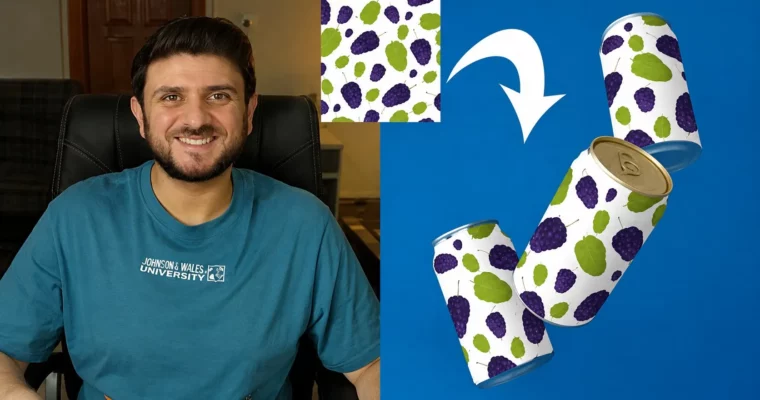
If your designs still live as flat screenshots, this course fixes that fast. You will learn to turn logos and packaging into believable product shots in Photoshop that actually sell the idea.
🎯 What you’ll learn
- Design lifelike product mock-ups for packaging, apparel, and screens
- Work with layers, masks, and Smart Objects the right way
- Create professional presentations for clients and portfolio
- Add shadows, reflections, and textures for extra realism
✅ Requirements
- Skills: Basic knowledge of Photoshop, familiarity with layers
- Tools: Adobe Photoshop (any recent Creative Cloud version)
📝 Description
You start simple. Setup, Smart Objects, layer masks, and the basic mockup workflow. No fluff. You make your first usable mockup in minutes, then reuse that setup for other designs.
Then it gets practical. You build a box mockup with Perspective Warp, wrap a label on a coffee cup with Warp, and handle tricky metallic surfaces. You also learn where to find good base photos so you are not stuck with bad lighting or low-res files.
The part that makes it look real comes last. You use Blend If to make designs sit into texture, add realistic shadows and reflections, and build multi-editable files you can update in one click. Plus a straight talk on how to package and sell your mockups.
🧑🎓 Who this course is for
- Graphic designers who want better client presentations
- Web and app developers who need clean device and screen mockups
- Marketing professionals showcasing products without a photoshoot
- Photoshop enthusiasts who want practical, reusable skills
🧑🏫 About the Author
Talha Bhatti teaches practical Photoshop focused on mock-up creation and presentation. His approach is hands-on and project-based, with short lessons you can follow along and apply right away. He focuses on reusable techniques for freelancers and designers who need fast, believable results.
🏁 Final Result
- A set of portfolio-ready mockups including a perspective box, warped coffee cup, and metallic effect, plus a reusable multi-editable template with realistic shadows and lighting.
 Channel