It looks like you're using an adblocker.
Adblockers make us sad. We use ads to keep our content happy and free. If you like what we are doing please consider supporting us by whitelisting our website. You can report badly-behaved ads by clicking/tapping the nearby 'Advertisement' X text.
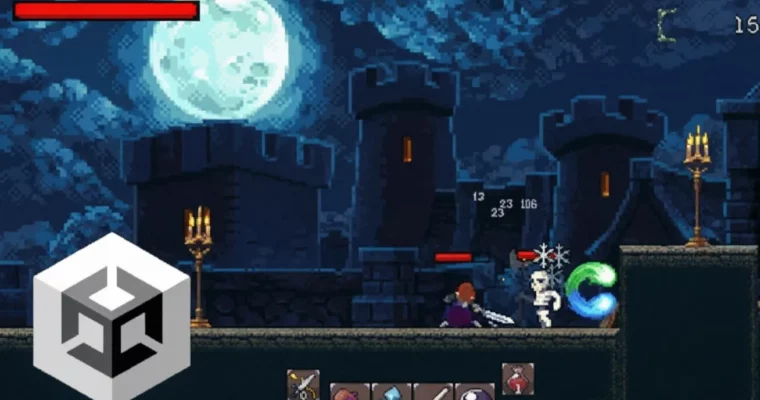
The Ultimate Guide to Creating an RPG Game in Unity 6 by Unity Alex Dev
Build your own 2D RPG game from scratch using C# and Unity, covering everything from core mechanics to advanced systems.
Ready to build your own RPG? This course is your ticket to creating a complete 2D RPG game in Unity 6, even if you’re starting with zero game dev experience. You’ll dive into C# and learn how to bring your game ideas to life, from character controllers to full-fledged RPG systems.
🎯 What you’ll learn
Create playable game projects for your portfolio or personal satisfaction.
Master C#, a modern and versatile programming language.
Understand Object-Oriented Programming in practical, real-world scenarios.
Gain a solid general knowledge of video game design.
Write clean, maintainable code and design scalable game architectures.
✅ Requirements
Hardware: PC or Mac capable of running Unity 2020 or later.
Skills: Basics of C# will be helpful, but not required.
📝 Description
Ready to build your own RPG? This course is your ticket to creating a complete 2D RPG game in Unity 6, even if you’re starting with zero game dev experience. You’ll dive into C# and learn how to bring your game ideas to life, from character controllers to full-fledged RPG systems.
We’ll start with a 4-hour crash course for absolute beginners in Unity, covering everything you need to know. Even if you’re new to C#, don’t sweat it – we’ll cover all the essentials. You’ll learn to build a versatile player controller using a finite state machine, design levels, implement parallax effects, set up camera controllers, create enemies to fight, and develop an engaging combat system with mechanics like dashes, counterattacks, and skills.
Later, we’ll tackle advanced systems that transform your game into a fully functional RPG. This includes managing items, crafting, shops, storage, and complex stats like critical attacks, evasion, and elemental effects. You’ll also develop UI elements for these systems and create a robust save system to track progress, items, skills, experience, and currency. Finally, we’ll polish your game with visual effects, particles, and prepare it for building and publishing. By the end, you’ll have the skills to create your own unique RPG game. The systems are designed to be clean and scalable, so you can easily expand on them.
🧑🎓 Who this course is for:
Anyone who wants to make cool RPGs with skills, items, stats, and crafting.
Anyone looking to create their own 2D games.
Individuals aiming to create and publish their own games.
Beginners interested in learning game development.
Developers looking to transition into game development.
Those interested in working in the game design industry.
Enthusiasts eager for a deep dive into game mechanics and Unity’s potential.
🧑🏫 About the Author
Hello, everyone! I’m Alex, a self-taught game developer who understands the learning journey and its challenges firsthand. I’m here to help others learn game development and programming. With a bachelor’s degree in computer science and over 5 years of teaching experience, I’ve guided thousands of students. The best time to start is now, and there’s never been a better time to learn game development.
🏁 Final Result
A fully functional 2D RPG game project, complete with character progression, combat, inventory, crafting, and saving systems, ready for your portfolio or further development.
Curriculum
📋 Course content
Important to know:Mindset, Bugs, Q&A, Pep talk, Crash Course
Important to know – Mindset of the course5:32
Important to know – Bugs and Q&A4:40
Important to know – Pep talk1:17
Important to know – Crash Course4:01
Unity Setup & Basics:Installation and core concepts
Install Unity9:10
Windows and Tools9:33
Components in Unity13:58
C# Fundamentals:Programming essentials for game dev
Basics of C#11:44
Unity’s execution order8:31
C# – Functions8:49
Player Controller:Movement, input, and animation
Input & Movement15:03
Decision making & Jump13:02
Animator13:31
Animation transitions9:01
Character flip logic7:47
Collision detection13:26
Jump, Fall & Blend tree14:56
Attack animation18:46
Attack logic & Enemy detection16:09
Timers & Cooldowns16:28
Object-Oriented Programming (OOP):Core principles
OOP – Inheritance13:44
OOP – Polymorphism8:00
OOP – Encapsulation8:24
Conclusion & Project4:49
Finite State Machine (FSM):Implementing complex behaviors
Create project & Get assets6:03
What is Finite State Machine8:47
Create Finite State Machine22:45
New States & Structure16:48
New Input System:Modern input handling
Setup New Input System21:37
Clean up & Project2:00
Character Animations & Movement:Refining character actions
Idle and Movement animations15:19
Movement logic13:41
Character Flip Logic5:16
Jump – Input, States & Animations20:41
Jump – Collision and Horizontal Movement21:13
Wall Slide State26:44
Wall Jump State8:52
Dash State26:00
Attack State19:29
Combo attacks29:44
Queue Combo Attacks22:10
Jump Attack18:28
Better Wall Detection, Idle & Move9:59
Clean up & Project1:31
Level Design:Tilemaps and camera setup
Tile Palette Setup & Assets26:02
Tile Map & Sorting Layers15:39
Cinemachine Camera12:18
Cinemachine Confiner4:57
Parallax background14:52
Endless background16:19
Demo Level Setup16:00
Clean up & Project8:30
Enemy AI:Creating intelligent adversaries
Creating a Base Entity Script23:44
Enemy Setup10:42
Walk & Idle23:34
Attack State13:12
Player Detection21:54
Chase & Attack14:34
Battle Timer & Retreat Ability18:38
Clean up & Project5:00
Combat Systems:Damage, health, and effects
Target detection12:52
Damage system6:24
Take Damage Override12:39
On Damage VFX10:07
On Damage Knockback19:06
Enemy’s Death12:39
Player’s Death11:22
Interface and Item Chest18:45
Enemy Stunned State23:28
Player Counter Attack State & Logic33:26
On Hit VFX21:28
Health bar21:39
Clean up & Project6:53
Stats System:Designing character attributes
Stat System Design & Stat Class14:00
Stat groups9:05
Chance logic & Evasion system19:29
Physical Damage & Critical attack23:12
Armor mitigation & Armor penetration21:44
Elemental Damage12:07
Element Type & Elemental resistance18:11
Chilled Status Effect31:51
Burned Status Effect21:23
Electrified Status Effect26:02
Health Regen & Attack Speed19:58
Interactable Buff Game Object12:04
Stat Modifiers28:29
Default Stat Setup10:46
Clean up & Project4:21
Skill Tree:Implementing player progression
Getting Assets12:25
Skill Tree Node22:51
Skill Data11:12
Skill Tree Tool Tip33:00
Skill Tree Connections29:05
Skill Tree Unlock System29:58
Skill Tree Final Touches33:53
Clean up & Project11:28
Skill Manager & Abilities:Core gameplay mechanics
Skill Manager & Cooldown11:32
Unlock System22:32
Dash Ability Setup23:05
Shard Skill Object25:20
Shard Unlock & Default Unlocks18:56
Shard Upgrades – Moving shard, Multicast21:05
Shard Upgrades – Teleport , Health rewind20:11
Skill Damage & Effect Scaling31:25
Time Shard & Quick Dash Synergy15:59
Clean up & Project11:51
Sword Skills:Advanced combat abilities
Planned skills5:49
Sword Throw State22:24
Sword Throw Trajectory20:22
Sword Skill Object32:01
Sword Skill Upgrades – Peirce and Spin27:51
Sword Skill Upgrade – Bounce23:58
Time Echo Skills:Unique temporal mechanics
Time Echo Object28:27
Time Echo Upgrade – Offense Upgrades24:57
Time Echo Upgrade – Utility22:03
Domain Expansion:Ultimate abilities
Domain Expansion State19:41
Domain Expansion Object24:56
Domain Expansion Upgrades20:09
Clean up & Project23:04
Item System:Inventory and equipment
Item Data and Item Object13:18
Inventory & Inventory Items8:33
Inventory UI19:32
Stackable Items9:48
Equipment – Part 122:01
Equipment – Part 228:04
Stackable Item Bug Fix5:18
Item Tool Tip20:01
Character Stats UI:Displaying player information
Character Stats UI Setup18:32
Charcater Stats UI Logic28:13
Stats ToolTip & Yet another bug fix20:00
Consumables & Unique Items:Enhancing gameplay
Consumable Item – Potions25:35
New Consumables, Health Bug Fix, and Inventory Toggle35:10




 Channel