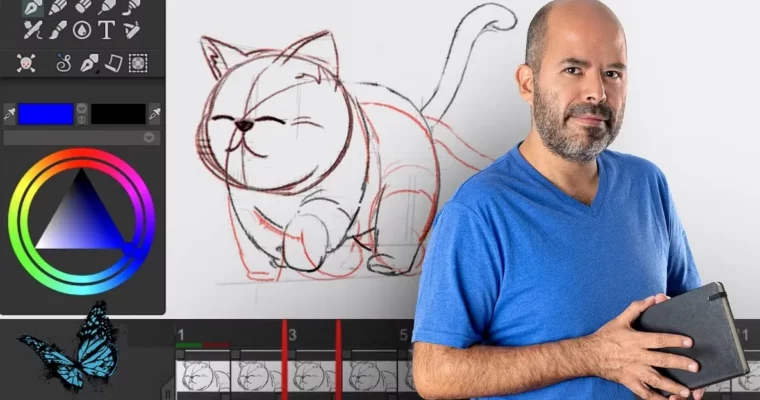
Introduction to 2D Animation with TVPaint by Kultnation

Actual Duration:3h 36m
Release date:2020, April
Publisher:Domestika
Skill level:Beginner
Language:Spanish
Exercise files:Yes
Software:TVPaint, Adobe After Effects
Course URL:https://www.domestika.org/es/courses/773-introduccion-a-la-animacion-2d-con-tvpaint
Forget stiff, puppet-style motion. This course shows you how to animate like the old-school guys, but 100% digital in TVPaint. You’ll take a boxer scene from storyboard to rough animation, clean it up, add color, and finish it for your portfolio.
🎯 What you’ll learn
- How to use TVPaint interface, brushes and bitmap workflow for 2D animation
- Drawing for animation: gesture drawing, drawing with model and real references
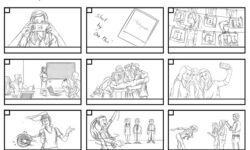
- How to plan a shot with storyboard, layout and character sheet
- Rough animation principles including overshoot and point to point
- Clean up lines for consistent, solid characters
- Colorization, shading, textures and paper finishes
- How to export from TVPaint and finish in Adobe After Effects
✅ Requirements
- Skills: Basic drawing skills, interest in 2D animation and motion
- Tools: TVPaint, Adobe After Effects for final adjustments
- Hardware: Computer capable of running TVPaint, drawing tablet recommended
📝 Description
This isn’t theory-heavy animation talk. Vinny walks you through a real shot — a boxer — and shows you how he actually works. You start with references, quick gesture sketches, and model drawing, because if the drawing is weak, the animation won’t hold up.
Then you jump into TVPaint and learn why it’s different. It’s bitmap-based, so it feels like paper. You get the messiness and texture of traditional, with undo, layers, light table, and instant playback. You’ll set up your workspace, learn the drawing systems, and build your storyboard and layout right in the same file.
From there it’s all production: rough animation to find the motion, clean up to lock the lines, then color, shadow, and grain. Vinny shows how to use textures and paper to avoid that flat vector look, and how to export and round-trip to After Effects for the final polish. Short, direct, and built around doing, not watching.
🧑🎓 Who this course is for
- Designers and illustrators who want to move into frame-by-frame animation
- 2D animators and motion graphics artists curious about TVPaint workflow
- Anyone who loves traditional animation and wants a practical digital process
🧑🏫 About the Author
Kultnation is the project of Vinny Morales, director of animated projects based in Mexico. He works daily in drawing and 2D animation, mixing influences from cinema, photography, comics, and design into commercial and personal work.
He’s known for a fresh, hand-drawn style built on solid fundamentals and a fast TVPaint pipeline. In this course he teaches the way he works in the studio: draw a lot, use real references, keep it simple, and finish shots.
🏁 Final Result
- A 10-second traditionally animated boxer clip, cleaned, colored and exported — ready for your portfolio or socials
 Channel