Practical Lighting for Production by Graham Cunningham

Duration:4h 27s
Actual Duration:4h 0m
Release date:2025, June
Publisher:Gnomon
Skill level:Intermediate
Language:English
Exercise files:Yes
Software:Maya, Arnold, Nuke
Course URL:https://www.thegnomonworkshop.com/workshops/practical-lighting-for-production
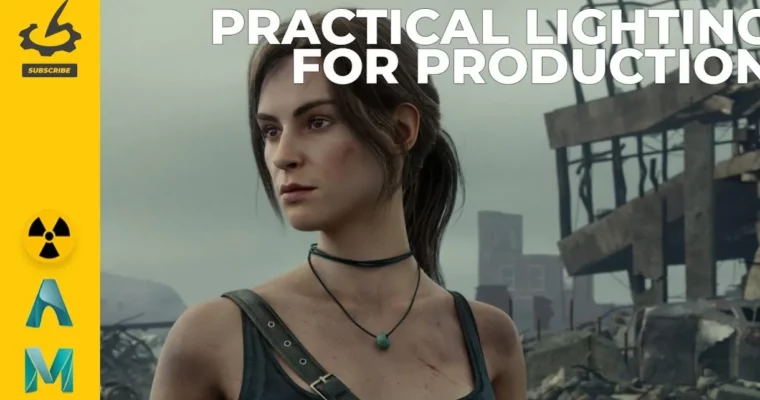
This workshop dives into the complete process of lighting and compositing a shot to match a movie reference, using industry-standard software like Maya, Arnold, and Nuke. It’s perfect for anyone looking to nail full-CG lighting workflows in a production setting.
🎯 What you’ll learn
- Set up professional look development light rigs in Maya.
- Integrate assets from 3D Scan Store and KitBash3D.
- Implement strategic lighting setups using dome lights, area lights, and HDRI maps.
- Modify HDRI environments in Nuke for enhanced control.
- Configure Arnold render settings and create organized render passes.
- Assemble and adjust render passes using light AOVs in Nuke.
- Add atmospheric effects, utilize cryptomattes, and apply post-production enhancements.
- Execute final color grading to match movie reference standards.
✅ Requirements
- Skills: Foundational knowledge of Maya, Arnold, and Nuke.
- Tools: Maya, Arnold, Nuke.
- Hardware: Not specified, but a capable workstation is recommended for 3D rendering and compositing.
📝 Description
This workshop walks you through a complete production pipeline, mirroring professional VFX workflows. You’ll learn how to establish a clear project structure, integrate high-quality assets, and define visual targets using reference imagery. Graham Cunningham guides you from asset integration through final compositing, sharing practical insights and industry workflow strategies to help you get your shots approved in a production environment.
You’ll explore setting up a basic look development light rig in Maya, assigning materials, and creating a turntable setup. The course covers importing characters, setting up cameras, and dressing environments with assets from KitBash3D. Strategies for lighting characters using dome and area lights are detailed, along with the use of HDRI maps and how to modify them in Nuke.
The workshop then moves into rendering with Arnold, discussing settings, depth of field, and creating render passes. In Nuke, you’ll learn to assemble render passes, split light AOVs, adjust light colors and intensities, add atmosphere, use cryptomattes for fine-tuning, add post-effects, and apply a final color grade to match a movie reference. Graham’s Test Objects Maya file is included as a project file.
🧑🎓 Who this course is for
- CG artists, lighting artists, and compositors with foundational knowledge of Maya, Arnold, and Nuke.
- Professionals looking to strengthen their full-CG lighting workflows and understand industry-standard shot production pipelines.
- Students, junior artists, and artists transitioning into lighting or compositing roles.
🧑🏫 About the Author
Graham Cunningham is a senior lighting, compositing, and look-dev artist with over 27 years of experience. He began his career as a generalist in visual effects for film and television. In 2007, Graham joined Blizzard Entertainment, where he has contributed to cinematics for major titles like Diablo III, Diablo IV, StarCraft II, and Overwatch, helping define the look and lighting of Blizzard’s iconic cinematic storytelling.
🏁 Final Result
- A portfolio-ready, fully lit and composited shot that successfully matches a chosen movie reference, demonstrating a complete understanding of production lighting and compositing techniques.
 Channel