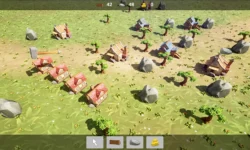
Racing Car and Epic Online Services EOS in Unreal Engine 5 by Rahmat M

Duration:5 hours on-demand video
Actual Duration:5h 2m
Release date:2026, June
Publisher:Udemy
Skill level:Intermediate
Language:English
Exercise files:Yes
Software:Unreal Engine 5, Epic Online Services
Course URL:https://www.udemy.com/course/racing-car-and-epic-online-services-eos-in-unreal-engine-5/
Build a playable racing game in Unreal Engine 5, then wire it to the real backend stuff most tutorials skip — Epic login, cloud saves, stats, and store publishing.
🎯 What you’ll learn
- Set up a UE5 wheeled vehicle sports car with arcade handling
- Use Enhanced Input for steering, throttle, brake, and handbrake
- Build car Animation Blueprints and collision for a snowy map
- Create pickup classes, Niagara destroy effects, and in-game sounds
- Set up organization and product in Epic Developer Portal
- Connect Unreal Engine 5 project to Epic Online Services
- Implement Epic account login with C++ and Blueprints
- Upload and download player data with SaveGame and EOS Title Storage
- Update Widget Blueprints and UI from cloud-loaded data
- Create achievements and stats and trigger them from gameplay
- Build for Windows and publish on Epic Games Store
✅ Requirements
- Skills: Basic understanding of Unreal Engine UI, Blueprints, and 3D navigation
- Tools: Unreal Engine 5, Visual Studio with C++ toolchain, Epic Games developer account
- Hardware: Windows PC capable of running Unreal Engine 5, dedicated GPU, minimum 16GB RAM
📝 Description
This one is two courses in one. First you get a real car driving. You set up a wheeled vehicle blueprint, plug in Enhanced Input, get the wheels, suspension, and Animation Blueprint feeling right, then add collision for a snowy track. After that you add the fun layer — pickups, Niagara bursts on destroy, and sounds that make hits feel solid.
Then comes the part that actually makes it a live game. You create an organization and product in the Epic Developer Portal, link it to your UE5 project, and get Epic Online Services talking. No fake login. You do real Epic account auth with a mix of C++ and Blueprints, handle the login callback in PlayerController and GameMode, and test it with EOS Dev Auth Tools.
Player data is where most people get stuck, so it is covered step by step. You build a SaveGame object, convert it for upload, push it to the cloud, then pull it back down and push it straight into your Widget Blueprints. Same flow for progression: you define achievements and stats in the store backend, update stats from C++ in PlayerState, and unlock achievements from Blueprints during the race.
You finish by building for Windows and walking through publishing on the Epic Games Store. Short lessons, lots of doing, and you end up with backend skills you can reuse in any multiplayer or live-service project.
🧑🎓 Who this course is for
- Intermediate UE developers who want real EOS backend skills
- Anyone keen on Epic Developer Portal integration and player accounts
- Devs who want to build an immersive racing game from scratch
- Learners working with Epic Online Services, cloud saves, and achievements
- Solo devs who want to build and publish their game on Epic Games Store
🧑🏫 About the Author
Rahmat M is a Udemy instructor focused on Unreal Engine 5 and game backend workflows. He teaches with a practical, code-plus-Blueprints approach, mixing C++ functions with visual scripting so you see how real projects are structured. His courses center on shippable results — driving, saving, login, and store release — not just editor demos.
🏁 Final Result
- A playable snowy-track racing game with working Epic login, cloud save/load, live UI, achievements/stats, and a Windows build ready for Epic Games Store submission.
 Channel