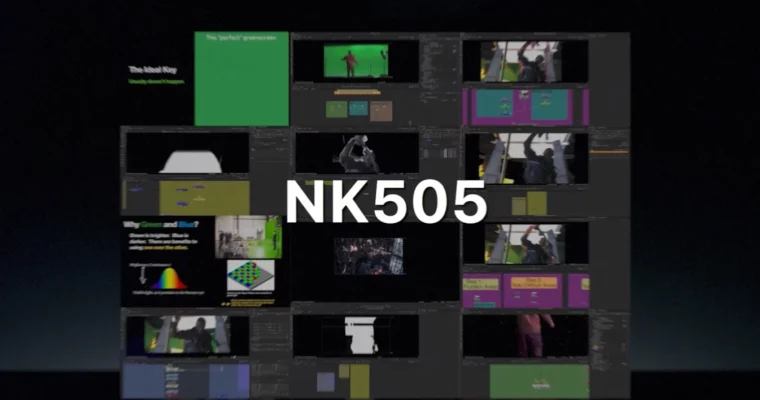
NK505 – Keying and Plate Integration in Nuke by Alex Hanneman

Duration:15 hours (3 weeks)
Actual Duration:16h 4m
Release date:2026, May
Publisher:Compositing Academy
Skill level:Advanced
Language:English
Exercise files:Yes
Software:Nuke
Course URL:https://www.compositingacademy.com/nukeonlinecourse-keying-despill-color-integration
Stop guessing with your keyers. This course strips away the complexity of green screen removal and focuses on the logic behind getting a clean, usable alpha matte. You’ll learn how to handle uneven lighting, despill without killing detail, and integrate your foreground elements so they look like they actually belong in the scene. It’s not just about deleting green; it’s about making the shot look real.
🎯 What you’ll learn
- Advanced keying strategies for complex, unevenly lit greenscreens.
- Professional plate integration techniques for photorealistic results.
- Edge fixing, edge painting, and patch fixes for clean composites.
- Working with camera grain and maintaining realistic exposure.
- Modular scripting workflows for efficient node management.
✅ Requirements
- Skills: Basic understanding of Nuke interface and node-based compositing logic.
- Tools: Drawing tablet (optional but helpful for edge painting), 3-button mouse.
- Hardware: Minimum 8GB RAM recommended, 20GB free storage space.
📝 Description
We don’t just throw nodes at the screen; we teach the creative process of seeing the problem. Before you touch a single keyer, you’ll understand the theory of edge blending and value matching. This course uses diagrams and illustrations to break down complex concepts into simple, logical steps.
You’ll tackle realistic scenarios that mirror feature film VFX. This means dealing with messy greenscreens, difficult edge cases, and the need for pixel-perfect integration. You’ll learn how to combine multiple keys, use rotoscoping, and apply advanced camera grain to make the composite believable.
The goal is to give you a feature film level workflow. Whether you’re in advertising, episodic TV, or VFX, the techniques here will help you solve real issues rather than just following a preset. We focus on logic and modularity, so you can adapt these skills to any project.
🧑🎓 Who this course is for
- Compositors ready to move from basic tasks to feature film quality work.
- Artists struggling with clean keying on difficult plates.
- Those who want to understand the why behind VFX integration, not just the how.
🧑🏫 About the Author
Alex Hanneman is a Senior Compositor who has worked at top VFX studios including Weta Digital, Industrial Light and Magic, and Sony Pictures Imageworks. He brings years of high-end feature film experience to his teaching, focusing on practical, industry-standard workflows. His approach is designed to make complex VFX concepts simple to understand and apply.
🏁 Final Result
A portfolio-ready composite featuring a complex greenscreen shot with clean edges, accurate color matching, and realistic integration. You’ll have a robust, modular Nuke script that demonstrates professional keying and integration skills ready for production.
 Channel