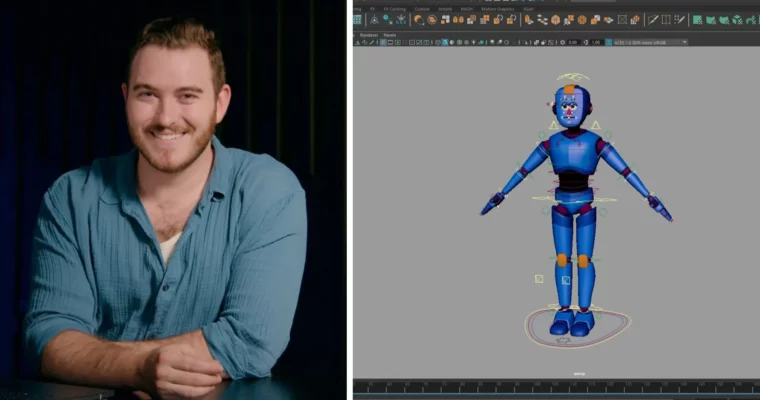
Moving From Blender to Maya – Learn a Layered Animation Workflow by Sir Wade Neistadt

Duration:1h 4m
Actual Duration:1h 4m
Release date:2025
Publisher:Skillshare
Skill level:Beginner
Language:English
Exercise files:Yes
Software:Maya
Course URL:https://www.skillshare.com/en/classes/moving-from-blender-to-maya-learn-a-layered-animation-workflow
Coming from Blender? This class gets you comfortable in Autodesk Maya fast and shows you how to animate with layered animation instead of grinding pose-to-pose for everything.
🎯 What you’ll learn
- Navigate Maya’s interface, viewport, and essential animation tools
- Understand the difference between pose-to-pose, animation layers, and a layered workflow
- Block complex body mechanics with a geometry-blocking workflow
- Animate a dive roll and flip using layered controls
- Polish your shot in spline for clean arcs and timing
✅ Requirements
- Skills: Basic familiarity with 3D animation software will help, no prior Maya experience needed
- Tools: Autodesk Maya, a character rig to animate
- Hardware: Computer capable of running Maya, 3-button mouse
📝 Description
If Maya feels weird after Blender, you’re not alone. Sir Wade walks you through where stuff actually lives in Maya — viewport, timeline, Graph Editor, hotkeys — so you can stop hunting menus and start moving characters.
The core idea is simple: don’t try to get the perfect pose on frame one. You’ll build motion in passes with animation layers, starting from big body shifts, then adding hips, legs, arms, and overlap separately. It’s way easier to fix timing when your base and details live on different layers.
Then you put it to work on something tricky: a dive roll with a flip. You’ll use a geometry-blocking workflow to nail the contact points and weight first, tackle body mechanics without getting lost, and finally move into spline to clean up arcs, spacing, and settle. Plus you get his downloadable hotkey and starter handout from the class resources.
🧑🎓 Who this course is for
- Blender animators checking out Maya for the first time
- Beginners who want a practical alternative to pure pose-to-pose
- Anyone who wants to animate game-ready body mechanics with more control
🧑🏫 About the Author
Sir Wade Neistadt is a freelance Character Animator, VFX Artist, and full-time creator with over 230K subscribers on YouTube. After his short film screened at Cannes in 2014, he trained as a character animator and was hired at DreamWorks Animation as a Technical Trainer / Educator.
At DreamWorks he worked as an artist trainer and lead videographer, acting as education liaison for animation, surfacing, and modeling. Since leaving in 2018, he’s built one of the most practical animation channels online and collaborated with brands like Adobe and LG, teaching 50+ classes for aspiring and working animators.
🏁 Final Result
- A short dive roll / flip animation blocked and polished in Maya using a layered workflow, ready to drop in your reel.
 Channel