Learn Procreate for Architects – Architecture Students by Rowan Skye

Duration:10 hours on-demand video
Actual Duration:9h 46m
Release date:2025, March
Publisher:Udemy
Skill level:Beginner
Language:English
Exercise files:Yes
Software:Procreate
Course URL:https://www.udemy.com/course/learn-procreate-for-architects-architecture-students
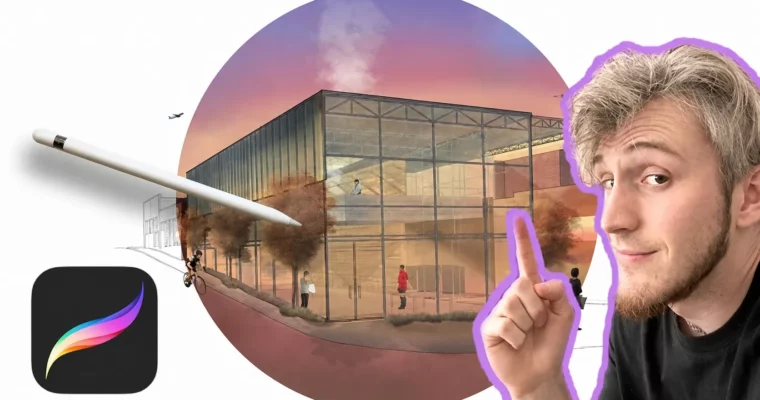
This course is a straight-up, no-fluff guide to using Procreate for architectural work. You’ll go from zero experience to confidently producing polished drawings, diagrams, and illustrations that actually look good in a portfolio. It’s built for architects, students, and anyone who needs to communicate design ideas visually on an iPad.
🎯 What you’ll learn
- Navigate the Procreate interface and master its core tools
- Create clean linework, color fills, and textures for architectural drawings
- Draw isometric landscapes, solar diagrams, and site plans* Develop a personal drawing style for architectural graphics
✅ Requirements
- Skills: No prior experience needed
- Tools: iPad, iPad stylus (preferably Apple Pencil), Procreate app
- Hardware: iPad compatible with Procreate, cloud storage app recommended
📝 Description
This isn’t a generic digital art course. It’s specifically designed for architects and architecture students who want to use Procreate as a serious design tool. Rowan Skye walks you through the entire process, from setting up your canvas and understanding layers to producing complex isometric landscapes and mixed-media drawings.
The course is structured in clear, modular sections. You’ll start with the absolute basics—navigating the interface, using brushes, and managing layers—then quickly move into practical architectural tasks. You’ll learn how to create clean linework, apply color fills, and use clipping masks for textures. The real meat comes in the later modules, where you’ll tackle isometric diagrams, solar studies, site plans, and even wall details. Each project is broken down into manageable steps, so you never feel lost.
What sets this course apart is its focus on real-world application. You’re not just learning Procreate features; you’re learning how to produce portfolio-ready graphics that communicate design intent. The mixed-media section, where you combine hand-drawn elements with digital techniques, is particularly useful for creating presentation boards that stand out.
🧑🎓 Who this course is for
- Architecture students looking to add digital sketching to their workflow
- Practicing architects who want to create quick, compelling visualizations on an iPad
- Anyone interested in using Procreate for technical and architectural illustration
🧑🏫 About the Author
Rowan Skye is a musician, craftsman, and educator with a deep background in architecture and woodworking. He brings a hands-on, practical approach to teaching, focusing on real skills rather than abstract theory. With over 800 students and a 4.6 instructor rating, Rowan has a knack for breaking down complex topics into digestible lessons. His courses reflect a genuine passion for making and sharing knowledge.
🏁 Final Result
- A series of polished architectural drawings, including an isometric landscape, a solar diagram, a site plan, a wall detail, and a mixed-media day/night illustration.
 Channel