Intermediate Unity 6 Connect Complex Game Mechanics by David Makowski, Rutuparn Dalvi

Duration:25 hours on-demand video
Actual Duration:24h 50m
Release date:2025, July
Publisher:Udemy
Skill level:Intermediate
Language:English
Exercise files:Yes
Software:Unity 6
Course URL:https://www.udemy.com/course/intermediate-unity-6-connect-complex-game-mechanics
Ready to move beyond Unity basics? This course is all about connecting the dots, taking individual game development concepts you’ve learned and weaving them into a cohesive, end-to-end project. You’ll build a solid foundation for creating medium-sized games and gain reusable systems to kickstart your own projects.
🎯 What you’ll learn
- Connect various Unity concepts and systems into a complete game.
- Integrate a complex state machine into your Unity projects.
- Explore different architectural approaches for script communication.
- Create dozens of complex levels rapidly.
- Understand the benefits of a custom Grid-System.
- Develop independent, reusable systems for future games.
✅ Requirements
- Skills: Basic Unity Knowledge
📝 Description
Welcome to our Intermediate Unity 6 course. This course tackles the common question: “What should I learn next after mastering Unity basics?” You’ll likely know how to tackle individual problems in Unity, but the real challenge is connecting these concepts into a complete, end-to-end game. This course provides a template for building serious, medium-sized games.
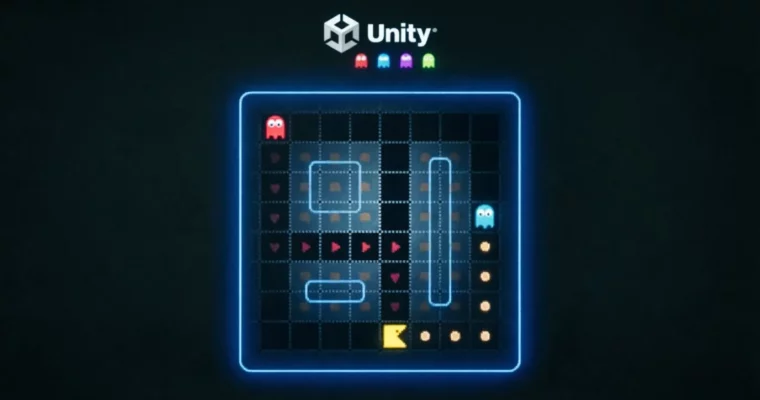
You’ll develop several independent systems that you can easily reuse in your own game projects. We’re building a game inspired by the classic Maze-Runner Pacman, chosen because it incorporates a wide range of concepts and can be fully implemented without any third-party tools.
Here’s a look at the core concepts we’ll cover and integrate:
AI:
* Navigation
* Path Debugging
* Behavior Control
* State Machine Concepts
* Configurable State Machines with minimal setup
Clean Architecture:
* Singleton – should you use it?
* Interfaces
* Delegates
* Creating your own API-Script
* Extending Monobehaviours
* Static Classes
* Event-based Communication
Player Movement:
* Input System (New)
* Raycast-based Movement
* Grid-based Movement
* Smooth Movement without Corner-Cutting
Custom Grid:
* Grid Visualization
* Automated Level Detection
* Cell-Types for Navigation, Movement, and Object Placement
* Position-Independence of the Grid
* API-like access to Grid Calculations
Automated Level-Creation:
* Ruletiles
* Tile Palettes
* Scripted Tiles
* Creating dozens of Levels in minutes
* Tilemap System
And many more topics, including:
* Level Resetting
* Animations
* Teleportation
* Spawning
* Collision Detection
* Editor Scripts
* Preparing Image Assets
We’ll see you in the course!
🧑🎓 Who this course is for:
- Unity Developers with some initial experience who want to make the next step in their learning journey.
🧑🏫 About the Author
David Makowski
David lives in Southern Germany and holds a Master’s Degree in Computer Science. With over 8 years of experience as a Software Engineer, his true passion lies in 2D game development using Unity 3D and teaching. His portfolio includes projects like RTS games, Citybuilders, and AI sports simulations, many of which he learned right here on Udemy. In his personal life, he enjoys time with his wife, son, and dog, and is a fan of movies and American Football.
Rutuparn Dalvi
Rutuparn has always been driven by a deep curiosity about how things work, a trait that has served him well throughout his life. He graduated from a top technical university in India, ranking in the top 0.05% nationally, with a Bachelor’s in Mechanical Engineering. He’s a multi-year National Quizzing Champion in India and has several engineering achievements, including a device that converted printed text to speech using image processing. He has also held engineering roles at various MNCs. Rutuparn is dedicated to helping others acquire strong inter-disciplinary skills in a smooth, accessible way.
🏁 Final Result
- A portfolio-ready, end-to-end game project loosely based on Pacman, demonstrating the integration of complex systems like AI, grid-based movement, state machines, and automated level generation. You’ll have a solid template and reusable systems for future game development endeavors.
 Channel