Ad Clicks : Ad Views : Ad Clicks : Ad Views : Ad Clicks : Ad Views : Ad Clicks : Ad Views :
Oh Snap!

It looks like you're using an adblocker. Adblockers make us sad. We use ads to keep our content happy and free. If you like what we are doing please consider supporting us by whitelisting our website. You can report badly-behaved ads by clicking/tapping the nearby 'Advertisement' X text.

Unreal Engine 5 RTS game (Real Time Strategy) by Krystian Czekalski

Unreal Engine 5 RTS game (Real Time Strategy) by Krystian Czekalski

/

Author:Krystian Czekalski

Duration:9h 53m

Release date:2026

Publisher:Udemy

Skill level:Intermediate

Language:English

Exercise files:Yes

Software:Unreal Engine 5

Course URL:https://www.udemy.com/course/unreal-engine-5-rts-game-real-time-strategy

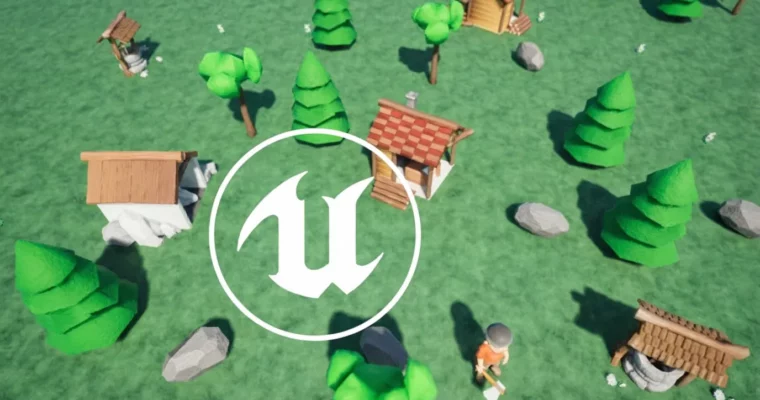
Build a fully functional Real-Time Strategy game in Unreal Engine 5, mastering core mechanics from camera control to AI workers.

Ready to build your own Real-Time Strategy game? This course dives deep into Unreal Engine 5, showing you how to craft everything from the ground up. You’ll learn to implement essential RTS mechanics like resource management, building placement, and AI-driven units, all within a practical, project-based approach.

🎯 What you’ll learn

  • Master Unreal Engine 5’s Blueprint system for modular game logic.
  • Design dynamic UIs with widgets and event-driven updates.
  • Understand AI systems and character control in Unreal Engine 5.
  • Work with meshes, animations, and data tables for efficient asset management.

✅ Requirements

  • Skills: Basic familiarity with Unreal Engine is helpful but not required.
  • Hardware: A computer capable of running Unreal Engine 5.

📝 Description

This course walks you through building a Smart RTS Game in Unreal Engine 5, covering everything from the ground up. You’ll learn to set up a top-down camera with zoom and smooth movement, handle player input for placing buildings and controlling units, and create a robust resource management system using core Unreal Engine components like Game Instance and Player Controller. We’ll dive into trace channels and collisions for precise interactions, build dynamic UIs with widgets, and leverage Blueprint inheritance for reusable logic. You’ll also get hands-on with data tables for organizing game data, working with static and skeletal meshes, implementing animations, and using interfaces for communication between game elements. The course also covers setting up AI systems for automated behaviors and integrating manual character control. All necessary assets are provided free, so you can focus purely on learning. This isn’t just about making one specific RTS; it’s about mastering versatile techniques applicable to any game development project in Unreal Engine 5.

🧑‍🎓 Who this course is for

  • Beginner to intermediate developers looking to learn Unreal Engine 5 through practical game systems.
  • Those interested in mastering Blueprints, AI, UI design, and modular game logic.

🧑‍🏫 About the Author

Krystian Czekalski is a self-taught Full-stack developer with a Master’s degree in social psychology. After a career shift, he’s spent 15 years in programming, starting with web technologies and expanding into various languages like JavaScript and Python. Krystian is passionate about Unreal Engine 5 and dedicated to continuously learning and sharing his IT knowledge. He has a proven track record with 20 courses and over 27,000 students.

🏁 Final Result

  • A fully functional, portfolio-ready Real-Time Strategy game built in Unreal Engine 5, demonstrating your ability to implement complex gameplay systems, AI, and UI.
Curriculum

📋 Course content

  1. Final game
    • Final game2:45
  2. Creating new project
    • Creating new project3:23
  3. Camera Pawn
    • Camera Pawn7:10
  4. Player controller
    • Player controller5:19
  5. Move vertically
    • Move vertically13:04
  6. Move horizontally
    • Move horizontally4:38
  7. Camera zoom
    • Camera zoom8:45
  8. Landscape material
    • Landscape material13:05
  9. Build widget
    • Build widget6:21
  10. Toggling widget
    • Toggling widget8:49
  11. Animate widget
    • Animate widget9:42
  12. Building button
    • Building button11:15
  13. Building list
    • Building list6:31
  14. Dynamic buttons
    • Dynamic buttons6:25
  15. Buttons info
    • Buttons info4:18
  16. Import building meshes
    • Import building meshes4:41
  17. Building actor
    • Building actor9:07
  18. Building clicked
    • Building clicked12:35
  19. Spawning building
    • Spawning building6:02
  20. Collisions
    • Collisions10:36
  21. Moving building
    • Moving building9:34
  22. Releasing building
    • Releasing building6:44
  23. Overlapping materials
    • Overlapping materials7:56
  24. Overlapping building
    • Overlapping building10:26
  25. Restoring original material
    • Restoring original material4:29
  26. Construction progress
    • Construction progress13:00
  27. Update Progress
    • Update Progress7:34
  28. Finish construction
    • Finish construction4:12
  29. Adding sounds
    • Adding sounds6:20
  30. Resource type
    • Resource type7:22
  31. Building cost
    • Building cost13:05
  32. Styling Menu
    • Styling Menu7:21
  33. Game instance
    • Game instance6:03
  34. HUD
    • HUD9:41
  35. Resources in HUD
    • Resources in HUD7:07
  36. Checking resources
    • Checking resources9:18
  37. Show affordability
    • Show affordability5:03
  38. Alter resources
    • Alter resources8:06
  39. Update resource
    • Update resource11:09
  40. Resource actor
    • Resource actor11:26
  41. Interface
    • Interface6:19
  42. Child resources
    • Child resources14:49
  43. Import skeletal mesh
    • Import skeletal mesh6:47
  44. Spawn worker
    • Spawn worker7:44
  45. Setting up AI
    • Setting up AI7:34
  46. Move character with AI
    • Move character with AI12:07
  47. AI sequence
    • AI sequence9:31
  48. Import animations
    • Import animations14:42
  49. Worker state
    • Worker state7:37
  50. State sequence
    • State sequence6:00
  51. Find nearest resource
    • Find nearest resource8:36
  52. AI Task
    • AI Task12:20
  53. NavMesh
    • NavMesh8:46
  54. Animation instance
    • Animation instance6:55
  55. State machine
    • State machine9:54
  56. Collecting state
    • Collecting state9:16
  57. Attach worker’s tool
    • Attach worker’s tool8:45
  58. Chop
    • Chop15:36
  59. Collecting resource fix
    • Collecting resource fix9:33
  60. Worker’s home
    • Worker’s home4:24
  61. Returning home
    • Returning home9:40
  62. Worker resource type
    • Worker resource type7:10
  63. Collecting resources
    • Collecting resources7:36
  64. Hide and Show components
    • Hide and Show components18:06
  65. Tool and home fixes
    • Tool and home fixes9:42
  66. Selecting worker
    • Selecting worker9:39
  67. Selected workers
    • Selected workers8:49
  68. Change worker targets
    • Change worker targets8:56
  69. Finishing up
    • Finishing up6:07
Watch online or Download for Free
Unreal Engine 5 RTS game (Real Time Strategy) by Krystian Czekalski
NAME
SIZEDURATION


Join us on
  Channel    and      Group

Leave a Comment

Your email address will not be published. Required fields are marked *