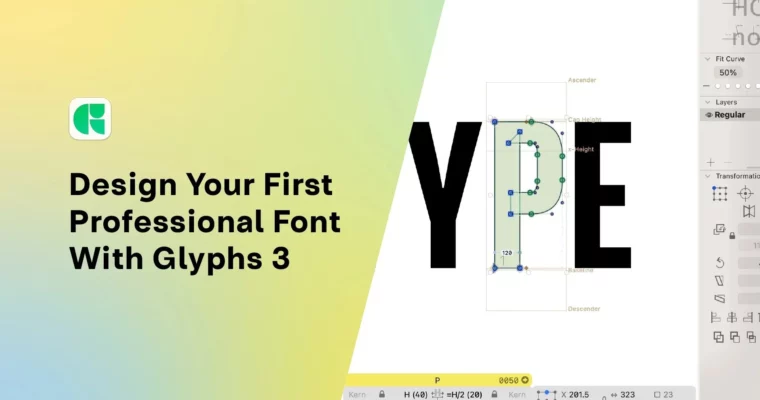
Font Design Getting Started Glyphs 3 and Type Design by Adam Greasley

Duration:47m
Actual Duration:47m
Release date:2025
Publisher:Skillshare
Skill level:Beginner
Language:English
Exercise files:Yes
Software:Glyphs 3, Adobe Illustrator
Course URL:https://www.skillshare.com/en/classes/font-design-getting-started-with-glyphs-3-and-type-design
A practical, no-fluff intro to making your own typeface. You’ll go from a blank Glyphs 3 file to a working, exportable font you can actually use. No prior type design experience needed—just a willingness to sketch and learn the tools.
🎯 What you’ll learn
- Set up a Glyphs 3 project file correctly for font creation.
- Draw letterforms categorized by geometric shapes (square, round, triangle).
- Build reusable components to speed up your workflow.
- Apply spacing and kerning for balanced, readable type.
- Export and test your font in real-world applications.
✅ Requirements
- Skills: Basic familiarity with vector drawing in software like Adobe Illustrator is helpful but not required.
- Tools: Glyphs 3 (not Mini) installed on a Mac; a 30-day trial is available. Sketch pad and pencil for initial ideas.
- Hardware: A Mac computer capable of running Glyphs 3.
📝 Description
class cuts through the noise. Instead of getting lost in theory, you’ll build a real font piece by piece. Adam breaks down letterforms into simple geometric categories—square, round, and triangle—so you can tackle each shape without feeling overwhelmed. You’ll learn how to set up your Glyphs file correctly from the start, which saves a ton of headaches later.
The real magic happens when you start drawing hybrid letters and tackling tricky characters like the S. Adam shows you how to reuse components and keep your workflow efficient. Then, you’ll move into spacing and kerning, the part that separates a decent font from a professional one. Finally, you’ll test your font in Adobe apps using FontBase, catching any weird spacing or crashing glyphs before you call it done.
🧑🎓 Who this course is for
- Complete beginners who have never opened Glyphs 3 before.
- Graphic designers or illustrators wanting to add type design to their skillset.
- Anyone curious about how fonts are made and wants to create their own.
🧑🏫 About the Author
Adam Greasley is a professional logo and type designer based in West Yorkshire, UK. He runs Oakfold and Colt Type Co, designing custom fonts and brand identities for clients and agencies. His work is rooted in lettering and typography, whether it’s a beer label or a full custom typeface. He knows the practical side of type design and teaches it without the academic fluff.
🏁 Final Result
- A fully functional, exportable font file (.otf or .ttf) with a complete character set.
- A typographic poster using your new font to showcase your work.
 Channel