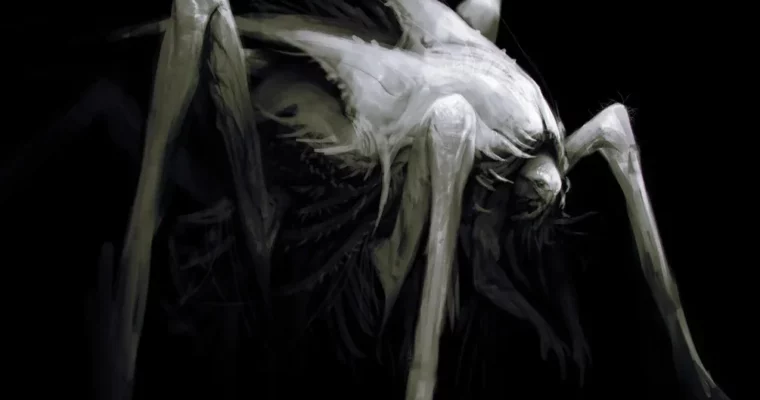
Dynamic Lighting 2 – Simple Light, Epic Results by Anthony Jones

Duration:50 minutes
Actual Duration:49m
Release date:2024
Publisher:Gumroad
Skill level:Intermediate
Language:English
Exercise files:Yes
Software:Photoshop CC 2014
Course URL:https://robotpencil.gumroad.com/l/ukPG
A 50-minute video tutorial that cuts through the noise. Anthony Jones shows you how to get epic results by keeping your lighting simple. No overcomplicating things, just practical techniques and good habits for better digital paintings.
🎯 What you’ll learn
- How to get strong results from a single light source
- Why overcomplicating lighting leads to mistakes
- Key habits and techniques for better lighting
- How to apply basic light principles to your work
✅ Requirements
- Skills: Basic understanding of digital painting and Photoshop
- Tools: Drawing tablet, Photoshop CC 2014 or later
- Hardware: Computer capable of running Photoshop
📝 Description
This isn’t about complex lighting rigs or endless theory. Anthony Jones focuses on the core idea: simple light can produce epic results. He breaks down why many artists mess up their lighting by trying to do too much, and shows you the habits and techniques you should actually be using.
The 50-minute video is split into two parts, making it easy to digest. You’ll get a PSD and high-res JPG of the final piece, plus Photoshop tool presets to help you follow along. It’s a straight-to-the-point tutorial for anyone who wants to level up their lighting without the fluff.
🧑🎓 Who this course is for
- Digital painters who struggle with lighting
- Artists who want to simplify their workflow
- Anyone looking to get more impact from fewer light sources
🧑🏫 About the Author
Anthony Jones is a veteran concept artist and digital painter known for his bold, graphic style. He has worked with major studios and shares his knowledge through his “Robot Pencil” brand, focusing on practical, no-nonsense art education.
🏁 Final Result
- A finished digital painting demonstrating effective single-light source lighting
- A better understanding of how to approach lighting in your own work
- Photoshop tool presets and a PSD file for reference
 Channel