Creating Presentations with AI by Katya Kovalenko

Duration:15 lessons & 10 downloads
Actual Duration:1h 55m
Release date:2023, October
Publisher:Domestika
Skill level:Beginner
Language:English
Exercise files:Yes
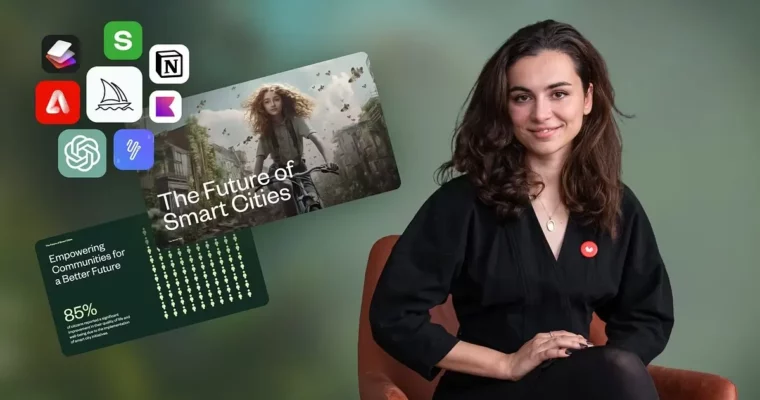
Software:ChatGPT, Notion AI, Sharly AI, Quillbot, Adobe Firefly, Midjourney, IMGLarger, Shot.so, Khroma, Bright Slide, Slido
Course URL:https://www.domestika.org/en/courses/5458-creating-presentations-with-ai
Ready to ditch the presentation drudgery? This course is all about using AI tools to make your slides pop without the usual hassle. You’ll learn practical ways to speed up your workflow, make your content look amazing, and actually save time. It’s not just about clicking a button; it’s about smart techniques for better communication.
🎯 What you’ll learn
- Brainstorming content ideas with ChatGPT.
- Writing compelling scripts using Notion AI.
- Analyzing large documents efficiently with Sharly AI.
- Generating unique illustrations with Adobe Firefly.
- Creating eye-catching covers using Midjourney.
- Designing professional mock-ups with Shot.so.
- Utilizing AI for color palettes and slide design.
- Improving grammar and text with Quillbot.
✅ Requirements
- Skills: No prior knowledge needed.
- Tools: A computer.
- Hardware: None specified.
📝 Description
This course dives into how Artificial Intelligence can revolutionize your presentation creation process. Forget spending hours on tedious tasks; we’ll explore practical AI applications that help you brainstorm ideas, write scripts, analyze information, and generate stunning visuals. You’ll learn to use tools like ChatGPT, Midjourney, and Adobe Firefly not just as automated solutions, but as creative partners to enhance your visual storytelling and communication skills. The focus is on practical techniques that save you time and elevate the quality of your presentations, making them more engaging and impactful for any audience.
🧑🎓 Who this course is for
- Anyone who creates presentations regularly, including artists, community managers, teachers, journalists, sales professionals, and real estate agents.
- Individuals looking to significantly boost their productivity and reclaim valuable time in their workflow.
- Professionals working with text on computers or smartphones who want to leverage AI for efficiency.
🧑🏫 About the Author
Katya Kovalenko is a seasoned Presentation and Data Designer who joined Domestika in October 2011. With a strong background in graphic design, Katya excels at crafting presentations that effectively merge content and visuals for clear communication. Her passion lies in empowering others to harness the power of AI tools for creative and efficient presentation design, helping them communicate their ideas with greater impact.
🏁 Final Result
- You will complete a hands-on project creating a full presentation from scratch, utilizing various AI tools like ChatGPT and Midjourney. This project will showcase your ability to integrate AI into your workflow for compelling and visually appealing presentations.
 Channel