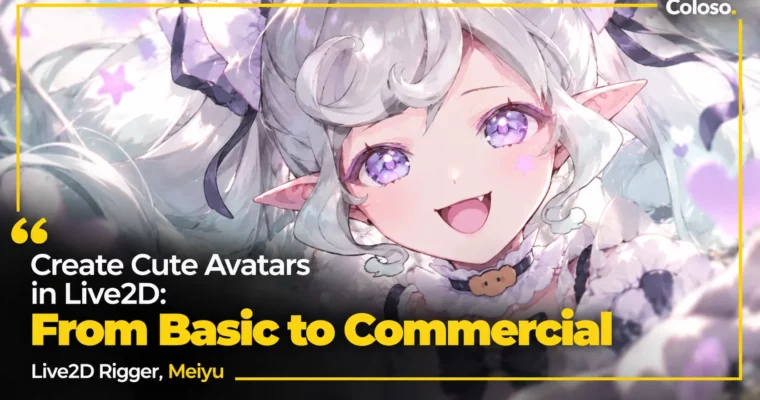
Create Cute Avatars in Live2D – From Basic to Commercial by Meiyu

Duration:16 hours 41 minutes
Actual Duration:33h 20m
Release date:2026, March 19
Publisher:Coloso
Skill level:Beginner
Language:English
Exercise files:Yes
Software:Live2D Cubism Editor, VTube Studio, VBridger, SAI Ver.2
Course URL:https://coloso.global/en/products/live2drigger-meiyu-zh
Turn one illustration into a cute VTuber that actually moves well on stream. You’ll follow rigger Meiyu through her full commercial process and finish with a debut-ready model you can test in VTube Studio.
🎯 What you’ll learn
- Build a complete VTuber model from PNG to stream-ready export
- Prep and split artwork correctly for Live2D Cubism Editor
- Rig mouth, eyes, and eyebrows for natural expressions
- Set up head XYZ and body XYZ angles that don’t break
- Create stable physics simulation for hair, skirts, sleeves, and ribbons
- Use VBridger for extended facial tracking
- Make expression blendshapes, keyform mouths, and emotes
- Rig animal ears, tails, hats, and arm switching
- Build chibi toggle, forward-lean effect, and idle/triggered animations
- Export and set up your model in VTube Studio
✅ Requirements
- Skills: No prior Live2D experience required, basic understanding of layers in Photoshop / Clip Studio helpful
- Tools: Live2D Cubism Editor 5.2.03 (5.0 also allowed), VTube Studio, VBridger plugin, SAI Ver.2 as auxiliary tool
- Hardware: PC or Mac capable of running Live2D Cubism Editor, webcam for face tracking tests in VTube Studio
📝 Description
This isn’t a button tour. It’s a real job workflow, start to finish. You take Keto’s character art and turn it into a working VTuber — prep, mesh, rig, physics, animation, export. Meiyu keeps the order tight so you don’t redo work halfway through.
You start with the boring-but-important stuff: how to talk to a client, how to read a character’s personality, and how to split a PSD so it actually moves. Then you get into Live2D Cubism Editor basics — deformers, parameters, glue, masks, mesh points. If you’ve ever wondered why your model warps weird, this part fixes that.
Face is where cuteness lives or dies. You’ll set up mouth open/close and mouth shapes, eye open/close with mouth-linked expressions, eyebrows, and eye physics. Then you add VBridger parameters for wider, more responsive facial tracking. Small tweaks here make a huge difference on stream.
Head and body angles are next. X, Y, Z separately, then combined. Meiyu shows both static and dynamic four-corner setups for the head, and how to link body XY with physics simulation so the torso doesn’t feel stiff. Hair gets fitted to each angle so it doesn’t clip when you turn.
Physics is very practical: skirt, sleeves, bows and ribbons, front hair, twin-tails / ponytail. You’ll learn pendulum, input/output settings, and how to keep motion soft but stable. No endless jiggle. Just clean sway that reads well on camera.
Then the fun part — stuff viewers actually notice. Idle ghost and tear loops, lollipop interaction, jumping animation, blendshape expressions, keyform mouth swaps, heart eyes and color changes, animal ears and tail, hat physics, arm switching, chibi toggle, and forward-lean effect. You finish by exporting texture sets, runtime files, and setting up parameters and buttons in VTube Studio for real face capture.
You also get Meiyu’s practice kit: split PSDs, parameter and physics presets, full cmo3 projects for head XY, five mouth schemes, cat ears, and can3 animations. Good stuff to reverse-engineer after class.
🧑🎓 Who this course is for
- Beginners and hobbyists who want to finish their first Live2D rig from zero
- Beginner riggers who want to take commissions and need a commercial-grade process
- Illustrators and creators who want to bring their own characters to life as VTubers
🧑🏫 About the Author
Hello, I’m Meiyu, a Live2D modeler. I started self-taught and spent the last five years working full-time as a freelance rigger. That hands-on grind shaped how I teach — lots of doing, less theory.
I’ve built 200+ VTuber models for clients in China, the US, and beyond, including Kira, Rurumi, Akugaki Koa, and MOYO. Each project is a test bed for new expressions, structure tweaks, and market trends. In this class I’m sharing the exact pipeline I use on paid work, so you can skip the trial-and-error phase I went through.
🏁 Final Result
- A fully rigged, cute VTuber avatar based on Keto’s art — with face tracking, physics, expressions, chibi toggle, and animations — exported and tested in VTube Studio, ready for debut or commission portfolio use.
📢 Guys, this is a Group Buy campaign, check the GBC forum thread to get access
You can find the course preview in the download section below.
 Channel