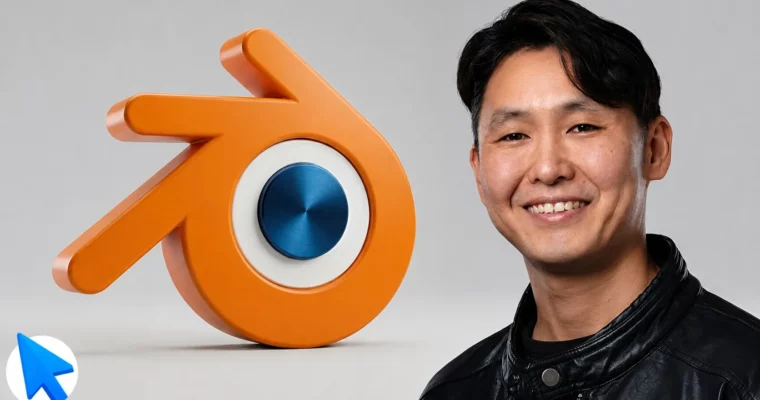
Complete Blender 2026 From Beginner to Studio-Ready with AI by Artem Academy

Duration:9 hours on-demand video
Actual Duration:9h 11m
Release date:2026, May
Publisher:Udemy
Skill level:Beginner
Language:English
Exercise files:Yes
Software:Blender
Course URL:https://www.udemy.com/course/blender-start/
This course skips the fluff and gets straight to building real, portfolio-ready 3D projects. You’ll work through the entire production pipeline — modeling, materials, lighting, and animation — while learning how modern studios integrate AI tools into their workflow. By the end, you’ll have three complete projects and a reusable material library.
🎯 What you’ll learn
- Build 3 portfolio-ready projects: a wristwatch, a house scene, and an animated character
- Complete the full 3D production pipeline — modeling, materials, lighting, rendering, animation
- Create PBR and procedural materials and build your own reusable material library
- Unwrap UVs, bake maps, and paint textures from scratch
- Light scenes like a cinematographer — composition, color theory, and volumetric light
- Render production-quality stills and animations in Cycles
- Master the modern AI-assisted 3D workflow the way today’s studios actually work
- Generate 3D models with AI and combine them with classical techniques
- Rig and animate characters using Mixamo and the NLA Editor
- Model using all 3 core techniques: low poly, high poly, and curve-based modeling
✅ Requirements
- Skills: No prior 3D, modeling, or animation experience required
- Tools: A computer running Windows, macOS, or Linux
- Hardware: No special hardware required
📝 Description
Most Blender courses are stuck in 2020: endless theory, disconnected lessons, and tools that studios stopped using years ago. This course is different.
You’ll master the complete production pipeline the way modern studios actually work — modeling, materials, lighting, rendering, and animation — paired with the AI workflow that’s become an industry standard. No filler. Every lesson is short, practical, and applied to a real project.
By the end, your portfolio will include 3 finished projects:
– A realistic high-poly wristwatch — bevels, booleans, and a portfolio-ready final render
– A stylized house scene — PBR materials, custom textures, cinematic lighting
– A short animated character scene — AI assets, Mixamo rigging, Cycles render
Plus your own reusable PBR material library you’ll keep using in every future project.
Whether you’re a complete beginner, a 2D artist expanding into 3D, or someone who tried Blender before and gave up — this course is built for you. No prior experience, no artistic background, no special hardware required. Just a computer, Blender (it’s completely free), and the willingness to create something real that you’ll be proud to show in your portfolio.
🧑🎓 Who this course is for
- Complete beginners who want to break into 3D for games, animation, advertising, architecture visualization, or 3D printing
- Self-taught learners who tried Blender before, got overwhelmed by the interface, and quit — this time you’ll actually finish
- Designers, illustrators, and 2D artists who want to expand into 3D and add a powerful new skill to their portfolio
- Aspiring freelancers and junior 3D artists who need polished, portfolio-ready projects to land their first paid work
- Hobbyists and creators who want to bring their own characters, scenes, and ideas to life — for personal projects, YouTube, or social media
- Anyone curious about how AI is changing the 3D pipeline and wants hands-on experience with the modern, AI-assisted workflow studios are using right now
- Game developers, indie devs, and 3D printing enthusiasts who want to model their own assets instead of buying them
🧑🏫 About the Author
Artem Academy is an educational platform founded by Artem, a CG and VFX professional with over 20 years of industry experience. He has worked on projects across film, animation, and games, and has a background as a Technical Director leading teams in studios. His work has been recognized with awards at various festivals. As a professional instructor, he has trained over 5,000+ students both online and offline, with a focus on developing thinking 3D artists capable of solving any creative and technical challenge.
🏁 Final Result
- A realistic high-poly wristwatch with a portfolio-ready final render
- A stylized house scene with PBR materials, custom textures, and cinematic lighting
- A short animated character scene using AI assets, Mixamo rigging, and Cycles render
- Your own reusable PBR material library
 Channel