Ad Clicks : Ad Views : Ad Clicks : Ad Views : Ad Clicks : Ad Views : Ad Clicks : Ad Views :
Oh Snap!

It looks like you're using an adblocker. Adblockers make us sad. We use ads to keep our content happy and free. If you like what we are doing please consider supporting us by whitelisting our website. You can report badly-behaved ads by clicking/tapping the nearby 'Advertisement' X text.

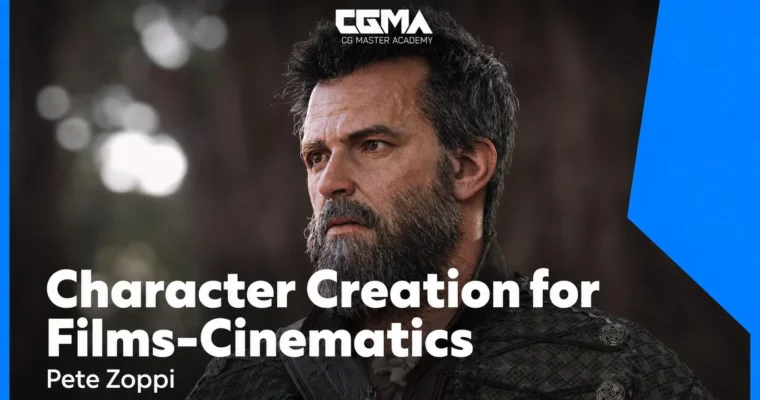
Character Creation for Films-Cinematics by Pete Zoppi

Character Creation for Films-Cinematics by Pete Zoppi

Author:Pete Zoppi

Duration:10 weeks

Actual Duration:40h 48m

Release date:2025

Publisher:CGMA

Skill level:Advanced

Language:English

Exercise files:Yes

Software:ZBrush, Maya, Marvelous Designer, Substance Painter, Arnold

Course URL:https://www.cgmasteracademy.com/courses/10-character-creation-for-film-cinematics.html

Build a production-ready character from blockout to final render, focusing on clean topology and efficient workflows for film and game cinematics.

This is a 10-week, advanced course for artists who want to build a complete, film-ready character from scratch. You’ll move through the entire pipeline: blocking out forms, sculpting high-frequency detail, grooming hair with XGen, creating clothing in Marvelous Designer, and finally texturing and shading everything for a polished final render. It’s about building a clean, organized asset that holds up under close scrutiny.

🎯 What you’ll learn

  • Build a character from blockout to final presentation.
  • Sculpt realistic skin detail using TextureXYZ data.
  • Create and groom hair with XGen in Maya.
  • Develop advanced shaders for skin, cloth, and metal.
  • Set up studio and HDRI lighting for final renders.

✅ Requirements

  • Skills: Intermediate knowledge of ZBrush, Maya, or Max. Recommended: Anatomy for Production, Character Texturing for Games in Substance, and Hair Creation for Games.
  • Tools: Maya (or equivalent), Mudbox (or equivalent), Arnold (or equivalent), ZBrush, Marvelous Designer, Substance Painter.
  • Hardware: A computer capable of running the listed software, with a dedicated GPU and at least 16GB of RAM.

📝 Description

This isn’t a “press play and follow along” course. Pete Zoppi focuses on the why behind every decision, from the initial blockout to the final composite. You’ll start by analyzing reference and building a solid base mesh, then move into high-detail sculpting using TextureXYZ data for realistic skin pores and wrinkles. The course covers the tricky bridge between high and low subdivision levels, ensuring your displacement maps work correctly in a render engine.

A big chunk of the course is dedicated to shader development. You’ll build a dual-lobe specular shader for skin, set up cloth and leather shaders, and learn how to tweak gloss maps for realistic results. The final weeks cover lighting setups—both HDRI and studio lighting—and post-processing in Photoshop. The goal is a portfolio-ready character that shows you understand the full pipeline, not just one part of it.

🧑‍🎓 Who this course is for

  • Advanced 3D artists who want to specialize in character creation for film and cinematics.
  • Artists who already know the basics of ZBrush and Maya and want to learn a professional, production-oriented workflow.
  • Anyone looking to build a polished, portfolio-ready character from start to finish.

🧑‍🏫 About the Author

Pete Zoppi is a senior character artist based in Los Angeles with experience in both video games and film. He currently works at Treyarch, and his past credits include the Call of Duty: Black Ops franchise, James Bond: Quantum of Solace, Underworld: Evolution, and Night at the Museum. His go-to tools are Maya, Mudbox, ZBrush, Substance Painter, Marvelous Designer, and Photoshop.

🏁 Final Result

  • A fully textured and shaded character model, ready for a film or cinematic pipeline.
  • A set of final renders showcasing the character under studio and HDRI lighting.
  • A portfolio presentation with breakdowns of the sculpt, textures, and shaders.
Curriculum

📋 Course content

  1. Week 1:  REF & Blockout
    • Reference collection and analysis
    • Blockout Model
  2. Week 2:  Head Sculpt and High Frequency Detail
    • Establish primary forms
    • UV map the face
    • Use ZWrap to project TextureXYZ detail
    • Process and cleanup TextureXYZ data
    • Apply detail to head mesh
  3. Week 3:  Head Sculpt, Initial Texture, Test Render
    • Bridge sculpt between low Subd and High Frequency Detail
    • Apply additional details to sculpt (scars, burn marks)
    • Demo displacement extraction to 32bit EXR format
    • Apply first pass color textures
    • Setup initial Maya lookdev scene to test displacements and basic textures
  4. Week 4:  Eyeballs & Head Finalization
    • Eyeball modeling, texturing and shaders for realistic eyeballs
    • Align eyes
    • Add water line
    • Finalize head textures and shaders
    • Demo gloss map creation and additional maps
    • Exploration of dual lobe specular for skin
  5. Week 5:  Hair Grooming
    • XGen in Maya
    • Curve generation, XGen parameters
    • Modifiers for noise, clumping
    • Look at shader parameters and how to approach color and variation
  6. Week 6:  Clothing & Accessories
    • Start in Marvelous and push clothing to 50-70% completion
    • Move mesh out to Zbrush / Maya to create clean topology and UVs
    • Use new and clean topology to continue sculpting clothing
    • Model and UV accessories / gear
    • Demo different modeling techniques with emphasis on creating clean, organized meshes
  7. Week 7:  Sculpting and Prep For Painter
    • Pipeline considerations before sculpting
    • Sculpt and Detail the character in ZBrush
    • Extract Displacements in ZBrush
    • Decimate Meshes for Painter
    • Assemble Maya Scene
    • Export to Painter
  8. Week 8:  Texture Painting
    • Blockout basic colors and roughness in Painter
    • Texture Paint different surface types in Painter
  9. Week 9:  Shader Development and Test Renders
    • Start to assemble final scene
    • Gather assets, organize scene
    • Apply shaders and begin plugging in maps
    • Cloth shader setup
    • Leather shader setup
    • Metallic elements shader setup
  10. Week 10:  Final Renders, Post Processing and Presentation
    • Look at different types of lighting techniques
    • Demo of HDRI based lighting
    • Demo of Studio Lighting using area lights
    • Discuss light properties (falloff, light size, light distance)
    • Discuss cameras and camera properties (depth of field, shutter, aperture)
    • Final render settings
    • Output final renders
    • Post processing in Photoshop / Lightroom
    • Discuss production techniques and how compositing is used even though this course won’t go into render layers and compositing
    • Discussion on presentation in a portfolio (what to show, what not to show, breakdowns etc)

📢 Guys, this is a Group Buy campaign, check the GBC forum thread to get access

You can find the course preview in the download section below.

Watch online or Download for Free
Character Creation for Films-Cinematics by Pete Zoppi
NAME
SIZEDURATION
Homework
24 MB12m
Week #1 REF and Blockout
6.7 MB3m
Week #2 Head Sculpt and High Frequency Detail
12.9 MB3m
Week #3 Sculpt Refinement and Test Renders
5.5 MB2m
Week #4 Eyeballs and Head Finalization
3.6 MB2m
Week #5 Hair Grooming
5 MB2m
Week #6 Clothing and Accessories
8.8 MB2m
Week #7 Sculpting and Prep for Painter
4.6 MB2m
Week #8 Texture Painting
4.7 MB3m
Week #9 Shader Development and Test Renders
11.3 MB3m
Week #10 Final Renders, Post Processing and Presentation
3.2 MB2m

Download all

Join us on
  Channel    and      Group

Leave a Comment

Your email address will not be published. Required fields are marked *