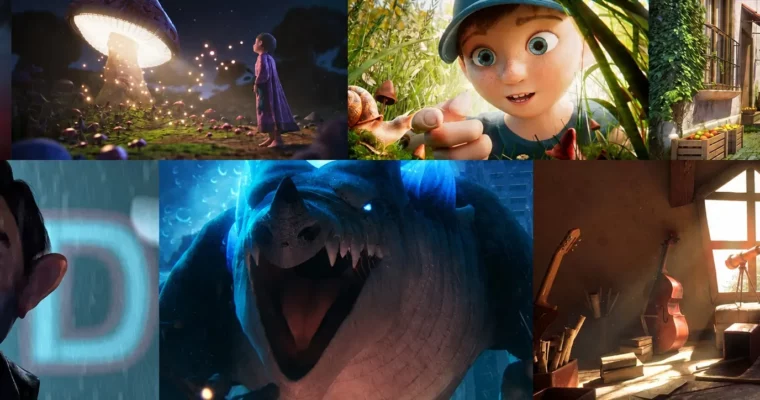
Arnold For Maya Workshop by Michael Tanzillo

Actual Duration:4h 31m
Release date:2018, October
Publisher:Academy of Animated Art
Skill level:Beginner
Language:English
Exercise files:Yes
Software:Maya, Arnold
Course URL:https://www.courses.academyofanimatedart.com/p/aaa-intro-to-maya
Want to finally get Maya without drowning in menus? This workshop gets you building fast with polygonal modeling basics — primitives, transforms, and core tools — so you understand how 3D workflow really works.
🎯 What you’ll learn
- Navigate the Maya interface, viewport, and Attribute Editor with confidence
- Create and manipulate polygon primitives using scale, rotate, and translate
- Work with faces, vertices, and edge loops for clean topology control
- Use extrude, bevel, bridge, weld, mirror, combine, and booleans
- Manage smoothing and object history without breaking your model
- Build a complete stylized snowman from scratch
✅ Requirements
- Skills: Basic computer literacy, no prior 3D experience needed
- Tools: Autodesk Maya installed, 3-button mouse
- Hardware: Computer that meets Maya system requirements
📝 Description
Maya is still the backbone of the 3D pipeline for film, games, and visual effects. If you can work in Maya, you can figure out pretty much any other package. This workshop skips the theory dump and focuses on what matters: moving around the scene, making shapes, and changing them on purpose.
You learn by doing. You start with primitives and transforms, then jump into real polygonal modeling tools like extrude, bevel, bridge, and edge loops. The snowman project ties it all together — combining parts, mirroring, welding verts, cleaning history, and smoothing. Small project, but you touch almost every tool you will use daily.
The Academy of Animated Art keeps it short and practical. Lessons are bite-sized, straight from production experience, and built to get you making images quickly. No fluff, no 20-minute intros. Just the stuff you need to start thinking like a 3D artist and prep for more advanced character and environment work.
🧑🎓 Who this course is for
- Complete beginners who want a clear, no-nonsense start in Maya
- Students eyeing animation, games, or VFX who need solid 3D fundamentals first
🧑🏫 About the Author
Michael Tanzillo is now creating work with Adobe’s Substance team, after spending over 12 years as a Senior Lighting TD at Blue Sky Studios. His film credits include Rio 2, Epic, Ice Age: Continental Drift, Rio, Peanuts, and Ferdinand.
He started as a photographer and studio artist with a BFA in Photography from Ohio State, then shifted to 3D and earned an MFA in visual effects from SCAD before joining Blue Sky in 2008. That mix of photo eye + production experience shows up in how he teaches — practical, visual, and focused on what actually looks good.
🏁 Final Result
- A finished stylized snowman model built entirely in Maya using primitives, extrusion, beveling, and smoothing — a clean first piece showing solid modeling fundamentals.
 Channel