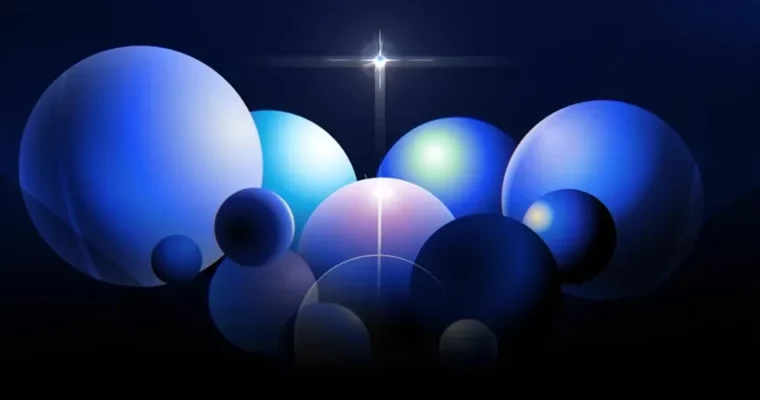
After Effects Stylizing Skills for Creating a Trendy Portfolio by aflow

Actual Duration:19h 4m
Release date:2024, April
Publisher:Coloso
Skill level:Intermediate
Language:Korean
Exercise files:Yes
Software:Adobe After Effects, Adobe Audition
Course URL:https://coloso.co.kr/products/motiongraphic-aflow
This course is a straight shot to building a killer motion graphics portfolio. Instructor aflow breaks down the exact After Effects stylizing techniques that got his work featured on Behance and landed him gigs with major studios. You’ll work through 20 practical examples, from chrome materials to Fake 3D, and then apply everything to build a 7-scene showreel piece.
🎯 What you’ll learn
- Create a variety of 2D materials like chrome, glass, and toon shading.
- Use Colorama and gradients for dynamic moving color effects.
- Build complex animations with JavaScript expressions and delay rigs.
- Construct convincing Fake 3D objects and scenes without a 3D app.
- Plan, storyboard, and execute a complete motion graphics portfolio.
✅ Requirements
- Skills: Basic familiarity with the After Effects interface.
- Tools: A 3-button mouse is recommended.
- Hardware: Minimum 16GB RAM, a dedicated GPU is recommended for previewing complex compositions.
📝 Description
This isn’t just a list of effects; it’s a system for thinking like a modern motion designer. aflow starts by breaking down the theory of light and color, showing you exactly how to translate real-world PBR materials into convincing 2D looks. You’ll move fast through 12 focused exercises that cover the core techniques: material variation, stylizing, moving gradients, expressions, and Fake 3D.
The real payoff is in the second half. You take all those isolated skills and apply them to a single, cohesive 7-scene portfolio piece. aflow walks you through the entire production pipeline—from storyboarding and styleframes to base animation and even a bit of sound design in Adobe Audition. The goal is to give you a repeatable workflow so you can stop following tutorials and start creating your own original, trend-aware work.
🧑🎓 Who this course is for
- Aspiring motion designers who want to build a professional portfolio.
- Current motion designers looking to update their style with current trends.
- Video editors or animators wanting to add stylized 2D motion graphics to their skillset.
🧑🏫 About the Author
aflow (Kim Hyunbin) is a freelance motion graphics designer who built his career through self-study. His work has been selected as a featured project on Behance in both the Motion Graphics and After Effects categories. He has collaborated with major Korean corporations like Hanwha Systems and Daesang Group, bringing a trendy and polished aesthetic to commercial projects.
🏁 Final Result
- A complete, 7-scene motion graphics portfolio piece that showcases your ability to create trendy materials, use expressions, and build Fake 3D animations.
- A deep understanding of a professional workflow from ideation to final export.
 Channel