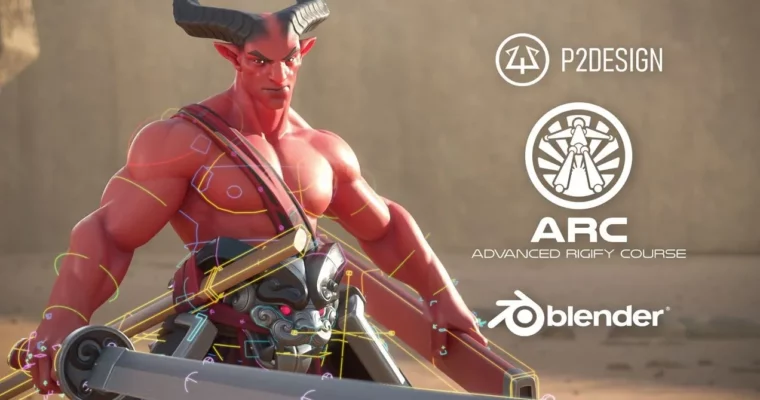
Advanced Rigify Course by P2 Design Academy

Duration:Over 13 hours
Actual Duration:13h 34m
Release date:2025
Publisher:P2 Design Academy
Skill level:Advanced
Language:English
Exercise files:Yes
Software:Blender, Python
Course URL:https://www.p2design-academy.com/p/arc-advanced-rigify-course
This is not another button-click Rigify overview. You get 125+ videos that break down every Rigify module, show you how to combine and fix them, and then put it all together in a full character rigging project with body, face, cloth, and weapons.
🎯 What you’ll learn
- How Rigify, MetaRigs, and rig types actually work under the hood
- How to troubleshoot, optimize, and combine Rigify modules for custom characters
- How to build your own MetaRigs, samples, and reusable templates
- How to automate rig customization with Python post-scripts and UI tweaks
- Full-body production workflow: helpers, muscle controls, joint deformation, and skinning
- Full facial setup with minimal shape keys, lip and eyebrow shape controllers
- Advanced props: switchable parenting, two-handed sword, cloth correctives, and sticky straps
✅ Requirements
- Skills: Strong understanding of rigging fundamentals, comfortable with Blender armatures, bones, and drivers. Completion of Art of Effective Rigging is recommended.
- Tools: Blender (free, no paid addons needed), included custom Python scripts and project files
- Hardware: Any modern PC capable of running Blender, 3-button mouse recommended
📝 Description
This course picks up where basic tutorials stop. You start with a fast refresher on Blender fundamentals that actually matter for riggers – armature data, naming, selection, drivers, and shortcuts – then you go straight into how Rigify thinks.
You will go through every rig type one by one. Not just what the buttons do, but strengths, weaknesses, and how the mechanisms are built. That way you can stop fighting the auto-rig and start bending it to fit your character. Includes fixing common generation errors, cleaning up the UI, and setting up a workflow that does not break on the next project.
Then comes the part most Rigify users never touch: Python post-scripts and automation. You get ready-to-use script templates to patch the generated rig automatically – add custom properties, build selection sets, improve the UI, and add new mechanics without redoing work by hand every time you hit Generate.
The second half is one big practical build. A high-quality stylized character, optimized to run on any PC, rigged for feature animation. For the body you will add deformation helpers, muscle controllers, and fix problem joints before skinning. For the face you will build a flexible facial rig that avoids heavy shape key dependence, so it retargets and remaps cleaner, plus dedicated lip and eyebrow shape control.
Props and cloth get the same treatment. You will set up a switchable parent system, a proper two-handed sword mechanic, cloth correctives, and sticky straps that actually stay put. By the end you have seen Rigify pushed to its limits, and you know how to repeat it.
You get lifetime access with free updates, full PDF documentation with shortcuts and tips, all lesson Blender files, and subtitles in English, German, French, Portuguese, Spanish, Arabic, Korean, and Chinese Simplified. Stream online or download for offline via the Teachable app.
🧑🎓 Who this course is for
- Rigging artists who know the basics and want to use Rigify for real production work
- Character TDs and Blender animators tired of generic auto-rigs that need constant fixes
- Freelancers and small studios who need fast, repeatable, customizable character rigs without paid addons
🧑🏫 About the Author
P2 Design Academy is focused purely on rigging and character TD work in Blender. They are known for the Art of Effective Rigging training and for breaking down complex systems into direct, usable workflows. Their courses are built around production problems – deformation, facial control, automation – and they teach with real character projects, custom Python tools, and documentation you can keep using on the job.
🏁 Final Result
- A complete production-ready hero character rig: full body with muscle controls and clean skinning, full flexible facial rig, plus cloth, straps, and a two-handed sword system – ready for feature animation and portfolio.
 Channel