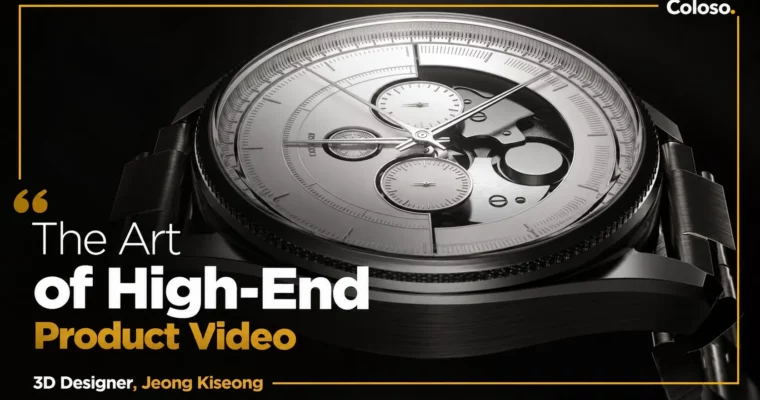
The Art of High-End Product Video by Jeong Kiseong

Duration:33 hours 55 minutes
Actual Duration:67h 47m
Release date:2024
Publisher:Coloso
Skill level:Intermediate
Language:Korean
Exercise files:Yes
Software:Cinema 4D, Octane Render, Redshift, After Effects
Course URL:https://coloso.co.kr/products/dictionary-jeongkiseong
This is a real production class on high-end product video, not theory. You follow Jeong Kiseong through four full jobs — watch, perfume, glasses, jewelry — from rigging and lookdev to final compositing in After Effects.
🎯 What you’ll learn
- Build and control product rigs with Xpresso, Constraint tags and Dynamic connectors
- Light metal, glass, leather and gems for photoreal lookdev in Octane and Redshift
- Plan previz, camera work and graph editing for tight product cuts
- Create key-visual videos and styleframes that sell the concept fast
- Use Megascans, deformers and fields for environments and simple water sims
- Finish with multipass compositing, transitions and final mastering in After Effects
✅ Requirements
- Skills: Basic understanding of Cinema 4D UI and 3D space, familiarity with keyframe animation
- Tools: Cinema 4D 2024, Octane Render 2023.1.2, Redshift 3.5.21, After Effects 2024
- Hardware: Dedicated GPU for Octane / Redshift rendering, minimum 16GB RAM recommended
📝 Description
This class copies how it actually works in a studio. No long detours. You get a brief, you pick references, you build assets, you lock the previz, you light, you render, you comp. Jeong shows that full loop four times with four different product types, so you see what changes and what stays the same.
The big focus is control. Watches need precise mechanical motion. Perfume needs believable glass refraction and liquid feel. Glasses live or die on reflections and camera speed. Jewelry is all about chain rigging and that clean luxury sparkle. You learn which rigging setup fits which shape, and how to keep it light so revisions don’t kill you.
Lighting is the other half. You will work in both Redshift and Octane Render, breaking down metal, leather, glass and gemstones by their real properties. Then you learn how to cheat smart — studio HDRI setups, rim lights for edge definition, and lookdev tweaks that add volume without re-rendering everything ten times.
And the finish happens in comp. Instead of grinding render settings forever, you use multipass rendering and After Effects to fix rhythm, connect cuts, add DOF and grain, and push the hero moments. Faster turnaround, cleaner result. That’s what clients at Samsung, LG and Huawei actually pay for.
🧑🎓 Who this course is for
- Motion design students who want a real product-video workflow for their reel
- Working 3D designers who need practical product motion tricks they can use tomorrow
- Product designers and non-majors who want to present ideas as sharp key-visual films
🧑🏫 About the Author
Jeong Kiseong is a 3D designer at Auv.Creative, formerly at Giantstep, Rabbitwalks, Darb.company and Masterpictures. He has spent years on commercial product work for Samsung, LG, Huawei, Louis Vuitton and others, from Buds2 Pro and Watch GT3 product videos to MateBook key-visuals and large-scale media wall content.
His thing is making client selling points read clearly on screen — function, material, mood — without overcomplicated setups. In this class he teaches mostly with native Cinema 4D tools, so you can reuse the rigs and lighting logic on your own jobs right away.
🏁 Final Result
- Four finished portfolio pieces: a full Watch Product Video plus Perfume, Glasses and Jewelry Key-Visual Videos with lighting, render and comp done to client standard
📢 Guys, this is a Group Buy campaign, check the GBC forum thread to get access
You can find the course preview in the download section below.
 Channel