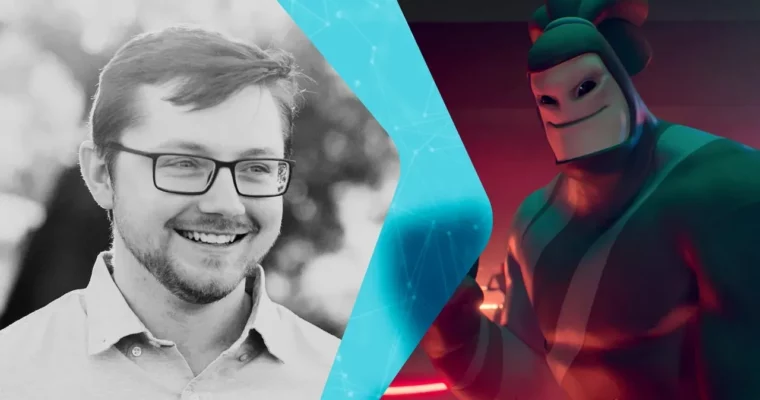
Cinematic Animation in Unreal Engine by Grayson Ducker

Actual Duration:5h 23m
Release date:2026
Publisher:Agora.community
Skill level:Intermediate
Language:English
Exercise files:Yes
Software:Unreal Engine
Course URL:https://agora.community/courses/course/cinematic-animation-in-unreal-engine
This course is built for animators who already know their craft but want to bring that skillset into Unreal Engine. No more fighting the software—just practical, hands-on lessons that get you setting keys and animating in a real-time engine. You’ll start with the basics of Unreal, then move straight into the tools and workflows that actually matter for feature and cinematic animation.
🎯 What you’ll learn
- Navigate Unreal Engine’s interface with confidence as an animator
- Use quality-of-life features that speed up your daily animation workflow
- Set up projects and scenes specifically for keyframing and animation
- Apply efficient keyframing techniques for cinematic shots
- Understand how Unreal’s real-time pipeline differs from traditional DCC tools
✅ Requirements
- Skills: Existing animation experience in any DCC tool (Maya, 3ds Max, Blender, etc.)
- Tools: A 3-button mouse with a scroll wheel
- Hardware: A PC capable of running Unreal Engine smoothly (dedicated GPU recommended)
📝 Description
If you’re an animator coming from Maya or similar software, Unreal Engine can feel like a completely different planet. This course cuts through the confusion. You’ll learn exactly where things are, what tools matter, and how to start animating without getting bogged down in engine jargon.
The focus here is on practical application. You’ll explore the quality-of-life features that make Unreal a viable option for feature animation—things like customizable layouts, animation-specific shortcuts, and tools that let you work faster. Then you’ll put it all together with keyframing workflows in Sequencer, Unreal’s cinematic timeline. You’ll learn how to set keys, layer animation, and refine your shots in a real-time environment.
This isn’t a general Unreal tutorial. It’s a course for animators who want to add real-time rendering to their toolkit. By the end, you’ll have a clear understanding of how to approach animation in Unreal and the confidence to start your own cinematic projects.
🧑🎓 Who this course is for
- Animators with experience in traditional DCC tools looking to transition to Unreal Engine
- CG artists interested in real-time cinematic production
- Students and professionals who want to expand their skillset into game engine animation
🧑🏫 About the Author
Grayson Ducker is an animator with hands-on experience in feature and cinematic animation. He’s spent years working with traditional animation pipelines and has transitioned into real-time workflows, bringing a practical, no-nonsense approach to teaching. His focus is on giving animators the tools they need to work efficiently in Unreal Engine without losing the quality they’re used to in offline renderers.
🏁 Final Result
By the end of this course, you’ll have a solid grasp of Unreal Engine’s animation tools and workflows. You’ll be able to set up your own projects, navigate the interface with ease, and start keyframing cinematic shots with confidence—ready to apply these skills to your own feature or real-time projects.
 Channel