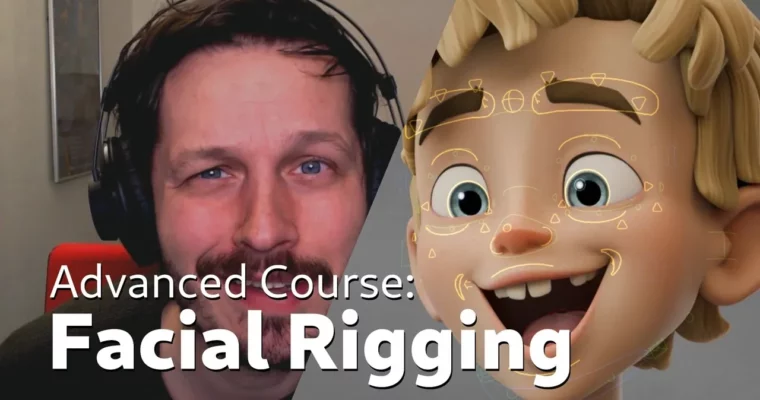
Advanced Facial Rigging by Rik Schutte

Actual Duration:6h 51m
Release date:2025, November
Publisher:Blender Studio
Skill level:Advanced
Language:English
Exercise files:Yes
Software:Blender
Course URL:https://studio.blender.org/training/facial-rigging/
This advanced course walks you through building a high-quality facial rig in Blender from scratch. Instructor Rik Schutte breaks down the entire process, from bone placement to shape key correction, using techniques inspired by film and animation industry standards. You’ll work with Blender 5.0 and free add-ons to create a flexible, animator-friendly rig for the Storm character.
🎯 What you’ll learn
- Build a complete facial deformation system using Ribbon Guide Meshes
- Create and manage shape keys for brows, cheeks, and mouth corrections
- Set up eyelid rigs with auto-blink and follow controls
- Implement lip zipper, pucker, and compress deformations
- Design custom control widgets for animator-friendly interaction
✅ Requirements
- Skills: Solid understanding of Blender’s constraints, bone assignments, and general rigging workflow
- Tools: Blender 5.0 or later
- Hardware: Standard computer capable of running Blender
📝 Description
This isn’t a quick automation tutorial. You’ll build almost everything manually to understand the underlying concepts. The course focuses on two main deformation methods: Ribbon Guide Meshes for smooth, predictable interpolation between bones, and shape keys for targeted corrections on brows and cheeks.
Rik explains the “three curve principle” from Brian Tindall’s book The Art of Moving Points, then shows you how to apply it directly in Blender. You’ll learn why certain bone placements work, how to split weights effectively, and how to set up constraints that give animators real control without breaking the mesh.
The course also covers practical details like auto-blink systems, eyelid follow behavior, and corrective shape keys for mouth poses. Since Rik comes from an animation background, the rig is built with the end-user in mind—clean naming, intuitive controls, and predictable deformation.
🧑🎓 Who this course is for
- Experienced Blender riggers looking to specialize in facial setups
- Animators who want to understand how their rigs work under the hood
- Technical artists aiming to build production-ready character controls
🧑🏫 About the Author
Rik Schutte is a professional animator and rigger who created the facial rig for Blender Studio’s Storm character. His experience working with high-end, film-quality character rigs informs every decision in this course. He has consulted with industry riggers and animators to refine his approach, and this course represents a polished, updated version of the Storm rig.
🏁 Final Result
- A fully functional, animator-friendly facial rig for the Storm character, complete with bone controls, shape keys, and deformation systems
 Channel