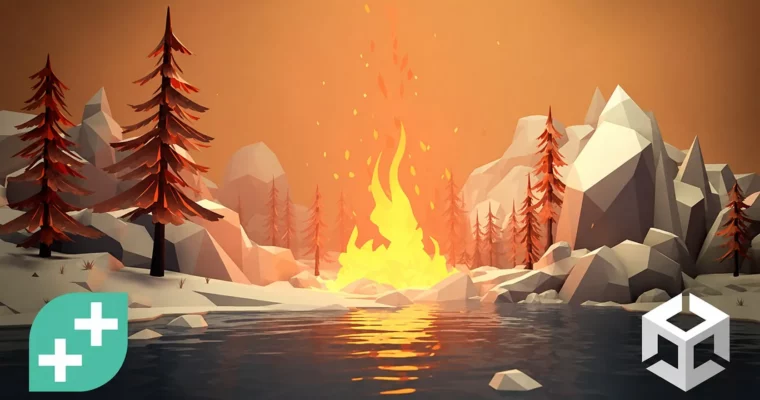
Unity Shader Graph – Create Procedural Shaders & Dynamic FX by Chris Kurhan

Duration:4.5 hours
Actual Duration:4h 43m
Release date:2025, November
Publisher:Udemy
Skill level:Beginner
Language:English
Exercise files:Yes
Software:Unity
Course URL:https://www.udemy.com/course/unity-shader-graph-procedural
This course is a straight shot into Unity Shader Graph for anyone who wants to build real-time visual effects without wrestling with code. You’ll start with the absolute basics—your very first shader—and work your way up to a full toolkit of dynamic FX: wind that bends grass, fire that flickers, water that ripples, and snow that deforms underfoot. It’s practical, project-based, and built for beginners who want to see results fast.
🎯 What you’ll learn
- Create procedural textures that add depth and realism to environments
- Design custom lighting effects that illuminate scenes with precision
- Develop unique visual effects that enhance gameplay and engage players
- Explore advanced shader techniques to push visual storytelling
✅ Requirements
- Skills: Basic Unity knowledge—navigating the editor, creating objects, and assigning materials.
- Tools: Unity installed (instructions provided in the course).
📝 Description
This isn’t a theory-heavy lecture series. It’s a hands-on walkthrough where you build each effect from scratch inside Unity Shader Graph. You’ll start by understanding the node-based interface, then jump straight into real-world problems: how do you make a flag wave in the wind? How do you create a campfire that feels alive? How do you make snow that remembers where the player walked?
Each section focuses on a specific natural phenomenon. The Wind module teaches displacement and noise—core concepts you’ll reuse everywhere. Fire & Smoke introduces masking, animation, and particle-like behavior using only shaders. Moss and Snow cover triplanar mapping and dynamic deformation, so your surfaces react to the environment. The Water section ties it all together with depth fading, foam, refraction, and wave displacement.
By the end, you’ll have a library of reusable shaders and a solid understanding of how to approach any visual effect. No coding required—just a mouse and a willingness to experiment.
🧑🎓 Who this course is for
- Absolute shader beginners who want to learn visually
- Game developers looking to add VFX and shader skills to their toolkit
🧑🏫 About the Author
Chris Kurhan is a software engineer and indie game developer who started his YouTube channel, LlamAcademy, in 2021 to share practical game dev knowledge. He emphasizes accessibility—every video includes full project code on GitHub. With a background in enterprise software and a degree in Software Engineering, Chris brings a methodical, no-fluff approach to teaching Unity and shader development.
🏁 Final Result
- A portfolio of procedural shader effects: wind, fire, smoke, moss, snow, and water
- Reusable Shader Graph assets ready to drop into any Unity project
 Channel