Creative Shadows in Cinema 4D & Octane by Abel Reverter, Katie Manzies

Duration:16 minutes
Actual Duration:16m
Release date:2024
Publisher:Patata School
Skill level:Beginner
Language:English
Exercise files:Yes
Software:Cinema 4D, Octane
Course URL:https://courses.patataschool.com/creative-shadows-vol-1
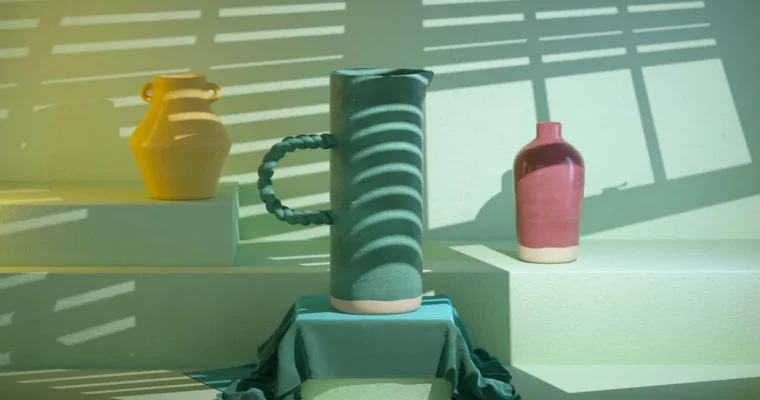
A focused 16-minute tutorial and a pack of 50 high-quality shadow images. This course shows you how to use them in Cinema 4D to add complexity and visual interest to your renders, suggesting a world beyond the frame.
🎯 What you’ll learn
- How to apply the Creative Shadows collection in Cinema 4D
- Techniques for creating varied and unique lighting results
- Methods to add visual depth and complexity to 3D scenes
✅ Requirements
- Skills: Basic familiarity with Cinema 4D’s interface.
- Tools: Cinema 4D, Octane Render.
- Hardware: A computer capable of running Cinema 4D.
📝 Description
This isn’t a deep dive into lighting theory. It’s a practical, hands-on resource. You get a pack of 50 ready-to-use shadow images and a short, no-fluff tutorial showing you exactly how to load them into Cinema 4D and start getting results.
The idea is simple: use these pre-made shadow textures to create complex, organic lighting patterns that would be a pain to set up manually. It’s a fast way to add a professional, atmospheric feel to your work. The tutorial covers the core workflow, and the quiz helps lock it in. The real value is in the asset pack itself—a tool you can pull out for any project.
🧑🎓 Who this course is for
- 3D artists looking for a quick way to add visual complexity to their renders.
- Cinema 4D users who want a practical, asset-based approach to lighting.
- Anyone who wants to experiment with creative shadow effects without a heavy time investment.
🧑🏫 About the Author
Abel Reverter and Katie Manzies are the creative force behind Patata School, a platform known for its focused, high-quality tutorials on 3D design and animation. They bring a practical, industry-focused perspective to their teaching, emphasizing efficient workflows and creative problem-solving.
🏁 Final Result
- A solid understanding of how to use the Creative Shadows collection in your own projects.
- A new, versatile asset pack of 50 shadow images for future renders.
 Channel