Create by Edoardo Lorenzetto

Duration:1 hour on-demand video
Actual Duration:55m
Release date:2026, May
Publisher:Udemy
Skill level:Beginner
Language:English
Exercise files:Yes
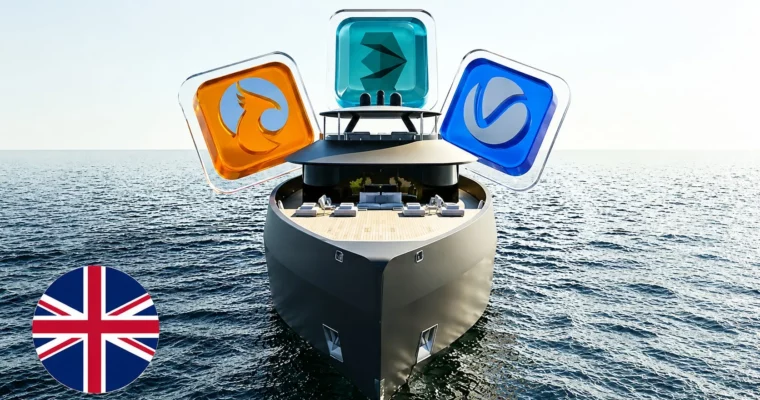
Software:3ds Max, Rhinoceros, Adobe Photoshop, Adobe After Effects
Course URL:https://www.udemy.com/course/create-with-3ds-max-realistic-yacht-renders-and-videos
This course walks you through the entire CGI pipeline for the marine industry, from importing a yacht model out of Rhinoceros to delivering a polished video. You’ll learn how to set up a hyper-realistic animated sea, build physically accurate materials for luxury finishes, and optimize your render settings to get high-quality results without waiting forever.
🎯 What you’ll learn
- Import and organize yacht geometry from Rhino into 3ds Max.
- Create a photorealistic, animated ocean surface.
- Master lighting setups for both exterior and interior marine scenes.
- Build physically correct shaders for wood, composites, and glass.
- Optimize render settings for speed without sacrificing quality.
- Complete the pipeline with post-production in Photoshop and After Effects.
✅ Requirements
- Skills: No prior knowledge of 3ds Max is required.
- Tools: A 3-button mouse is recommended for navigation.
- Hardware: A computer capable of running 3ds Max and a dedicated GPU for rendering.
📝 Description
This isn’t a generic 3ds Max overview. It’s a focused, practical guide for anyone who to present a yacht design convincingly. The course starts with the technical handoff from Rhinoceros, making sure your geometry comes in clean and. From there, you jump straight into the fun part: building the scene.
The core of the training is the hyper-realistic animated sea. You’ll learn how to simulate natural water movement and make it interact correctly with the hull. Then you’ll tackle lighting—both the sun for exterior shots and artificial sources for cabins. The material section is where things get specific: you’ll create shaders for treated woods, glossy composites, and transparent surfaces that look like the thing.
Finally, the course shows you how to keep render times manageable and finish everything in Photoshop and After Effects for that last 10% of polish. It’s a straight shot from model to final video.
🧑🎓 Who this course is for
- Students and professionals looking to break into high-end rendering for the marine industry.
- 3D artists who want to specialize in yacht visualization learn a production-ready pipeline.
🧑🏫 About the Author
Edoardo Lorenzetto is a yacht designer and 3D artist international experience in nautical design and visualization. He has worked for design studios across Italy and Europe, specializing in photorealistic rendering and luxury yacht design. His courses focus on the real-world workflows and trade secrets he uses daily in professional projects.
🏁 Final Result
- A complete, portfolio-ready render of a yacht in a marine environment, including a short animated video clip.
 Channel