Introduction to Maya 2025 – UV Toolkit Texturing Fundamentals using Maya & ZBrush by Eric Keller

Duration:4h 37m 15s
Actual Duration:4h 37m
Release date:2024, August
Publisher:Gnomon
Skill level:Intermediate
Language:English
Exercise files:Yes
Software:Maya, ZBrush
Course URL:https://www.thegnomonworkshop.com/workshops/introduction-to-maya-2025-uv-toolkit
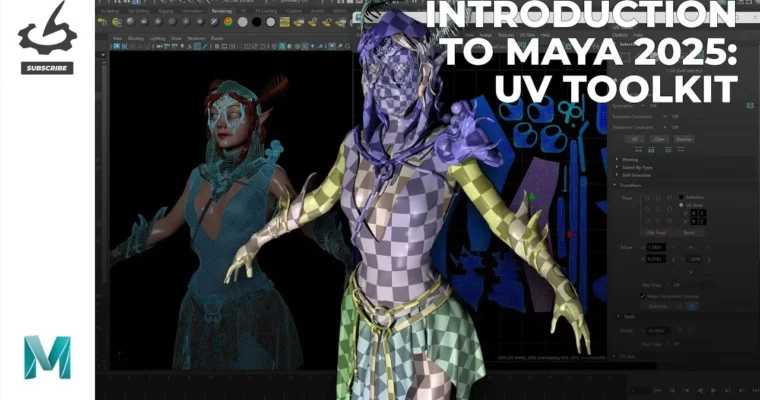
This workshop is a straight-to-the-point breakdown of Maya’s UV Toolkit. Eric Keller walks you through every button and menu in the interface, then shows you how it all works on a real character model. No fluff, just practical UV mapping for production.
🎯 What you’ll learn
- Navigate and use every tool in Maya’s UV Toolkit.
- Create and arrange UV coordinates for complex character models and clothing.
- Adapt UV mapping techniques for different end-use requirements (games, VFX).
- Manage UVs when moving between Maya and ZBrush.
- Optimize texture coordinate layouts for different graphics pipelines.
✅ Requirements
- Skills: Basic understanding of Maya’s interface and 3D space.
- Tools: 3-button mouse.
- Hardware: Minimum 16GB RAM, dedicated GPU.
📝 Description
This isn’t a “watch me paint” tutorial. Eric Keller starts by methodically walking through the entire UV Toolkit in Maya 2025, explaining what each tool does and when you’d actually use it. You’ll learn the difference between automatic projections and manual cutting, how pinning works, and why texel density matters for consistent texture quality.
Once the fundamentals are locked in, the workshop shifts to a real-world project: a fairy character. Eric shows you how to approach UV mapping for organic body parts, clothing, and complex accessories like a mask. He doesn’t pretend every UV map is perfect—he shows you the iterative process of problem-solving and making smart trade-offs.
The final chapter is a bonus: working with UVs in ZBrush. Eric explains the quirks of moving UVs between the two programs, a skill that’s essential for any professional character pipeline. By the end, you’ll have a solid, repeatable workflow for creating clean, production-ready UV layouts.
🧑🎓 Who this course is for
- Intermediate to advanced 3D artists who want to master UV mapping in Maya.
- Character modelers and technical artists working in games, VFX, or animation.
- Artists who already know basic Maya but want a structured, deep dive into the UV Toolkit.
🧑🏫 About the Author
Eric Keller is a veteran freelance CG artist with over 25 years of experience. He has created models for feature films like John Wick: Chapter 4, Aquaman, and The Haunting of Hill House, as well as for scientific visualization, VR, and 3D printing. He has taught at Gnomon School of Visual Effects and written highly regarded books and tutorials on Maya and ZBrush. His work has appeared in 3D World magazine, and he has been a guest lecturer at Harvard Medical School.
🏁 Final Result
- A fully UV-mapped fairy character model, ready for texturing.
- A solid, repeatable workflow for creating UV layouts in Maya and managing them in ZBrush.
- A deep understanding of the UV Toolkit that you can apply to any future project.
 Channel