Creating Realistic VFX In The Unity Game Engine by Ben Durrant

Duration:4 hours on-demand video
Actual Duration:4h 6m
Release date:2025
Publisher:Udemy
Skill level:Beginner
Language:English
Exercise files:Yes
Software:Unity, Adobe Premiere, Embergen
Course URL:https://www.udemy.com/course/creating-realistic-vfx-in-the-unity-game-engine
This course is a straight-up, no-fluff guide to making realistic VFX in Unity. Ben Durrant walks you through the entire pipeline, from creating texturesheets (flipbooks) from video footage to building complete, polished effects like rain, bullet trails, and a boat wake. It’s built for beginners and intermediates, but packed with enough pro tips to keep experienced artists interested.
🎯 What you’ll learn
- Solid Unity VFX fundamentals, including particle emission types and shader/material properties.
- How to implement physics, animation, bones, and cloth simulation in Unity.
- Powerful techniques like scrolling UVs, trail particles, sub-emitters, and light particles.
- How to use C# scripting to control and enhance your VFX.
- The complete process of creating VFX from start to finish with three extensive examples.
✅ Requirements
- Skills: No previous Unity knowledge is required.
- Tools: Adobe Premiere (or equivalent), Embergen (optional but recommended).
- Hardware: A computer capable of running Unity 2021.3.2 or newer.
📝 Description
This course is built around practical, hands-on exercises. You won’t just watch theory—you’ll get 12 Unity scenes with all the assets you need to follow along. The focus is on real-time VFX that actually runs well in a game, not just a tech demo.
The first section is a deep dive into texturesheets (flipbooks). Ben shows you how to capture video footage, clean it up in Adobe Premiere, and turn it into a looping, seamless texture. You’ll also learn how to use Embergen to generate procedural fire, smoke, and fluid simulations for your texturesheets. This is a critical skill for getting photorealistic results without a massive performance hit.
Section two is all about Unity’s built-in tools. You’ll explore particle emission types, shaders, and materials. Then you’ll get into the good stuff: collisions and sub-emitters, lighting particles, and animation. The scripting lessons are particularly valuable—you’ll learn how to use C# to control particle systems, physics, and even create a wormhole effect with animated joints and scrolling UVs.
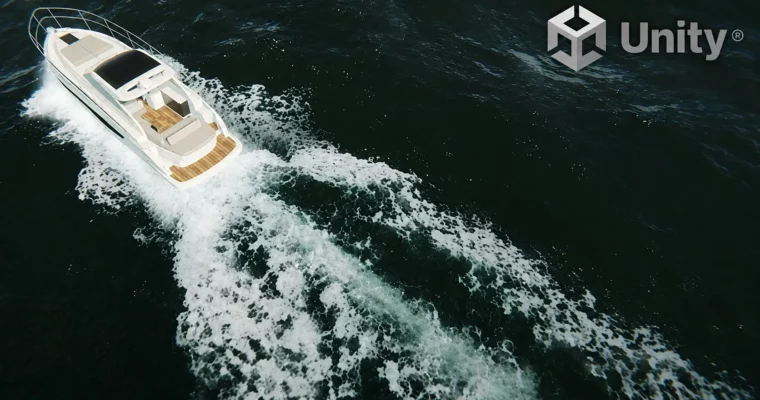
The final section is where it all comes together. You’ll build three complete effects: a rain simulation with splashes and ground water, a bullet trails underwater effect, and a boat wake with foam and spray. These projects are designed to be portfolio-ready.
🧑🎓 Who this course is for
- Beginners and intermediate Unity users who want to learn VFX.
- Game developers looking to add realistic, performant effects to their projects.
- Artists who want to understand the technical side of real-time VFX.
🧑🏫 About the Author
Ben Durrant is a veteran game developer with over 25 years of experience and 13 published titles. His portfolio spans environment art, lighting, and VFX, with a recent focus on real-time effects. He has a knack for breaking down complex topics into clear, actionable steps.
🏁 Final Result
- A complete rain simulation effect with rain drops, ground splashes, and ground water.
- A bullet trails underwater effect.
- A boat wake water effect with wake, foam, and spray.
 Channel