It looks like you're using an adblocker.
Adblockers make us sad. We use ads to keep our content happy and free. If you like what we are doing please consider supporting us by whitelisting our website. You can report badly-behaved ads by clicking/tapping the nearby 'Advertisement' X text.
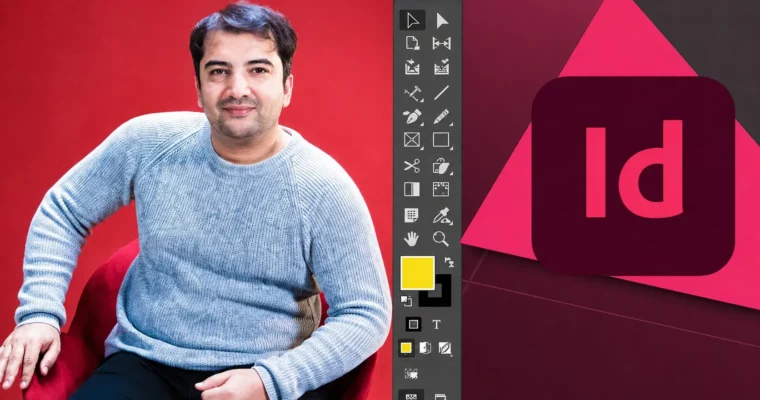
Adobe InDesign 2025 Perfect Guide by Khalil Sediqi
Go from zero to a confident InDesign user by building real-world projects like books, magazines, and brochures.
This course is a practical, hands-on guide to Adobe InDesign 2025. It’s built for beginners who want to skip the fluff and start creating real projects. You’ll learn the entire workflow, from setting up a document to packaging a final file for print. Expect to build a solid portfolio piece by the end.
🎯 What you’ll learn
Install and set up InDesign for Arabic and English book design.
Manage pages, layers, and master pages for complex projects.
Use the Pen Tool and Type Tool like a pro.
Design a complete book with even and odd pages, table of contents, and booklet print.
Create professional brochures, flyers, business cards, and magazines.
Design a newspaper, a poster calendar, and a web landing page.
Link InDesign with Photoshop, Illustrator, and CorelDraw.
Generate QR codes and create interactive PDFs.
✅ Requirements
Skills: No prior experience needed. You will learn everything from scratch.
Tools: A computer with Adobe InDesign installed (a free trial is fine).
Hardware: A standard computer capable of running Adobe Creative Cloud applications.
📝 Description
This isn’t a theory-heavy lecture series. It’s a project-based course where you build real, portfolio-ready assets. You’ll start by setting up your workspace and understanding the core tools, then quickly move into creating a book, a magazine, a newspaper, and a brochure.
The course covers the full print design pipeline. You’ll learn how to manage typography with paragraph and character styles, work with master pages for consistent layouts, and handle complex multi-page documents. A big focus is on practical workflows, like linking InDesign with Photoshop and Illustrator to keep your assets organized.
You’ll also get into some less common but highly useful skills, like designing for Arabic text, creating UI/UX layouts, and using the Pen Tool for custom shapes. The instructor, Khalil Sediqi, brings over a decade of teaching experience, so the explanations are clear and direct. By the end, you’ll have a solid grasp of the software and a collection of projects that prove you can use it.
🧑🎓 Who this course is for
Beginners who want a complete, project-based introduction to Adobe InDesign.
Print designers looking to formalize their workflow and learn advanced techniques.
Anyone who needs to create books, magazines, brochures, or marketing materials.
Students who prefer a practical, no-nonsense teaching style.
🧑🏫 About the Author
Khalil Sediqi is an Adobe Certified Instructor and a graphic designer with over 13 years of experience. He is the founder of a media production company and has worked as a Graphics Designer, 3D Animator, and Video Editor for major outlets like Tolo TV and BBC Farsi. He has also taught at Kabul University’s Fine Arts faculty and has instructed over 10,000 students from more than 100 countries.
🏁 Final Result
A complete, print-ready book project with a cover, table of contents, and page numbering.
A multi-page magazine or catalog layout.
A professional brochure and a two-sided flyer.
A poster calendar and a newspaper layout.
A web landing page design created in InDesign.
Curriculum
📋 Course content
Module 1: Getting Started & Interface
Install Adobe Indesign Cc 20251:59
Type Of Projects In Welcome Screen2:18
Start Your New Project5:07
Manage Your Pages and Layer First3:57
How To Manage Colors Mode9:02
Primary Points in Adobe Indesign Cc 20254:41
Difference Between Save and Export6:10
Control Your Objects6:17
How To Create Your First Project
Remember top shortcuts
Module 2: Working with Objects & Tools
How To Alignment Your Objects11:35
How To Ditribute Your Objects8:04
How To Use Path Finder10:54
Selection and Direct Selection Tools5:03
What is Page Tool and Gap Tool4:07
Working With Content Collector and Content Placer Tools3:14
How to Use Line Tool and Pencil Tool2:23
Pen Tool in Advance Drawing4:56
How to use Shape Tools and Shape Frame Tools3:08
Cut and Edit Your Shapes1:46
Working With Fill And Stroke Tools2:41
Use Transform Tools for Scale, Rotate, and Skew1:42
Kind of Type Tools5:01
Working With Gradient Color and Gradient Feather Tools2:11
Using of Zoom Tool, Eye Droper Tool, Hand Tool4:15
Easy Way to copy and past multi contents
Module 3: Pages, Masters & Numbering
Create And Control Parent Page5:09
Create Page Numbering And Manage4:27
Page Numbering With Faceing Page On and Off6:39
Page Numbering With Section Marker2:38
One Book With 3 Type of Page Numbering4:58
Adding Images Into The Text Paragraph10:55
How To Create Page Numbering
Module 4: Menus Deep Dive
File Menu16:32
Edit Menu17:22
Layout Menu10:42
Type Menu18:40
Object Menu23:41
Table Menu9:57
View Menu9:25
Window Menu19:47
How to Use All Effects9:49
What is 3 Most Important Commands In Layout Menu
Module 5: Real-World Projects: Books & Print
Cover book Design10:19
How To Set Paragraph Style10:42
Create Table of Content For a Book11:48
How to Design a Newspaper17:17
How to Design a Portfolio25:57
Math Functions Writting5:35
How To Design a Catalog18:04
How to Design a Magazine23:08
How To Design a Calindare in Poster Size18:02
Use Calindare Wizard Script For 1 Click Calindare Design7:01




 Channel