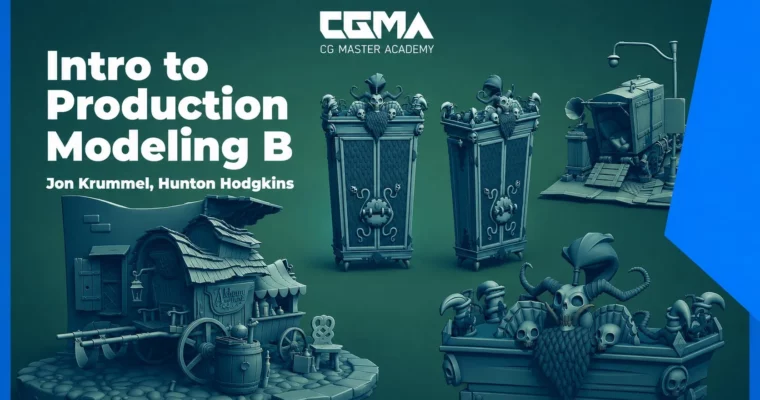
Intro to Production Modeling B by Jon Krummel, Hunton Hodgkins

Duration:6 weeks
Actual Duration:13h 35m
Release date:2024
Publisher:CGMA
Skill level:Intermediate
Language:English
Exercise files:Yes
Software:Autodesk Maya, Substance Painter, Arnold
Course URL:https://www.vfx.cgmasteracademy.com/courses/2-intro-to-production-modeling
This course is about bridging the gap between knowing how to model and actually working in a studio. You’ll learn the specific expectations, techniques, and workflows that separate a hobbyist from a production-ready 3D artist. The focus is on speed, efficiency, and creating models that don’t break the pipeline.
🎯 What you’ll learn
- Interpret concept art and production briefs for modeling.
- Build clean, production-friendly topology for games and film.
- Customize your Maya interface with hotkeys and shelf tools for speed.
- Execute a professional UV workflow and quality check process.
- Present and “sell” your models to supervisors and art directors.
✅ Requirements
- Skills: Basic knowledge of Maya (or equivalent 3D software).
- Tools: Autodesk Maya (3DS Max or Blender acceptable), Substance Painter or Arnold.
- Hardware: A computer capable of running Maya and a dedicated GPU for rendering.
📝 Description
This isn’t just a modeling tutorial series. It’s a bootcamp for the professional mindset. The core problem junior artists face isn’t technical skill—it’s learning how to acclimate to a studio environment. This course tackles that head-on.
You’ll start by learning how to read concept art like a production modeler, extracting the exact information needed to build a model that fits a specific brief. From there, you’ll dive into the nitty-gritty of topology, understanding why a quad is your best friend and how to manage edge flow for both organic and hard-surface shapes. The goal is to build geometry that deforms well and renders efficiently.
The curriculum then shifts to workflow optimization. You’ll learn to customize your Maya interface with hotkeys and marking menus to cut your modeling time in half. Later weeks cover the dreaded UV process, breaking it down into a manageable, quality-checked pipeline. Finally, you’ll learn how to present your work—how to “sell” a model to a supervisor using Arnold or Substance Painter, and how to meet real-world deadlines. By the end, you’ll have a portfolio-ready vignette of props that proves you can work on a team.
🧑🎓 Who this course is for
- Intermediate 3D artists who know the basics of Maya but want to work in a professional studio.
- Junior modelers looking to understand the expectations of a game, film, or animation pipeline.
- Hobbyists who want to level up their workflow efficiency and create production-quality assets.
🧑🏫 About the Author
Jon Krummel is a seasoned industry professional with over 20 years of experience in post-production, video games, VFX, and animation. He has worked on major films including Captain America, Moana, Frozen 2, and Encanto at Walt Disney Animation Studios. As an Environment Modeling Lead, he specializes in understanding the pipeline and collaborating across departments. He has also taught modeling at the Art Institute and mentored artists, bringing a practical, no-nonsense approach to his instruction.
🏁 Final Result
- A portfolio-ready vignette scene composed of multiple production-friendly props, demonstrating clean topology, proper UVs, and professional presentation.
📢 Guys, this is a Group Buy campaign, check the GBC forum thread to get access
You can find the course preview in the download section below.
 Channel