It looks like you're using an adblocker.
Adblockers make us sad. We use ads to keep our content happy and free. If you like what we are doing please consider supporting us by whitelisting our website. You can report badly-behaved ads by clicking/tapping the nearby 'Advertisement' X text.
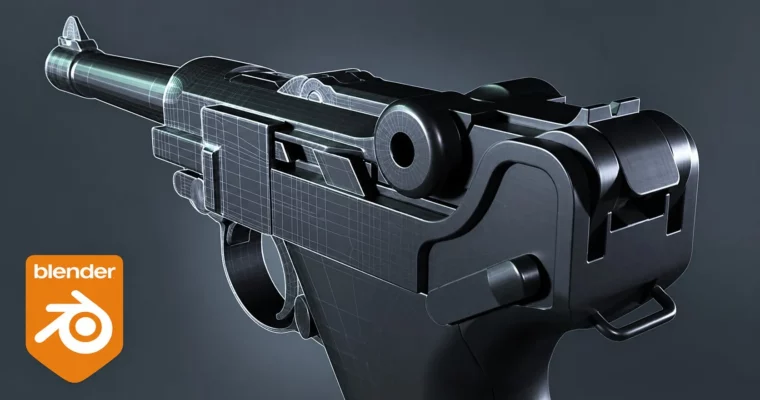
This course is all about building a realistic Luger P08 pistol from the ground up in Blender. You’ll start by setting up technical blueprints and references, then move straight into blocking out the main shapes. The focus is on practical, hands-on work—no fluff, just solid modeling.
You’ll get comfortable with non-destructive workflows using modifiers like Boolean, Shrinkwrap, and Subdivision Surface. The course also dives deep into retopology, showing you how to handle complex mechanical shapes with n-gons and clean edge flow. Each lesson targets a specific part of the pistol, so you can follow along step by step without getting lost.
By the end, you’ll have a portfolio-ready model and a solid understanding of how to approach any hard-surface project. Whether you’re aiming for game assets, props, or just want to level up your Blender skills, this course gives you the practical techniques to get there.
🧑🎓 Who this course is for
Beginners who know the basics of Blender and want to tackle a real project
Hard-surface artists looking to improve their retopology and modeling workflow
Anyone who wants to build a detailed mechanical model from scratch
🧑🏫 About the Author
Blender Craft is a studio founded by a team of passionate 3D artists and educators. They focus on creating high-quality, accessible courses for Blender that cover everything from fundamentals to advanced techniques. Their instructors have real-world industry experience, ensuring the training is practical and up-to-date. With a strong emphasis on clarity and community support, Blender Craft helps learners worldwide unlock their creative potential.
🏁 Final Result
A complete, high-quality 3D model of a Luger P08 pistol, ready for texturing, animation, or portfolio presentation.
A solid understanding of hard-surface modeling and retopology workflows in Blender.
Curriculum
📋 Course content
Module 1: Blocking and Initial Modeling
Setting up references6:28
Let’s start blocking14:58
Blocking with Boolean modifier13:10
Blocking lower part of the handle18:08
Additional cutouts on the side14:10
Spin tool and top elements16:13
Cutout on the top cylinder and small details19:31
Side and top elements23:51
Multiple cutouts on top parts16:31
Working with the handle and Shrinkwrap modifier26:05
Small elements around the perimeter19:21
Additional cutouts and magazine base22:51
Front sight and trigger20:09
Minor improvements and elements17:37
Inner cutout of the top part and bolts18:32
Modeling the bullet and cutting out the barrel25:42
Magazine modeling31:50
Upper part of the magazine and trigger spring16:06
Module 2: Retopology and Finalization
Preparing for retopology and first steps19:07
Retopology of the rear part of the pistol19:21
Lower part of the handle and trigger17:37
The interior of the magazine and minor improvements23:22
Front and rear parts modifications14:37
Working out cylindrical cutouts19:05
Retopology of small elements in the rear part of the pistol22:39
Connections of the rear element to the pistol grip and alignment22:37
Re-creating the cutouts on the right side of the gun24:14
Retopology of the trigger area and newly created cutouts23:32
Alignment with Loop Tools addon and Shrinkwrap modifier23:10
Retopology of the cutout for the screw8:31
Retopology of the pistol barrel and front sight22:55
Start of retopology of the larger upper part23:33
We continue retopology of the larger upper part25:44
Aligning the top and connecting the cylinders to the base at the back17:08
Additional cutouts and alignments at the back25:00
Small cutout and its retopology16:26
Retopology of a large detail on the left side of the gun24:12
Creating many small details17:30
Retopology of the pistol handle27:34
Refinement of the pistol handle and small cutouts15:44
Refinement before retopology of the upper element in the rear part of the pistol20:20
Retopology of the upper complex part (part 1)24:12
Retopology of the upper complex part (part 2)28:10
Retopology of the upper middle part25:23
Retopology of the upper front part26:04
Reworking a couple of small details and creating two additional cutouts27:09
Retopology of the bolt and the bottom of the magazine22:10
Magazine retopology31:10
Trigger retopology (part 1)23:39
Trigger retopology (part 2)22:27
Final touches, improvements and completion of the pistol retopology11:30




 Channel






Files 10, 12, and 16 turned out to be corrupted, so we didn’t upload them to the site 🤨.
Then the training should be taken down