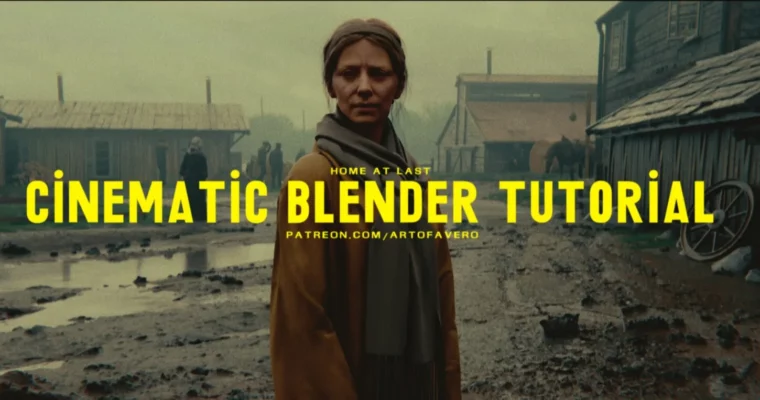
Cinematic Blender Tutorial Home At Last by Leo Avero

Actual Duration:7h 30m
Release date:2024
Publisher:Artstation
Skill level:Intermediate
Language:English
Exercise files:Yes
Software:Blender 3.4 or higher, Marvelous Designer 9 v5.1.297 or higher
Course URL:https://www.artstation.com/marketplace/p/6VgGa/cinematic-blender-tutorial-home-at-last
This tutorial is for artists who already know their way around Blender and want to push their work into a more cinematic, narrative space. Leo Avero breaks down how he thinks about an image—not just as a 3D scene, but as a film frame. You’ll learn how to start a project, work with Marvelous Designer for cloth, get the most out of scanned assets, and apply camera theory to make your renders feel like they belong on the big screen.
🎯 What you’ll learn
- How to think about and achieve the “cinematic” look
- How to start an image from scratch
- Working with Marvelous Designer for realistic cloth
- Getting the most out of your 3D assets and scans
- Blender tips and tricks for a faster workflow
✅ Requirements
- Skills: Intermediate knowledge of Blender and basic concept art skills
- Tools: Blender 3.4 or higher, Marvelous Designer 9 v5.1.297 or higher
- Hardware: A computer capable of running Blender and Marvelous Designer
📝 Description
This isn’t a beginner’s course. Leo assumes you already have a solid grasp of Blender and concept art fundamentals. What you’ll get here is a focused look at how to bridge the gap between a good 3D render and a truly cinematic image.
The course kicks off with a deep dive into how Leo starts an image—not with technical settings, but with a filmic way of thinking. He spends a good chunk of time explaining camera lenses, focal lengths, and composition tricks that make your work feel like it was pulled from a movie. From there, it gets practical: working with Marvelous Designer for cloth simulation, optimizing scanned assets, and a full walkthrough of his general workflow.
You get 11 videos total, including two time-lapses of the final image—one with commentary on each key step, one without. The idea is to give you both the theory and the raw process. Plus, you get access to a Discord channel for support if you get stuck.
🧑🎓 Who this course is for
- Intermediate Blender users who want to level up their cinematic storytelling
- Concept artists looking to integrate 3D into their workflow
- Artists who want to understand the filmic side of 3D rendering
🧑🏫 About the Author
Leo Avero is a concept artist and 3D generalist known for his cinematic, narrative-driven artwork. He shares his workflow and thinking process through tutorials and on his Patreon, where he provides additional assets and behind-the-scenes content. His work focuses on blending 3D tools with traditional filmic composition to create striking, story-rich images.
🏁 Final Result
- A complete cinematic concept art image rendered in Blender, with a strong narrative and filmic look
- A solid understanding of how to approach future projects with a cinematic mindset
 Channel