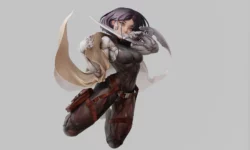
Cloth Modeling Master Course Tutorial by 3DRedBox Studio

Duration:9 hours
Actual Duration:14h 53m
Release date:2025, August
Publisher:Udemy
Skill level:Beginner
Language:English
Exercise files:Yes
Software:Marvelous Designer
Course URL:https://www.udemy.com/course/cloth-modeling-master-course-tutorial
This course is a straight-up, no-fluff guide to making clothes in Marvelous Designer. You’ll start with the absolute basics—like, what the buttons do—and work your way up to building complex jackets, hoodies, and tactical gear. It’s built for people who want to skip the theory and get their hands dirty making real, portfolio-ready garments.
🎯 What you’ll learn
- Master basic to advanced garment creation, from simple t-shirts to complex layered costumes.
- Simulate realistic fabric behavior, draping, and fit for different garment types.
- Draft accurate 2D patterns and add advanced details like pockets, zippers, and straps.
- Export finished cloth models for use in game engines, animation, or rendering pipelines.
✅ Requirements
- Skills: No prior experience with Marvelous Designer or 3D modeling is required. Basic computer skills are needed.
- Tools: A copy of Marvelous Designer (trial or licensed version is fine).
- Hardware: A computer that meets the minimum system requirements for Marvelous Designer (decent GPU and enough RAM for smooth cloth simulation).
📝 Description
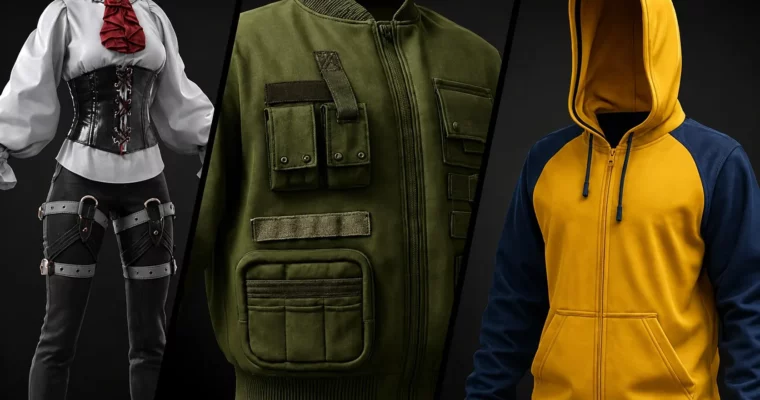
This isn’t a “watch me click buttons” tutorial. It’s a practical, project-based walkthrough where you build real garments from the ground up. You’ll start by understanding the core theory of how Marvelous Designer thinks about fabric and patterns, then immediately jump into making a t-shirt and jeans. From there, the complexity ramps up naturally: a button-down shirt, a zip-up hoodie, a skirt, and then the big stuff—a full blazer and pants set, cargo pants, and a detailed leather jacket.
The teaching method is straightforward: each garment is broken down into parts. You’ll see the pattern drafting in the 2D window, the sewing and simulation in the 3D viewport, and the instructor explains why he’s making each cut and fold. This isn’t about memorizing steps; it’s about understanding the logic of garment construction. You’ll learn how to handle tricky fabric properties, manage layers, and add details like pockets and zippers without breaking the simulation.
A big focus is on the export pipeline. The course shows you how to get your finished garments out of Marvelous Designer and into other software like Blender or Unreal Engine, with proper topology and UVs. This is the part most free tutorials skip, but it’s critical if you actually want to use these clothes in a game or animation. The instructor also covers common simulation glitches and how to fix them, saving you hours of frustration.
🧑🎓 Who this course is for
- Beginner and intermediate 3D artists who want to learn realistic cloth creation from scratch.
- Game developers and animators who need high-quality clothing assets for characters.
- Fashion designers interested in bringing their garment ideas into a 3D environment.
- Anyone curious about Marvelous Designer and how to create detailed, dynamic clothing for digital projects.
🧑🏫 About the Author
3DRedBox Studio started their journey in 2005, providing training to over 5,000 students in CGI software. The team handles everything from creating content for online marketplaces to taking on outsourcing projects. They have achieved the ArtStation badge, ranking among the top marketplaces, moving from 50th to 10th place in two consecutive years. The studio now operates several specialized sub-groups, including a Marketplace Team, Substance Tutorial Team, YouTube Team, and a Coaching Team.
🏁 Final Result
- A portfolio of multiple finished 3D garments, including a t-shirt, jeans, shirt, hoodie, skirt, blazer, cargo pants, and a leather jacket.
- The ability to independently create, simulate, and export custom clothing for any 3D character or project.
 Channel