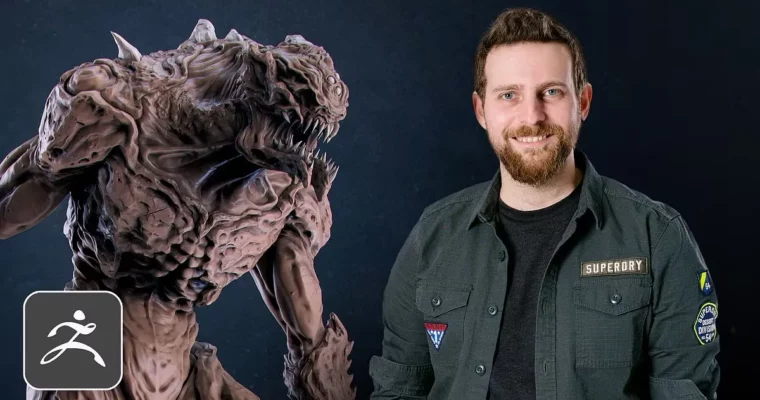
Sculpting in ZBrush From Concept Art to the Final Creature by Manu Herrador

Actual Duration:12h 36m
Release date:2020, June
Publisher:Domestika
Skill level:Intermediate
Language:English
Exercise files:Yes
Software:ZBrush 2019, Keyshot, PureRef
Course URL:https://www.domestika.org/en/courses/998-sculpting-in-zbrush-from-concept-art-to-the-final-creature
Learn a practical, step-by-step workflow to sculpt a humanoid creature in ZBrush, starting from a concept art reference and ending with a polished render in Keyshot. This course focuses on the real pipeline used in the video game and film industries.
🎯 What you’ll learn
- Block out a creature model from concept art using ZBrush’s basic tools.
- Sculpt realistic anatomy for the head, torso, arms, and legs.
- Add high-frequency surface details like skin texture and wrinkles.
- Pose the final model and render it in Keyshot for presentation.
✅ Requirements
- Skills: Intermediate knowledge of ZBrush and human anatomy.
- Tools: Graphics tablet.
- Hardware: Computer capable of running ZBrush 2019 and Keyshot.
📝 Description
This course is built around a single, focused goal: taking a concept art piece and turning it into a finished 3D creature. Manu Herrador doesn’t waste time on theory. He jumps straight into the practical steps he uses daily as a professional character artist.
You’ll start by gathering references and blocking out the basic forms. From there, it’s all about the sculpt. Manu walks you through shaping the head, torso, and limbs, paying close attention to anatomy and proportion. The real value comes in the later lessons, where he shows you how to add fine details like skin pores, wrinkles, and scars that make a creature feel alive.
The course also covers posing and rendering. You’ll learn how to set up a simple perch and use Keyshot to create a clean, portfolio-ready render. This isn’t about fancy lighting setups—it’s about presenting your work clearly and professionally.
🧑🎓 Who this course is for
- 3D artists looking to specialize in character or creature modeling.
- Concept artists who want to translate their 2D designs into 3D.
- Illustrators and hobbyists with some ZBrush experience who want to improve their sculpting workflow.
🧑🏫 About the Author
Manu Herrador is a 3D artist with over seven years of experience in the video game industry. He has worked on titles like Kick-Ass 2, Spacelords, Metroid: Samus Returns, and Phineas and Ferb: Day of Doofenshmirtz. He currently works at Share Creators, an outsourcing company that has contributed to games like Diablo and Star Wars, and also at Out of the Blue Games, a Spanish independent studio. His specialty is modeling fantastic and humanoid creatures for film, games, and miniatures.
🏁 Final Result
- A fully sculpted demon-like creature model, posed and rendered in Keyshot, ready for your portfolio.
 Channel