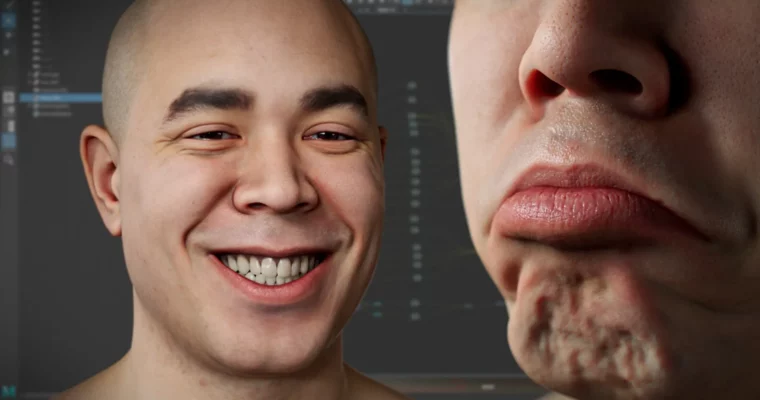
Advanced Facial Blendshape Networks by Adam Spring

Duration:6h 46m 52s
Actual Duration:6h 46m
Release date:2025, November
Publisher:Gnomon
Skill level:Intermediate
Language:English
Exercise files:Yes
Software:Maya, ZBrush, Wrap, Photoshop
Course URL:https://www.thegnomonworkshop.com/workshops/advanced-facial-blendshape-networks
This workshop dives into creating advanced facial blendshape networks, the kind used in top-tier game cinematics and animated films. You’ll learn Adam Spring’s exact methods for building realistic facial performances that react naturally, using a powerful combination of Maya, ZBrush, Wrap, and Photoshop. It’s all about getting those believable character expressions that make audiences connect.
🎯 What you’ll learn
- Extract and organize blendshapes from scan data into primary and combination shapes.
- Generate wrinkle and blood flow maps from scan data for dynamic shaders.
- Construct dynamic shaders within Maya’s node editor.
- Capture facial motion capture data using an iPhone and Unreal Engine LiveLink.
- Organize complex facial blendshape networks using the Simplex Maya plugin.
- Implement FACS-based facial systems for feature film and AAA game cinematics.
✅ Requirements
- Skills: Solid foundations in Maya, ZBrush, and facial anatomy.
- Tools: Maya, ZBrush, Wrap, Photoshop, Simplex (free Maya plugin).
- Hardware: A computer capable of running Maya, ZBrush, Wrap, and Photoshop.
📝 Description
This workshop is your deep dive into creating advanced facial blendshape networks, mirroring the exact techniques Adam Spring uses for major film and game projects like Call of Duty and Love, Death & Robots. You’ll go from preparing scan data to organizing complex blendshape systems and building dynamic shaders that simulate wrinkles and blood flow. Adam also shows you how to capture facial motion with an iPhone using Unreal Engine LiveLink, giving you a full pipeline for realistic character performances. The course emphasizes a methodical, layer-based approach, crucial for handling the complexity of professional facial rigging.
🧑🎓 Who this course is for
- Intermediate to advanced character artists, technical artists, and rigging specialists in film, games, or animation.
- Artists who want to learn production-proven techniques for facial animation.
- Concept artists, 3D generalists, and aspiring character specialists looking to understand AAA character pipelines.
🧑🏫 About the Author
Adam Spring is a seasoned 3D artist with over a decade of experience focusing on character and facial production for visual effects and animation. He’s known for building robust, production-ready character pipelines, especially high-fidelity facial modeling and FACS-based workflows. Adam has worked with major studios like Blur Studio, MPC, Activision, and Ubisoft, bridging performance capture and digital character creation to deliver expressive, production-quality results.
🏁 Final Result
- A portfolio-ready understanding of advanced facial blendshape creation and dynamic shader construction.
- The ability to implement industry-standard techniques for creating realistic facial animation systems used in high-end game cinematics and animated productions.
 Channel