Adobe Illustrator for Advanced Illustration by Aarón Martínez

Duration:5 courses
Actual Duration:11h 22m
Release date:2021, May
Publisher:Domestika
Skill level:Intermediate
Language:English
Exercise files:Yes
Software:Adobe Illustrator
Course URL:https://www.domestika.org/en/courses/2232-adobe-illustrator-for-advanced-illustration
Ready to take your vector illustration skills to the next level? This collection of courses dives deep into Adobe Illustrator, showing you how to move beyond the basics and create truly unique and professional-grade artwork. You’ll explore advanced tools and styles that will make your illustrations stand out.
🎯 What you’ll learn
- Master advanced vector tools like Pathfinder and Pen.
- Create compelling flat illustrations for app design.
- Design memorable mascot illustrations for advertising campaigns.
- Utilize the Gradient tool for sophisticated editorial illustrations.
- Prepare and showcase your work for print and digital media.
✅ Requirements
- Skills: Working knowledge of Adobe Illustrator.
- Tools: A graphics tablet is recommended.
- Hardware: A computer with Windows 7 (or later) or macOS 10.12 (Sierra). Adobe Illustrator CC installed.
📝 Description
Illustration trends are always evolving, and staying current can be tough. This series of courses, taught by Aarón Martínez, an illustrator who’s worked with big names like Volkswagen and Cisco, is your guide to exploring exciting tools and styles. You’ll get hands-on with techniques like gradients and flat illustrations, opening up new creative possibilities and elevating your vector art game.
We’ll start with a quick refresher on the Adobe Illustrator interface, tools, and shortcuts. Then, you’ll jump into exercises with the Pathfinder and Pen tools, even creating objects from scratch. The journey continues with designing eye-catching flat illustrations for app interfaces, starting from mood boards and sketches, and moving through vector tracing and color palette application.
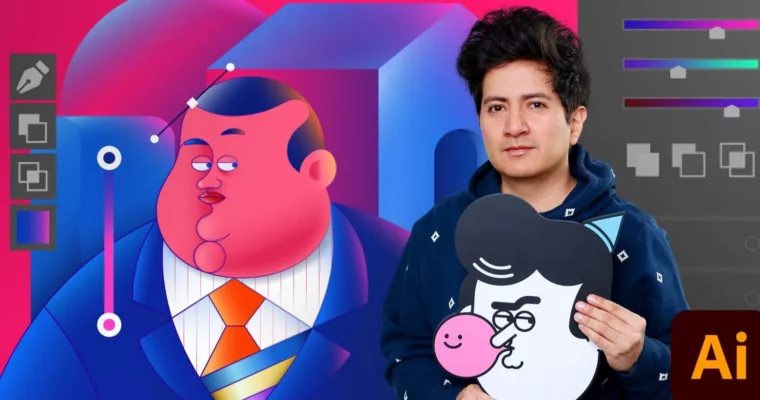
Next up, you’ll tackle creating a distinctive mascot for advertising. This involves experimenting with brushes, extending paths, and merging elements into a cohesive design. We’ll also cover selecting brand-appropriate color palettes and typography. Following that, you’ll learn to add depth and volume to editorial illustrations using the Gradient tool, and even explore effects like film grain and mezzotint. Finally, you’ll get practical advice on preparing your illustrations for print, creating merchandise like pins and stickers, and adapting your work for social media sharing.
🧑🎓 Who this course is for
- Illustrators looking to expand their skillset with advanced Adobe Illustrator techniques.
- Designers who want to create unique vector graphics for branding, apps, and editorial content.
- Anyone interested in mastering gradients and flat design styles in vector art.
🧑🏫 About the Author
Aarón Martínez is a designer and illustrator with a strong portfolio, having collaborated with major clients such as Volkswagen and Cisco. He brings extensive industry experience to his teaching, offering practical insights and advanced techniques in vector illustration. Aarón also teaches other popular Domestika courses like “Introduction to Adobe Illustrator” and “Vector Illustration for Beginners.”
🏁 Final Result
- A portfolio of diverse, advanced vector illustrations, including app graphics, a brand mascot, an editorial piece with volume, and designs ready for merchandise and social media.
 Channel