Intermediate Three.js with Shaders by Christopher Lis

Duration:4.5 hours on-demand video
Actual Duration:4h 18m
Release date:2022, March
Publisher:Udemy
Skill level:Intermediate
Language:English
Exercise files:Yes
Software:Three.js, Vite, GLSL
Course URL:https://www.udemy.com/course/intermediate-threejs-with-shaders
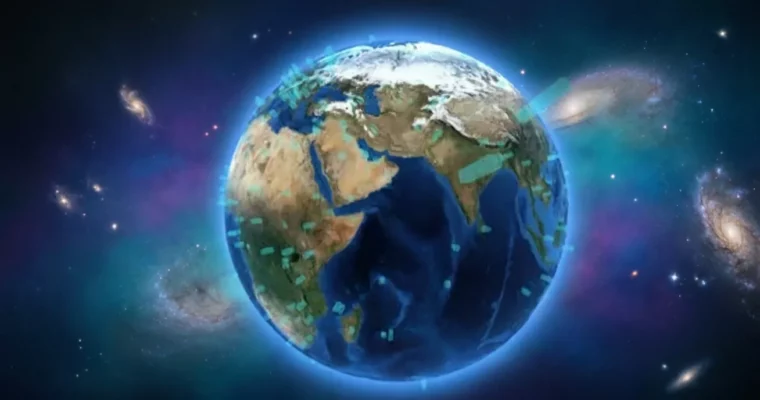
Ready to take your Three.js skills to the next level? This course dives deep into creating a stunning, interactive 3D globe using custom GLSL shaders. You’ll learn how to import textures, manipulate geometry, and bring your scenes to life with dynamic data visualization and smooth animations.
🎯 What you’ll learn
- Master Three.js shader composition and setup.
- Import textures to create realistic globe effects.
- Develop custom vertex and fragment shaders.
- Integrate shaders into a Vite project.
- Understand core 3D concepts like normals, attributes, and UVs.
- Visualize data points using latitude and longitude.
- Import and display bulk data on your globe.
- Animate generated meshes with GSAP.
- Implement click-and-drag interactivity.
- Scale your 3D scene for responsive design.
- Add mobile event listeners for touch devices.
✅ Requirements
- Skills: Existing Three.js development environment setup.
- Tools: Vite with Three.js installed is recommended.
- Hardware: Three.js version ^0.128.0 is recommended.
📝 Description
This course is your gateway to mastering custom Three.js shaders using GLSL. You’ll go beyond basic Three.js by learning how to write and integrate your own vertex and fragment shaders, a crucial skill for creating unique visual effects and optimizing performance. We’ll cover everything from importing textures and understanding complex terms like normals and varyings, to dynamically placing data points on a globe using latitude and longitude. This is a practical, project-based approach designed to get you building real-world applications. You’ll learn how to import bulk data, animate elements with GSAP, add interactive features like click-and-drag, and ensure your 3D scene is responsive across all devices, including mobile.
🧑🎓 Who this course is for:
- Intermediate Three.js developers who are comfortable creating scenes with materials, geometries, and meshes.
- Developers looking to add advanced visual effects and custom rendering to their web projects.
- Anyone interested in learning shader programming for interactive 3D web experiences.
🧑🏫 About the Author
Christopher Lis is an award-winning Full-Stack Engineer with over a decade of professional web development experience. He’s worked with notable clients like Harvard University and The Basketball Tournament, and has received Awwwards for his agency work. Christopher is also a popular instructor and YouTuber, founding the JavaScript learning platform Chris Courses. He’s passionate about sharing knowledge and has taught web development through programs like Girls Who Code, amassing a large following on YouTube and building his own educational SaaS platform.
🏁 Final Result
By the end of this course, you’ll have a fully functional, interactive 3D globe with custom shaders, capable of displaying dynamic data points and responding to user input. This project will serve as a strong portfolio piece, showcasing your advanced Three.js and shader programming skills.
 Channel