


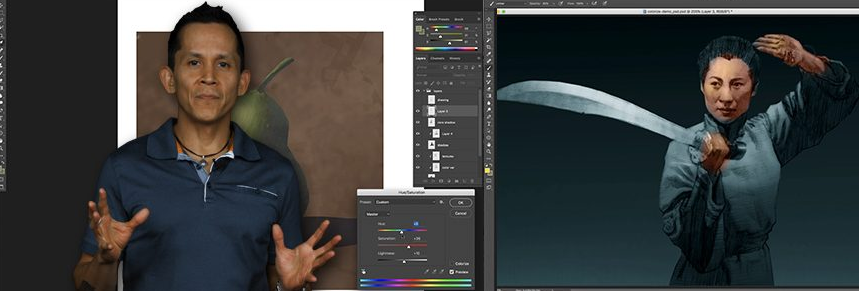
Photoshop for Traditional Artists

Release date:2020
Skill level:Beginner
Language:English
Exercise files:Yes
Course URL:https://www.nma.art/courses/photoshop-for-traditional-artists-with-chris-legaspi/
Photoshop for Traditional Artists
It’s impossible to be an artist today without hearing about the image creation and editing software Adobe Photoshop. If you’ve never learned how to use this powerful creative tool, Chris Legaspi is here to help! In this course, Chris will assume nothing and teach you everything you need to know to leverage photoshop for your own artistic purposes, with step-by-step demonstrations and assignments.
1. Part 1 – Setting up Photoshop
2 Chossing the Right Hardware and Software
3 Setting Up Photoshop
4 Setting Up Your Workspace
5 Layers
6 Brushes
7 Colors and History
Assignment and Lesson Wrap-up
2. Part 2 – The 5 Major Tools
02 Introduction to the 5 Major Tools
03 Layers
04 Undo-Keyboard Shortcuts
05 Brushes
06 Selection Tools
07 Image Adjustments
08 Assignment
09 Chris Approach to the Assignment – Part 1
10 Chris Approach to the Assignment – Part 2
3. Part 3 – Editing Reference
2 The Selection Tool and Grouping Layers
3 The Transform Tool
4 Levels, Hue-Saturation, and Color Balance
5 Creating Sharpness and Contrast
6 Assignment
7 Chris Approach to the Assignment 1
8 Chris Approach to the Assignment 2
9 Chris Approach to the Assignment 3
4. Part 4 – Editing Slides
02 Review of Hot Keys and Cropping
03 Image Resolution-Sizing
04 Upres-ing and Formatting for the Web
05 Advanced Image Adjustments
06 Repairing Your Slides
07 Assignment
08 Chris Approach to Assignment 1
09 Chris Approach to Assignment 2
10 Chris Approach to Assignment 1
5. Part 5 – Composition from Scratch
02 Review – Shortcuts, Tools, and DPI
03 Making Vector Frames for Thumbnails
04 Making Frames with the Marquee Tool and Other Canvas Creation Tips
05 masking Custom Brushes
06 Adjusting Values with Hue-Sat Tool and Arranging Drafts on Layers
07 Adding Tone – Paint Bucket, Magic Wand, Saving Selection, Gradation Tool
08 Clipping Masks
09 Final Touches
10 Assignment 1 – Skull
Assignment 02 – Editing Variations of Existing Artwork
6. Part 6 – Compositions in Color
2 Quick Review and Three Ways to Work With Color in Photoshop
3 Using Photoshop to Mimic Traditional Painting
4 Using Blending Modes
5 Using Adjustment Layers
6 Chris Creates a Color Comp Based on Photo Reference
Photoshop for Traditional Artists – Files.7z
 Channel





Please the VOL 2 Laws of Color: Photoshop or the bundle AND the Laws of Color: Oil Painter’s Bundle