Vizcom for 3D Kitbash & Design by Gavin Manners

Duration:3 hours
Actual Duration:2h 50m
Release date:2025
Publisher:Gumroad
Skill level:Intermediate
Language:English
Exercise files:Yes
Software:Vizcom, Blender, Photoshop
Course URL:https://gavinmanners.gumroad.com/l/fnxwc
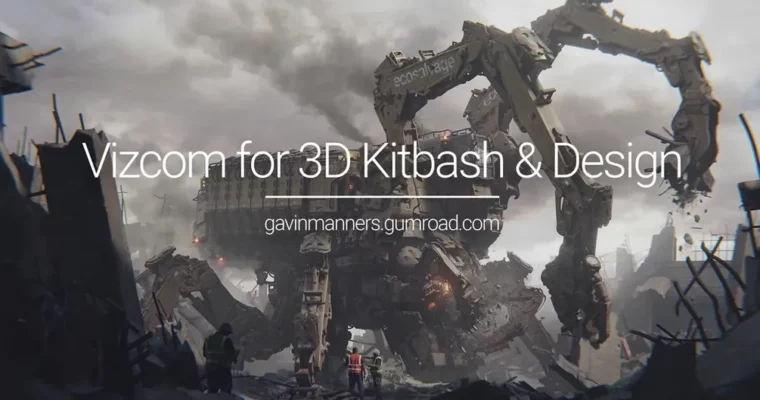
Got a rough mech sketch and no idea how to finish it? This tutorial takes the Demolition Recycler from a loose sketch through Vizcom generation, a full Blender build and render, and a final Photoshop paintover to a portfolio-ready keyframe.
🎯 What you’ll learn
- Generate usable kitbash parts from a sketch with Vizcom
- Block out and build a hard-surface mech in Blender
- Light, render and composite your mech for presentation
- Do a full paintover in Photoshop for weathering and story
- Fix design problems mid-process without starting over
✅ Requirements
- Skills: Basic familiarity with Blender navigation and Photoshop layers
- Tools: Blender 4.3.2, Photoshop, Vizcom access
- Hardware: Dedicated GPU for Blender rendering, minimum 16GB RAM
📝 Description
This is not a tidy, step-by-step button press thing. It is the full run, warts and all. Gavin starts with his Demolition Recycler sketch from the sketch tutorial and talks through what works, what does not, and how he fixes it. You get his design methodology, his problem-solving on the fly, and why he makes specific calls on proportion, silhouette and function.
The middle chunk is all about speed. Instead of modeling every greeble by hand, he uses Vizcom to spit out kitbash parts and then builds the mech fast in Blender. You get his full kitbash library and the complete Blender mech model, so you can pull it apart and see how it is put together. Then it is lighting, rendering and compositing to get a solid base for paint.
The last part is where it comes together. He takes that render into Photoshop and does a full paintover – adding wear, dust, decals, edge highlights, background storytelling. You also get the finished PSD file, so you can zoom in and reverse-engineer every layer.
🧑🎓 Who this course is for
- Concept artists and 3D folks who want a faster mech workflow with AI + 3D
- Blender users who want to integrate Vizcom and paintover into their process
🧑🏫 About the Author
Gavin Manners is a concept designer focused on mechs, vehicles and industrial design. He teaches through real builds rather than theory, sharing his full process in Blender, Vizcom and Photoshop. His tutorials are known for honest commentary on design mistakes and practical fixes that work in production.
🏁 Final Result
- Finished Demolition Recycler keyframe plus your own reusable Vizcom-generated kitbash library and Blender mech workflow for future designs
 Channel