Ad Clicks : Ad Views : Ad Clicks : Ad Views : Ad Clicks : Ad Views : Ad Clicks : Ad Views :
Oh Snap!

It looks like you're using an adblocker. Adblockers make us sad. We use ads to keep our content happy and free. If you like what we are doing please consider supporting us by whitelisting our website. You can report badly-behaved ads by clicking/tapping the nearby 'Advertisement' X text.

The Easiest Way to Learn GLSL by Simon

The Easiest Way to Learn GLSL by Simon

/

Author:Simon

Duration:13 sections

Release date:2022, June

Publisher:SimonDev

Skill level:Beginner

Language:English

Exercise files:Yes

Software:GLSL, Three.js

Course URL:https://simondev.teachable.com/p/glsl-shaders-from-scratch

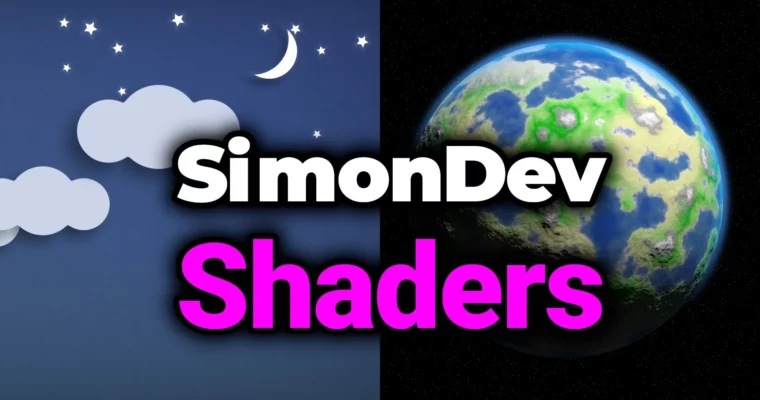
Master GLSL shader programming with Three.js and build stunning 3D visuals from scratch.

Ready to make your 3D projects pop with custom visual effects? This course breaks down GLSL shader programming in Three.js, making it super accessible even if you’ve never written a shader before. You’ll go from understanding the basics to creating complex lighting, procedural effects, and even raymarching.

🎯 What you’ll learn

  • GLSL fundamentals and syntax
  • Vertex shader techniques for geometry deformation
  • Procedural generation and Signed Distance Functions (SDFs)
  • Advanced color manipulation and post-processing effects
  • Integrating complex lighting models like Phong and toon shading
  • Building a full planet shader with stars
  • Raymarching for advanced 3D scene rendering
  • Creating dynamic 2D UI displays procedurally

✅ Requirements

  • Skills: No prior shader programming knowledge needed. Basic familiarity with 3D concepts is helpful.
  • Tools: A code editor (like VS Code) and a web browser.
  • Hardware: A computer capable of running modern web applications and 3D graphics.

📝 Description

This course is your fast track to understanding and creating GLSL shaders within the Three.js framework. Simon, an ex-Google engineer with deep experience in graphics and optimization, guides you through building visually impressive effects. You’ll start with the absolute basics of shader programming, covering everything from simple color manipulation to complex lighting models and advanced techniques like Signed Distance Functions (SDFs) and raymarching. The course emphasizes a “learn by building” approach, where you’ll construct multiple real-world projects, including a full planet shader and procedural noise systems. All the code and projects you create are yours to use in your own work.

🧑‍🎓 Who this course is for

  • Anyone interested in graphics programming or shader development.
  • Game developers looking to add custom visual flair to their projects.
  • Artists who want to create unique and dynamic visual effects for the web.
  • Web developers aiming to build cutting-edge, visually rich websites.

🧑‍🏫 About the Author

Simon is an ex-Google Engineer and graphics programmer with about 20 years of industry experience. He specialized in 3D graphics and optimization throughout his game development career and worked on performance infrastructure for Chrome at Google. His early career involved working on the original Xbox and PlayStation 2. This extensive background means he brings a wealth of practical knowledge and optimization insights to the course.

🏁 Final Result

  • A portfolio of custom-built shaders and 3D projects, including a complete planet shader, procedural noise landscapes, post-processing effects, and raymarched scenes, all created using GLSL and Three.js.
Curriculum

📋 Course content

  1. Course Overview
    • Course Overview1:44
  2. Section 1 – Introduction & Background
    • IMPORTANT – Migration
    • Source Code for All Project Files
    • Welcome and Introductions5:53
    • Sample Shader2:52
    • GLSL Overview3:21
    • Transformation Pipeline & Shader Inputs7:26
    • Key Takeaways2:17
  3. Section 2 – Your First Shader
    • IMPORTANT – Migration
    • IDE Setup & Template Code4:16
    • Simple Colours & RGB4:05
    • Shader Inputs – Varyings3:47
    • Shader Inputs – Uniforms4:13
    • Shader Inputs – Attributes2:56
    • Homework Answers
  4. Section 3 – Textures
    • IMPORTANT – Migration
    • Simple Textures & Colours7:34
    • Working with Alpha3:47
    • Addressing3:38
    • Filtering4:21
    • Homework Answers
  5. Section 4 – Common Functions & Tricks
    • IMPORTANT – Migration
    • Step, Mix, Smoothstep17:45
    • Min, Max, Clamp, Saturate4:24
    • Fract & Friends15:35
    • InverseLerp, Remap, and the Derivative Functions6:56
    • Homework Answers
  6. Section 5 – Vector Operations & Math
    • IMPORTANT – Migration
    • Sin/Cos6:24
    • Common Vector Operations8:02
    • Homework Answers
  7. Section 6 – Lighting Models
    • IMPORTANT – Migration
    • Ambient & Hemi Lights7:04
    • Lambertian Lighting & sRGB7:36
    • Phong Specular3:39
    • IBL Specular & Fresnel7:51
    • Toon Shading5:11
    • Homework Answers
  8. Section 7 – Vertex Shaders
    • IMPORTANT – Migration
    • Recap2:23
    • Simple Transformations7:22
    • Varyings in Way More Depth9:48
    • Project: Pop-In (easing functions)2:09
    • Project: Warped Sphere6:36
  9. Section 8 – SDF’s & Simple Shapes
    • IMPORTANT – Migration
    • What are SDF’s?7:57
    • Simple Shapes5:37
    • Transformations3:46
    • Antialiasing & Shading2:30
    • Boolean Operations9:39
    • Project: Cloudy Day34:14
  10. Section 9 – Noise
    • IMPORTANT – Migration
    • Intro to Noise3:38
    • Value & Gradient Noise2:39
    • Filtering6:35
    • Perlin & Simplex10:06
    • More Noises!14:17
    • Project: Landscape12:14
    • Project: Burn Transition7:21
  11. Section 10 – PostFX
    • IMPORTANT – Migration
    • Intro to PostFX2:42
    • Basic Colour Manipulation12:47
    • Colour Boost, Vignette, Pixelation10:42
    • Distortions & Ripples6:57
  12. Section 11 – Planet Shader
    • IMPORTANT – Migration
    • Notes
    • Stars13:37
    • Planet21:51
  13. Section 12 – Raymarching
    • IMPORTANT – Migration
    • Intro2:39
    • Theory9:41
    • Basic Implementation15:23
    • Advanced Features26:43
    • Project: Terrain30:41
  14. Section 13 – Grass
    • IMPORTANT – Migration
    • Source Code & Project Files for Grass
    • Initial Setup2:56
    • Introduction & Outline4:57
    • Overview of GDC Paper4:54
    • Basic Idea and Approach9:34
    • Single Blade of Grass21:42
    • Basic Lighting & Wind47:19
    • More details32:56
  15. Particles
    • IMPORTANT – Migration
    • Source Code & Project Files for Particles
    • Basic Particles35:11
    • Particle Systems (165:51)
    • Blending75:23
    • GPU Particles – Stateless65:51
    • GPU Particles – Stateful64:39
    • GPU Particles – Advanced49:30
    • GPU Particles – Boids (174:32)
Watch online or Download for Free
The Easiest Way to Learn GLSL by Simon
NAME
SIZEDURATION


Join us on
  Channel    and      Group

Leave a Comment

Your email address will not be published. Required fields are marked *