Ad Clicks : Ad Views : Ad Clicks : Ad Views : Ad Clicks : Ad Views : Ad Clicks : Ad Views :
Oh Snap!

It looks like you're using an adblocker. Adblockers make us sad. We use ads to keep our content happy and free. If you like what we are doing please consider supporting us by whitelisting our website. You can report badly-behaved ads by clicking/tapping the nearby 'Advertisement' X text.

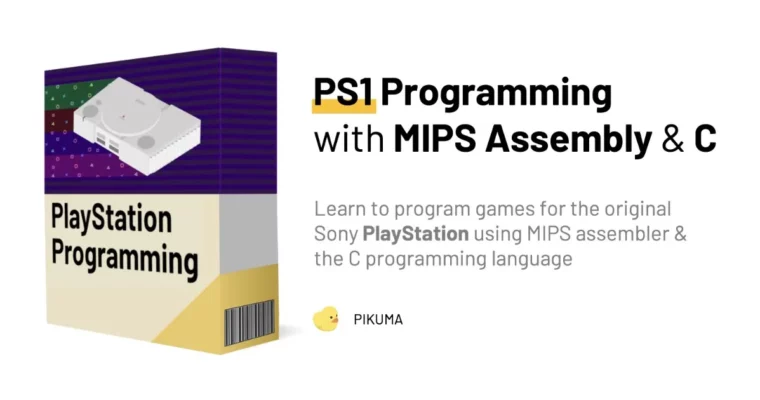
PS1 Programming by MIPS Assembly & C by Gustavo Pezzi

PS1 Programming by MIPS Assembly & C by Gustavo Pezzi

/

Author:MIPS Assembly & C by Gustavo Pezzi

Duration:35 hours

Release date:2024, April

Publisher:Pikuma

Skill level:Intermediate

Language:English

Exercise files:Yes

Software:MIPS Assembly, C, PS1 SDK

Course URL:https://pikuma.com/courses/ps1-programming-mips-assembly-language

Learn to program games for the original Sony PlayStation console using MIPS assembler and the C programming language.

This course is a deep dive into the world of PlayStation programming. You’ll explore the PS1 hardware, understand its sub-components, and learn to code games using MIPS assembler and the C programming language. You’ll also use a PS1 SDK library with a modern development toolchain to push fast polygons out of your console.

🎯 What you’ll learn

  • Write MIPS assembly code for the PS1’s CPU
  • Use the PS1 SDK and C compiler for game development
  • Render 3D polygons with the Graphics Processing Unit (GPU)
  • Implement camera transformations and controller input
  • Load and display textured 3D objects from CD-ROM
  • Build a complete, playable game for the original PlayStation

✅ Requirements

  • Skills: Basic understanding of coding (if-else, loops, functions)
  • Tools: A PC with Windows 10/11 (or macOS/Linux with emulation), Visual Studio Code
  • Hardware: A real PS1 console is optional (emulation is fully supported)

📝 Description

This course is a no-nonsense, ground-up look at PS1 development. It starts with MIPS assembly to get you comfortable with the console’s raw hardware—registers, memory maps, and the GPU. You’ll write code that directly flips bits on the machine, not just imitate its look in a modern engine.

Once you’ve got a handle on the low-level stuff, you’ll move to a C compiler and the official PS1 SDK. This is where the real fun begins. You’ll build a 3D engine from scratch, handling everything from fixed-point math and the GTE coprocessor to loading textures from a CD-ROM. The final project is a playable game, complete with physics, audio, and a full track.

The course is packed with practical exercises and quizzes. You won’t just watch—you’ll code. Every concept is tied directly to a working example, so you understand why things work the way they do. By the end, you’ll have a deep, practical understanding of the PS1’s architecture and the skills to build your own retro-style games.

🧑‍🎓 Who this course is for

  • Developers who want to understand the hardware and software of the original PlayStation
  • Retro programming enthusiasts looking to build games for a classic console
  • Students of computer science who want to apply concepts like assembly, data structures, and computer graphics to a real-world project

🧑‍🏫 About the Author

Gustavo Pezzi is a university lecturer in London, UK, and the founder of pikuma.com. He has won multiple education awards and teaches fundamentals of computer science and mathematics. His academic background includes institutions such as Pittsburg State University, City University of London, and the University of Oxford.

🏁 Final Result

  • A fully playable 3D game running on a real PlayStation console (or emulator), demonstrating textured polygons, physics, audio, and CD-ROM loading.
Curriculum

📋 Course content

  1. Module 1:  Introduction & PlayStation History
    • Motivations & Learning Outcomes
    • The PS1 in the History of Game Consoles
  2. Module 2:  The PlayStation Hardware
    • PS1 Hardware Overview
    • The MIPS Processor
    • PS1 Memory Map
  3. Module 3:  MIPS Assembly
    • CPU Registers & Load Instructions
    • Jump & Branch Instructions
    • Installing the ARMIPS Assembler
  4. Module 4:  Emulation & Debugging
    • Step-by-Step Execution
    • Different PlayStation Emulators
  5. Module 5:  The MIPS Pipeline
    • MIPS Pipeline
    • Delay Slots
  6. Module 6:  Subroutines & Signed Numbers
    • Writing a Factorial Subroutine
    • Logical & Bitshifting Instructions
  7. Module 7:  CISC vs. RISC
    • Examples of CISC & RISC Machines
  8. Module 8:  Graphics System
    • Drawing Primitives
    • GPU Packets
  9. Module 9:  Rendering Polygons
    • Drawing Flat-Shaded Triangles & Quads
    • Drawing Gouraud-Shaded Polygons
  10. Module 10:  MIPS Memory Alignment
    • Variables & Alignment
  11. Module 11:  Copying Data to VRAM
    • Copying Image Data to VRAM
  12. Module 12:  Moving From Assembly to C
    • The Original PS1 SDK Library
    • Compiling a Simple C Project
  13. Module 13:  Basic Data Types
    • Double-Buffer Screen
    • Ordering Tables
  14. Module 14:  Introduction to 3D Graphics
    • A Review of 3D Projection
    • The GTE Coprocessor
  15. Module 15:  The GTE Coprocessor
    • The RotTransPers Function
    • Coding a Rotating 3D Cube
  16. Module 16:  Fixed-Point Math
    • Fixed-Point Number Representation
    • Coding a Bouncing Cube
  17. Module 17:  GTE Inline Instructions
    • GTE Register Set
  18. Module 18:  Controller Input
    • Reading Joypad State
  19. Module 19:  Working with Multiple Files
    • Header Files & Implementation Files
  20. Module 20:  Camera Transformation
    • Look-At Transformation
  21. Module 21:  CD-ROM Access
    • Generating an ISO
    • Reading Files from the CD
  22. Module 22:  Textured Polygons
    • UV Coordinates, TPAGE, & CLUT
    • Textured Cube Faces
  23. Module 23:  Decoding PRM Files
    • Introduction to our Final Project
    • Reading Vertices & Normals from File
  24. Module 24:  Decoding CMP Files
    • CMP File Layout
    • Uploading CMP Textures to VRAM
  25. Module 25:  Multiple 3D Objects
    • Loading Multiple CMP Files
    • Linked List Implementation
  26. Module 26:  Loading Landscape Objects
    • Reading Scene Objects from the CD
  27. Module 27:  Loading Track Faces
    • Track Section & Faces
    • Drawing Quad Lines
  28. Module 28:  Loading Track Texture
    • Loading Track Texture Tiles
  29. Module 29:  Polygon Subdivision & Tessellation
    • Polygon Subdivision
    • Minimizing T-Junction Artefacts
  30. Module 30:  Ship Movement & Physics
    • Ship Struct
    • Yaw, Pitch, & Roll
  31. Module 31:  Refactoring Track Visibility
    • Rethinking Section Rendering
  32. Module 32:  Audio
    • Audio & SPU
    • Playing VAG Sound Effects
  33. Module 33:  Running on Real Hardware
    • Burning a Game CD Disk
  34. Module 34:  Conclusion & Next Steps
Watch online or Download for Free
PS1 Programming by MIPS Assembly & C by Gustavo Pezzi
NAME
SIZEDURATION


Join us on
  Channel    and      Group

Leave a Comment

Your email address will not be published. Required fields are marked *