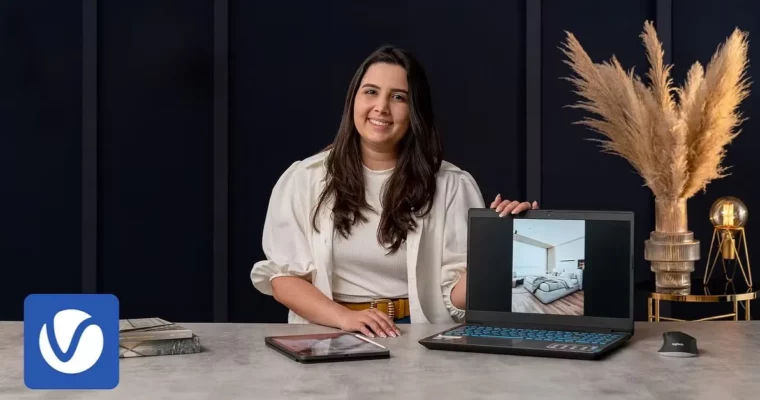
Photorealism with V-Ray – Practical Lighting Techniques by Karine Lima

Actual Duration:3h 29m
Release date:2024, July
Publisher:Domestika
Skill level:Beginner
Language:English
Exercise files:Yes
Software:SketchUp, V-Ray, Photoshop
Course URL:https://www.domestika.org/en/courses/4687-photorealism-with-v-ray-practical-lighting-techniques
If your renders still look flat and CG, it’s almost always the light. This course shows you how to fix that in V-Ray with SketchUp, from clean modeling to final polish, so your interiors and exteriors actually read like photos.
🎯 What you’ll learn
- Set up natural lighting and artificial lighting in V-Ray for believable results
- Apply and tweak realistic V-Ray materials for wood, fabric, glass and more
- Model cleanly in SketchUp and optimize your workflow for rendering
- Humanize scenes with the V-Ray block library for scale and life
- Create three lighting moods: sunny day, overcast and blue hour
- Render interior and exterior scenes with and without daylight
- Finish images in Photoshop with post-production adjustments for clients
✅ Requirements
- Skills: Basic knowledge of 3D modeling in SketchUp
- Tools: SketchUp 2020, V-Ray 5.2, Photoshop for post-production
- Hardware: Computer capable of CPU/GPU rendering, dedicated GPU recommended
📝 Description
Here’s the deal: good rendering isn’t about cranking settings. It’s about understanding light. Karine walks you through how natural lighting behaves at different times of day, and when to back it up with artificial lighting so your image doesn’t fall apart.
You’ll start with the boring-but-important stuff. Clean SketchUp modeling, smart workflow, and a solid V-Ray base. No messy geometry, no weird shadows. Then you get into materials — how to apply them, tweak reflection, roughness and bump so surfaces don’t look plastic.
The fun part is the moods. You’ll build the same scene three ways: bright sunny day, soft overcast, and moody blue hour. Same model, totally different feeling. Karine shows what changes with sun position, sky, exposure and interior lights, for both inside and outside views.
To finish, you’ll take it into Photoshop. Just practical tweaks — contrast, color balance, glow, small fixes. Nothing fancy, but it’s what takes a decent render and makes it client-ready.
🧑🎓 Who this course is for
- Architects and interior designers who present SketchUp projects to clients
- 3D artists who want more photorealistic lighting without guesswork
- Anyone using SketchUp + V-Ray who is tired of flat, washed-out renders
🧑🏫 About the Author
Karine Lima is an architect and V-Ray specialist known for clean, emotional architectural visualization. She works with clients around the world and teaches a hands-on, no-fluff approach focused on realistic lighting that sells the design intent.
🏁 Final Result
- Two sets of photorealistic images — one interior and one exterior — each rendered in 3 lighting moods (sunny day, blue hour, overcast) plus a version without natural light, finished in Photoshop and ready for your portfolio.
 Channel