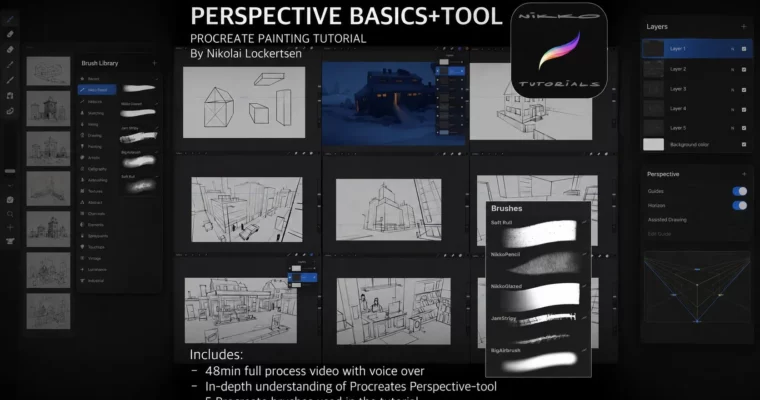
Perspective Basics + Tool by Nikolai Lockertsen

Duration:48 minutes
Actual Duration:48m
Release date:2016
Publisher:Gumroad
Skill level:Beginner
Language:English
Exercise files:Yes
Software:Procreate
Course URL:https://nikkos-tutorials.gumroad.com/l/ZoEYW
A focused 48-minute tutorial that cuts the fluff and shows you exactly how to use Procreate’s Perspective Guide and Drawing Assist tools. You’ll move from basic theory to sketching full environments with 1, 2, and 3-point perspective setups in seconds.
🎯 What you’ll learn
- Set up a complete perspective grid on your canvas in seconds
- Use Procreate’s Drawing Assist to lock brushstrokes to vanishing points
- Apply 1-point, 2-point, and 3-point perspective to environment sketches
- Translate perspective theory into practical, organic layouts
✅ Requirements
- Skills: Basic familiarity with Procreate’s interface
- Tools: iPad, Apple Pencil or compatible stylus
- Hardware: iPad running Procreate 4.0 or later
📝 Description
This isn’t a dry lecture on vanishing points. Nikolai Lockertsen walks you through real sketches, showing you how to set up 1-point, 2-point, and 3-point perspective grids in Procreate and then lock your brushstrokes to them using Drawing Assist. The result? Clean, accurate linework without fighting the tool.
The core idea is speed. You’ll learn to map a full perspective setup in a few seconds, then immediately apply it to environment sketches. Nikolai covers multiple examples, from simple street scenes to more complex architectural layouts, so you see how the same principles work across different compositions.
The package includes five custom Procreate brushes—BigAirbrush, JamStripy, NikkoGlazed, NikkoPencil, and Soft_Rull—that Nikolai uses in the demo. These let you replicate his texturing and linework style right away.
🧑🎓 Who this course is for
- Digital artists who want to improve their environment sketching on iPad
- Procreate users looking to master the Perspective Guide and Drawing Assist tools
- Beginners who want a practical, no-nonsense introduction to perspective drawing
🧑🏫 About the Author
Nikolai Lockertsen (Nikko) is a professional concept artist and illustrator with extensive experience in the entertainment industry. He has worked on projects for major studios and is known for his efficient, practical approach to digital painting and environment design. His tutorials focus on real-world workflows rather than abstract theory.
🏁 Final Result
- A solid understanding of how to set up and use perspective grids in Procreate
- Multiple environment sketches demonstrating 1, 2, and 3-point perspective
- A set of custom brushes to continue practicing with
 Channel