Ad Clicks : Ad Views : Ad Clicks : Ad Views : Ad Clicks : Ad Views : Ad Clicks : Ad Views :
Oh Snap!

It looks like you're using an adblocker. Adblockers make us sad. We use ads to keep our content happy and free. If you like what we are doing please consider supporting us by whitelisting our website. You can report badly-behaved ads by clicking/tapping the nearby 'Advertisement' X text.

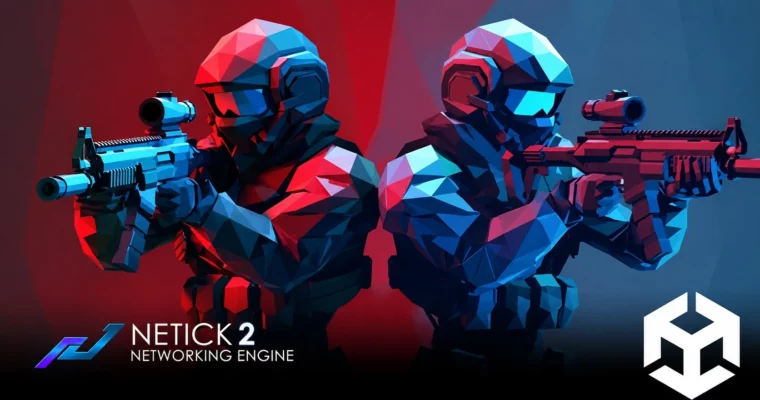
Learn to Create a Multiplayer shooter in Unity using Netick by Stinky Steak

Learn to Create a Multiplayer shooter in Unity using Netick by Stinky Steak

/

Author:Stinky Steak

Duration:7.5 hours

Actual Duration:4h 59m

Release date:2024, August

Publisher:Udemy

Skill level:Intermediate

Language:English

Exercise files:Yes

Software:Unity, Netick

Course URL:https://www.udemy.com/course/learn-to-create-a-competitive-shooter-in-unity-using-netick/

Build a polished 3D online multiplayer shooter from scratch using Unity and the Netick networking framework.

Build a 3D online multiplayer shooter in Unity using the Netick networking framework. This course walks you through creating a complete competitive game, covering everything from basic client-server architecture to polished features like weapon VFX, match timers, and a dynamic scoreboard.

🎯 What you’ll learn

  • Understand the client-server model, including client-side prediction and server reconciliation.
  • Implement direct matchmaking for hosting and joining game rooms.
  • Create a full weapon system with projectile shooting, reloading, and visual effects.
  • Build a health system, respawn logic, and a scoring system.
  • Develop a clean and scalable code architecture for multiplayer games.

✅ Requirements

  • Skills: Recommended 1-2 years of experience with Unity and C# as a hobbyist.
  • Tools: Unity Editor, a code editor (like Visual Studio).
  • Hardware: A computer capable of running Unity and a stable internet connection for testing multiplayer.

📝 Description

This course is for Unity devs who want to stop messing around with tutorials and actually build a multiplayer shooter that works. You’ll start by understanding the core concepts of client-server networking—things like tickrates, client-side prediction, and interpolation—and then immediately apply them.

The project is built around Netick, a modern networking solution for Unity. You’ll implement everything from scratch: player movement, a weapon system with projectile VFX and reloading, a health system, and a full game loop with match timers and a scoreboard. The focus is on writing clean, scalable code that you can actually reuse in your own projects.

You’ll also tackle common multiplayer headaches like lag compensation, handling client disconnections, and syncing player visuals. By the end, you’ll have a solid, playable game and a clear understanding of how to build your own networked experiences.

🧑‍🎓 Who this course is for

  • Unity game developers who want to level up and build multiplayer games.
  • Hobbyists with a solid grasp of Unity and C# who are ready to tackle networking.

🧑‍🏫 About the Author

Stinky Steak is an indie game developer with over 6 years of programming experience. Unity is his primary engine, though he also works with Unreal Engine. He has built both desktop and mobile games, both as a hobbyist and professionally.

🏁 Final Result

  • A fully functional 3D multiplayer shooter game with matchmaking, player combat, and a complete game loop.
Curriculum

📋 Course content

  1. Module 1: Introduction & Core Concepts
    • Basic Client-Server2:02
    • What so Sync in Multiplayer Games?1:40
    • Client-server Authority Types1:39
    • Tickrates, Client-side Prediction, Resimulation6:27
    • Interpolation1:26
    • Project Setup15:05
    • Netick Network Callbacks1:55
    • Session Creation17:35
  2. Module 2: Player & Movement
    • Top Down Movement – P117:02
    • Top Down Movement – P24:11
    • Top Down Rotation10:28
    • Player Animation14:51
    • Basic Spawning15:27
    • Fixing Player Animation4:36
    • Player Manager11:44
    • Player Manager – Fix Racing Condition5:55
    • Player Nickname10:17
  3. Module 3: Weapon System & VFX
    • Weapon Shooting – Theory – P1 – Projectile vs Hitscan2:42
    • Weapon Shooting – Theory – P2- Lag Compensation2:05
    • Weapon Shooting – Programming – P1 – Raycast7:54
    • Weapon Shooting – Programming – P2 – Bullet Projectile VFX22:57
    • Weapon Shooting – Programming – P3 – Bullet Impact VFX7:55
    • Weapon Shooting – Programming – P4 – Muzzle Flash6:00
    • Weapon Shooting – Programming – P5 – Reloading6:32
    • Reload Animation8:26
    • Simple UI Gameplay15:43
    • Manual Weapon Reloading4:19
  4. Module 4: Game Systems & UI
    • Health System – Mechanic & VFX15:14
    • Fix Health VFX TickTimer4:01
    • Spawn & Respawning9:26
    • Scoring System4:51
    • Gamemode System8:04
    • UI Scoring26:35
    • Camera System5:01
    • UI Nametag20:26
    • UI Match5:05
    • UI Endgame12:19
    • Player Material Ally vs Enemy6:31
    • Fixes – Nametag Size & Color3:53
    • Handling Client Disconnection (Despawning)4:14
    • Fix Rigidbody (Move Itself)2:09
    • Camera Shaker3:52
    • Audio Implementation15:37
    • Level Design4:02
    • Spawnpoints5:01
    • Fix – Player Movement2:08
    • Fix – Projectile Lifetime1:28
    • Main Menu27:52
    • Player Nickname – Advanced10:29
    • Removing Old Nickname0:42
    • Fix – Bullet Travel2:07
    • Fix – Weapon Origin Point on Client4:50
    • Network Shutdown1:40
    • Fix – UI Endgame0:46
  5. Module 5: Advanced Topics & Wrap-up
    • Applying Netick Settings0:37
    • Netick Settings Explanation3:58
    • Closing1:05
    • When to use RPC?2:00
    • Simulating Lag0:59
    • Choosing Netcode6:06
    • Relay & NAT3:10
    • Interest Management1:32
    • Netick Discord0:38
    • What’s Next?0:51
Watch online or Download for Free
Learn to Create a Multiplayer shooter in Unity using Netick by Stinky Steak
NAME
SIZEDURATION
Section 1 Introduction – Client Server in Multiplayer games
9.2 MB13m
Section 2 Project Creation
30.2 MB34m
Section 3 Gameplay Implementation
1.1 GB4h 11m
027.UI Nametag
16.4 MB20m
Section 5 Closing
5 MB

Download all Videos (63)
1.2 GB4h 59m


Download all

Join us on
  Channel    and      Group

Leave a Comment

Your email address will not be published. Required fields are marked *