Getting Started with Procreate Dreams 2 by Isaiah Creates

Duration:1 hour on-demand video
Actual Duration:50m
Release date:2026
Publisher:Udemy
Skill level:Beginner
Language:English
Exercise files:Yes
Software:Procreate Dreams 2, iPad
Course URL:https://www.udemy.com/course/getting-started-with-procreate-dreams-2
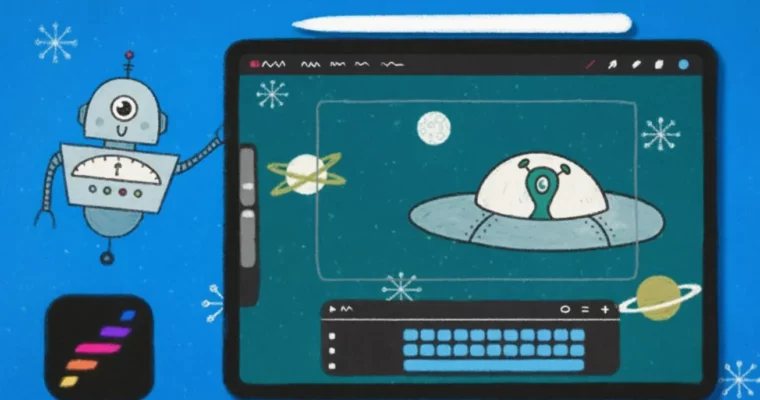
Ready to jump into animation? This course is your perfect starting point for Procreate Dreams 2, guiding you through creating fun, space-themed animations right on your iPad. No prior experience needed – just bring your creativity!
🎯 What you’ll learn
- Set up files and navigate Procreate Dreams 2 confidently.
- Animate using keyframes for smooth motion.
- Create animations frame-by-frame in Flipbook mode.
- Utilize the Perform tool for dynamic animation.
- Export your finished animations as videos or GIFs.
✅ Requirements
- Hardware: iPad
- Tools: Procreate Dreams, Apple Pencil
📝 Description
Ready to dive into the exciting world of animation? This course is your friendly guide to mastering Procreate Dreams 2, perfect for anyone new to animation or looking to catch up on the latest features. We’ll be working on a cool space-themed animation project, making the learning process fun and engaging. You’ll get hands-on experience with three distinct animation styles: Keyframing, Frame-by-frame, and using the Perform tool. We’ll also touch on fundamental animation principles like anticipation and follow-through to make your work really shine. To top it off, you’ll learn how to export your creations as shareable videos or GIFs. All you need is your iPad, Procreate Dreams, and an Apple Pencil. Plus, I’ve included some handy starter files to make following along a breeze. My aim is for you to leave with a solid grasp of Procreate Dreams’ animation capabilities and the confidence to bring any of your creative ideas to life.
🧑🎓 Who this course is for
- Absolute beginners curious about animation.
- Current Procreate Dreams users eager to explore the new features in version 2.
🧑🏫 About the Author
Isaiah Creates is a seasoned art director and a highly-rated instructor known for his engaging teaching style. With a background in graphic design and a passion for motion, Isaiah has honed his skills in motion design and animation through years of work in advertising. He’s recognized for his unique approach, often incorporating hand-drawn doodles and playful animations that make his work distinctive. Isaiah genuinely enjoys demystifying the animation process, making it accessible even for those without a formal animation background. He’s all about fostering creativity and making learning a fun, collaborative experience.
🏁 Final Result
- A completed, portfolio-ready animation project showcasing your understanding of Procreate Dreams 2’s animation tools.
 Channel